Lighthouse SOLAIR 3350, 5350 Gen E Operating Manual
3-8 248083387-1 Rev 10
Removing the Battery
WARNING:
Always
remove the battery prior
to shipping the
instrument.
1. To remove the battery, turn the power switch OFF.
2. Gently place the SOLAIR on its side and open the battery door.
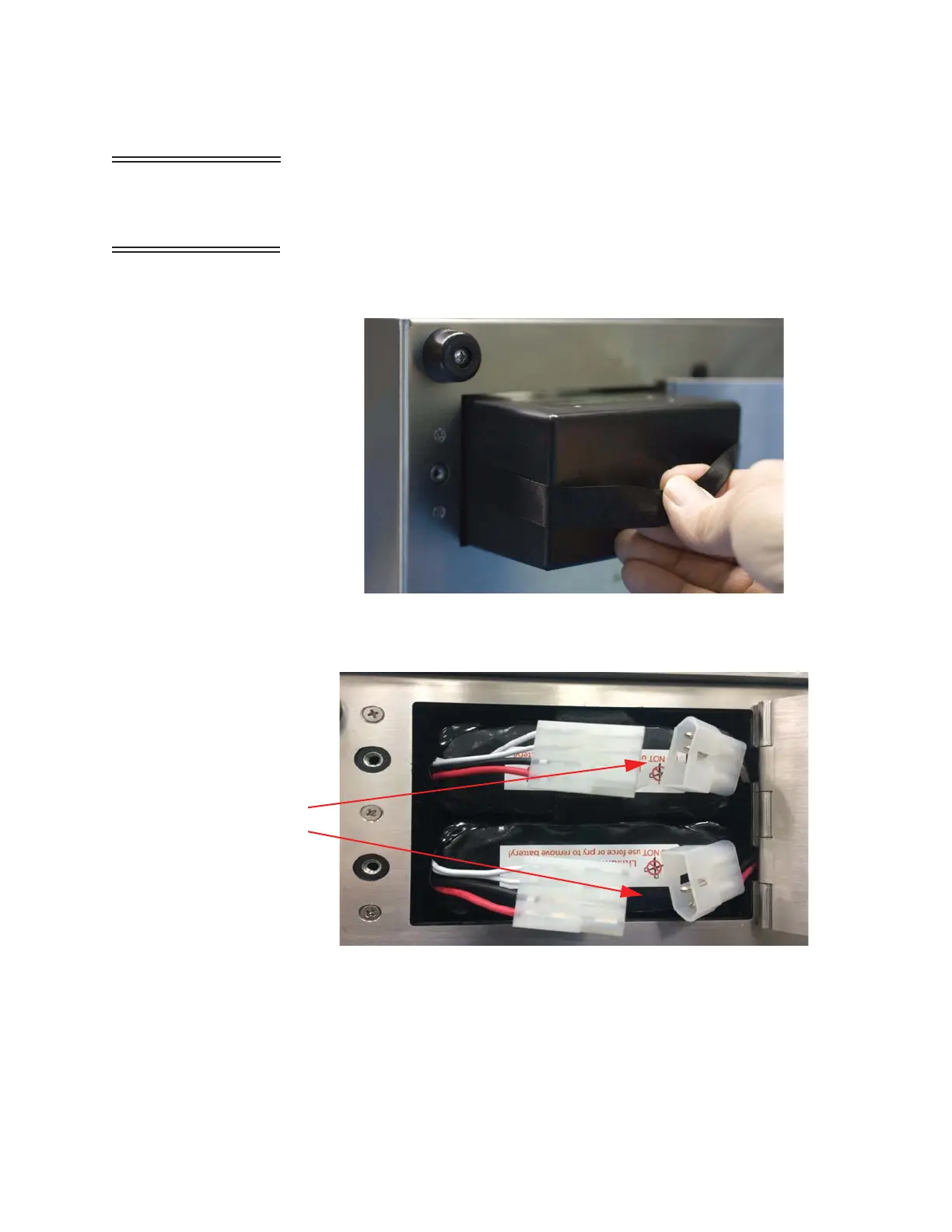
Either pull on the ribbon (for single-battery units) or disconnect the
cables and remove each battery individually (for dual-battery
units). Close and lock the battery door. See Figures 3-7 and 3-8.
Figure 3-7 Removing Battery (Single-Battery Units)
Figure 3-8 Removing Battery (Dual-Battery Units)
Detach
Cables










 To Next Page