Lighthouse SOLAIR 3350, 5350 Gen E Operating Manual
3-12 248083387-1 Rev 10
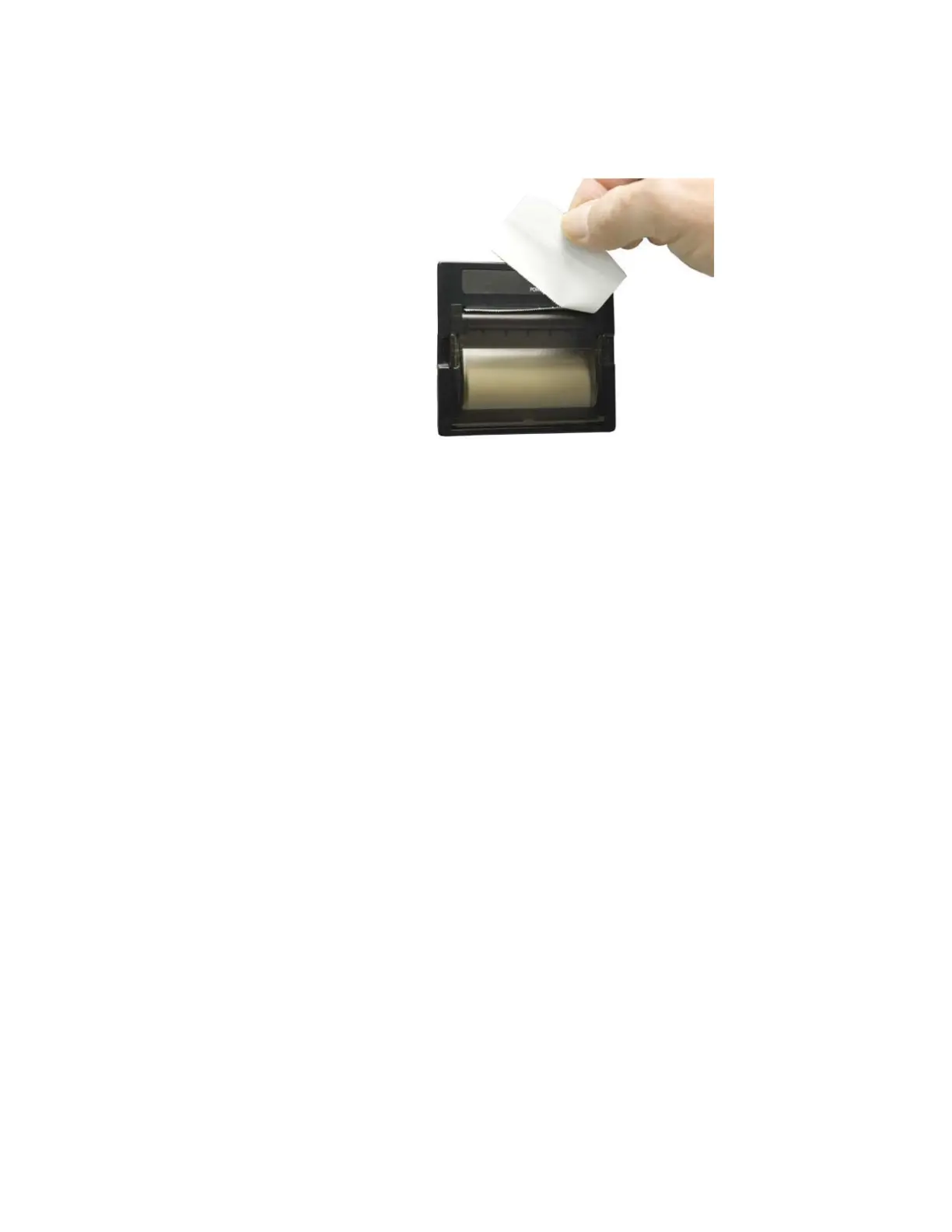
6. Tear off the excess by pulling the paper up against the cutting teeth
at an angle in one smooth motion as shown in Figure 3-14.
Figure 3-14 Trimming Off Extra Paper
Connecting to an External Computer or Facility
Management System
Note:
LMS Express
allows download of data
from the instrument;
LMS Express RT
provides real time data
downloads.
The SOLAIR 3350 and 5350 instruments have three ports available for
flexible external data retrieval. It can connect to the Lighthouse
Monitoring System, LMS Express/RT or the LMS XChange Data
Transfer Software for data download.
By transferring the SOLAIR data to the Lighthouse Monitoring System
(LMS) or LMS Express, the user can store historical data on a server or
PC for future review and trending. In LMS XChange, data can be
exported to a *.csv file for historical review. Up to 400 alphanumeric
location names can be transferred between LMS XChange and the
SOLAIR.
For specifics on connecting to the instrument, see “Communicating
with the Instrument” on page 5-1. Refer to the LMS, LMS Express or
LMS XChange manual for specific information about their set up and
use.










 To Next Page