Set up the Counter
248083387-1 Rev 10 4-19
Cross-over Cat5 Setup:
1. Attach one end of the cross-over cable to the RJ45 receptacle on
the PC.
2. Attach the other end of the cable to the SOLAIR Ethernet Port.
3. Apply power to the SOLAIR. Apply power to the PC if it is not
already running. Observe the LEDs on the hub/switch RJ45
connector - blinking indicates network activity. Observe the
network LEDs on the instrument’s RJ45 receptacle - they should
blink indicating activity. Proceed to next section.
Program the
Interface
Windows Telnet Programming:
1. Start Windows.
2. On the Taskbar, click on Start.
WARNING:
Perform
only the steps or
commands as provided
in this guide. Failure to
heed this warning can
result in damage to
equipment, personal
injury or data loss and
may void the equipment
warranties.
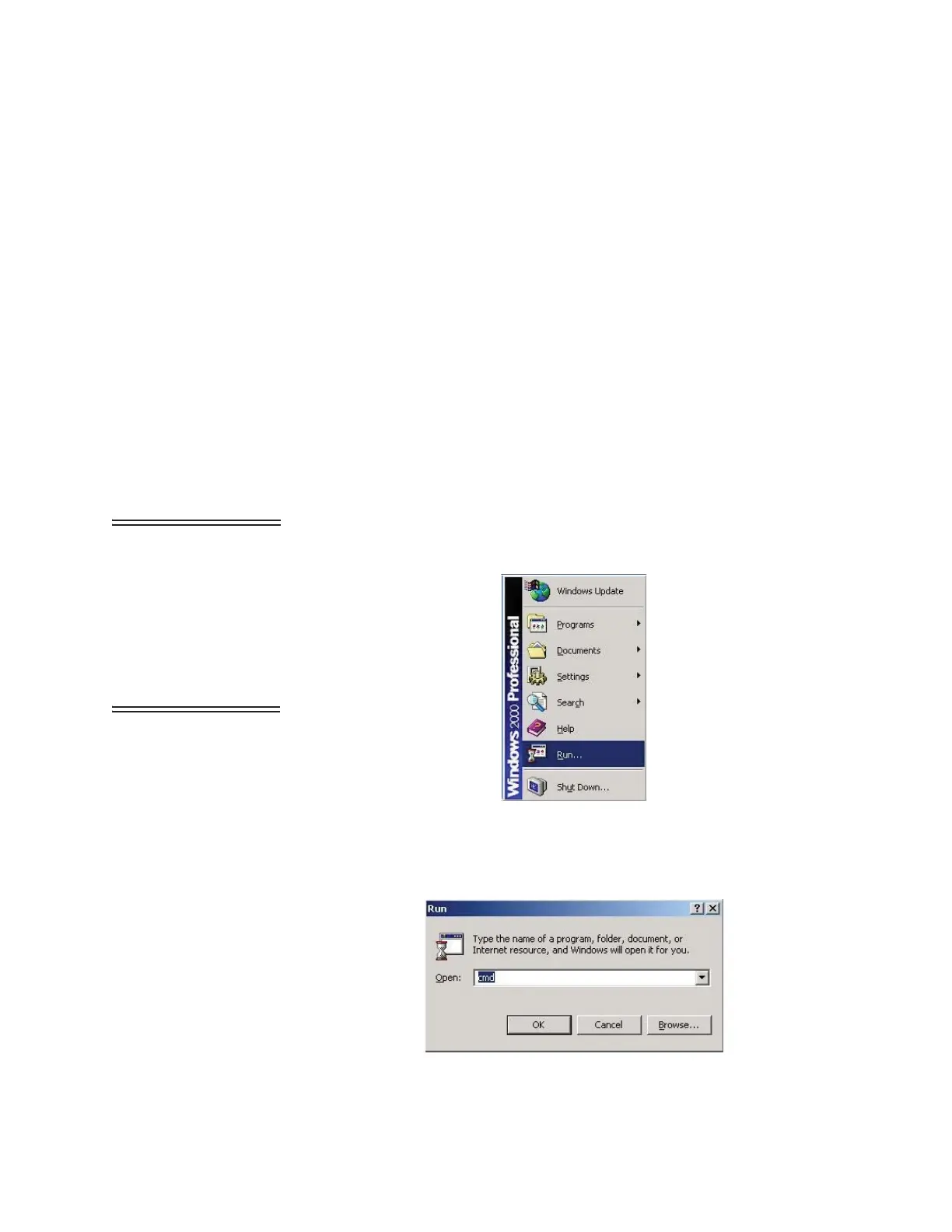
3. Select Run as shown in Figure 4-13.
Figure 4-13 RUN Screen
4. In the Run window, type CMD and click OK. See Figure 4-14.
Note: Typing commands
in the command console
requires a space between
the instruction and the
command variables. For
example,’arp’ is followed
by a space, then’-d’ and
another space, then the *.
Figure 4-14 Starting the Command Console










 To Next Page