Lighthouse SOLAIR 3350, 5350 Gen E Operating Manual
6-30 248083387-1 Rev 10
CLOCK
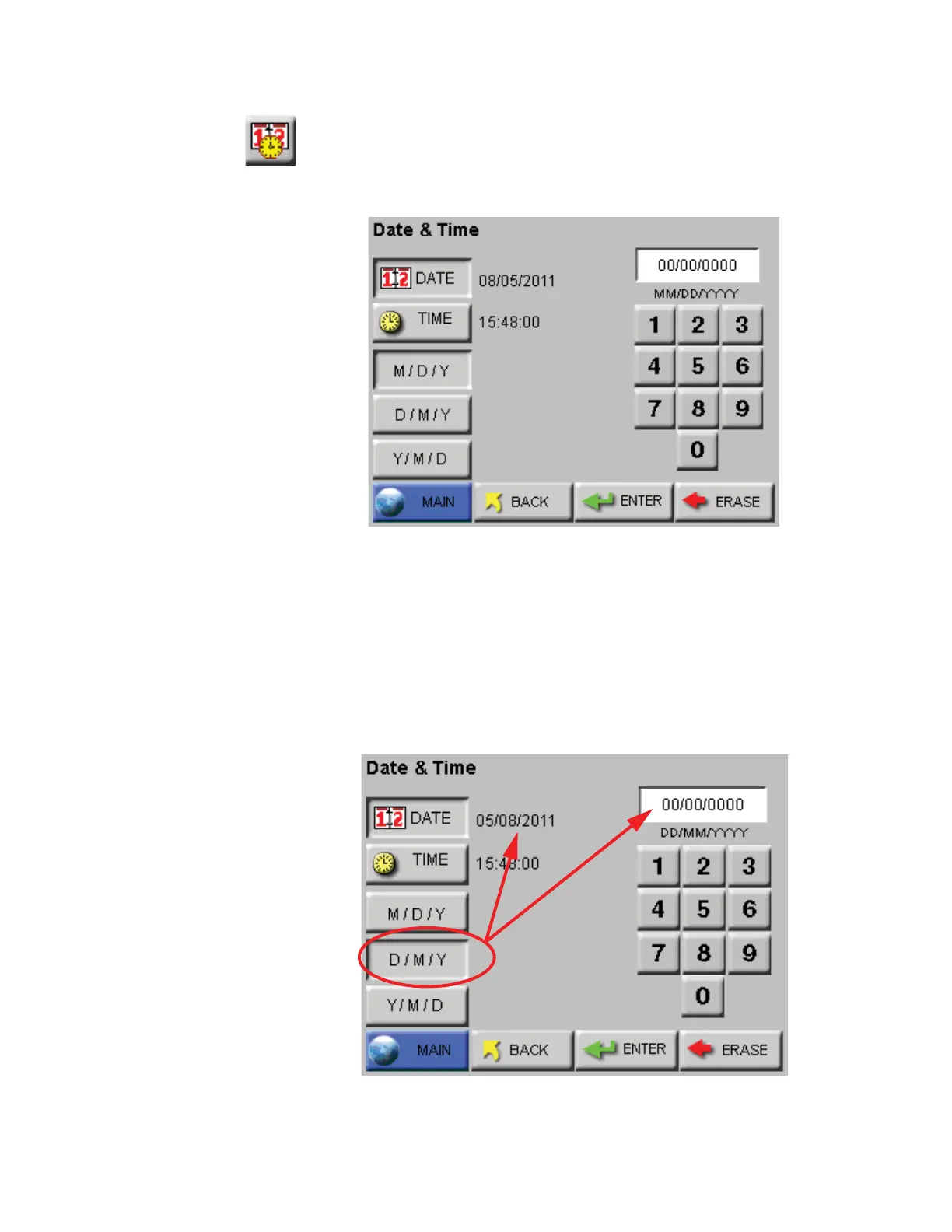
The Date & Time screen allows the user to set the instrument’s date and
time. See Figure 6-37.
Figure 6-37 Date & Time Configuration Screen
Set the instrument’s Date by entering values for the desired month, day
and year and then press the ENTER button.
Note:
MONTH 1ST (M / D/
Y) is the default date format.
Change the Date’s format by pressing the M / D/ Y button to display the
date as month-first. Alternatively pressing the D / M/ Y button displays
the Date as day-first and the Y / M/ D button displays the date year-
first. See Figure 6-38 and Figure 6-39.
Figure 6-38 Date Option: Day first










 To Next Page