248083387-1 Rev 10 I-5
Federal Standard 209E (ft3) 6-61
ISO 14644-1 6-61
Operational room status 6-70
Printing 6-72
Unidirectional air flow 6-70
Room Area 4-6
Room Status 4-6
RS-485 Communications 7-4
RS485 topology 5-3, 7-2
Running the Instrument 7-7
S
Safety 1-1, 8-1
Electrostatic safety information 1-1
Laser safety information 1-1
Sample 6-21
Sample Setting 6-24
Count Mode 6-24
Sample Time 6-7, 6-22
Sample Timing 6-21
Sample Volume 6-23
Save 7-7
Save Last Record to Flash Drive 6-5
Security 6-44
Select Location 6-4
Sensor Settings Registers B-2
Service 6-46
Service Indicator 6-6
Set adapter’s IP address 4-22
Setting the Alarm Threshold Value B-18
Setting the Real Time Clock 7-5
Shipping instructions 3-2
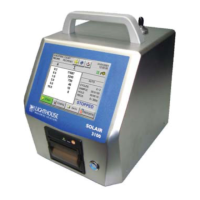
SOLAIR
3200Rx 2-1
5200Rx 2-1
SOLAIR 3350
Optional 6-Channel Thresholds 2-2
Optional 8-Channel Thresholds 2-2
Standard 6-Channel Thresholds 2-2
Standard 8-Channel Thresholds 2-2
SOLAIR 5350
Optional 6-Channel Thresholds 2-3
Optional 8-Channel Thresholds 2-3
Standard 6-Channel Threshold 2-3
Standard 8-Channel Thresholds 2-3
Specifications 2-2, 2-3
Start/Stop Button 6-7
Storage Temp/RH 2-3, 2-4
Straight-through Cat5 4-17
Straight-through Cat5 Setup 4-18
Subnet 4-16
Summary Report 6-56, 6-58
Supported MODBUS Commands B-1
Supporting Software 2-2, 2-4
T
TCP/IP 4-16
Telnet 4-16
Telnet Programming 4-19
Thermal Paper 3-10
Threshold Setup Registers B-16
Setting the Alarm Threshold Value B-18
Touch Screen
Display 2-2, 2-4
Touch Screen Overview 6-3
Troubleshooting the Printer 6-43
Troubleshooting, Purge Count 8-2
U
Unidirectional air flow 6-70
USB / RS232 Communications 5-3, 7-3
USB A to B cable 5-4, 7-3
USB cable 5-4, 7-3
USB driver install 5-3, 7-3
USB driver installation notes 5-3, 7-3
USB Flash Drive 5-5
USB port assignment 5-4, 7-4
Using the Counter
First Use 6-1
V
Vacuum Source 2-3, 2-4
Valid Data B-10
Validation Documentation
Accessories 3-3
View Buffer
Alarm Status 6-55



 To Next Page