Set up the Counter
248083387-1 Rev 10 4-21
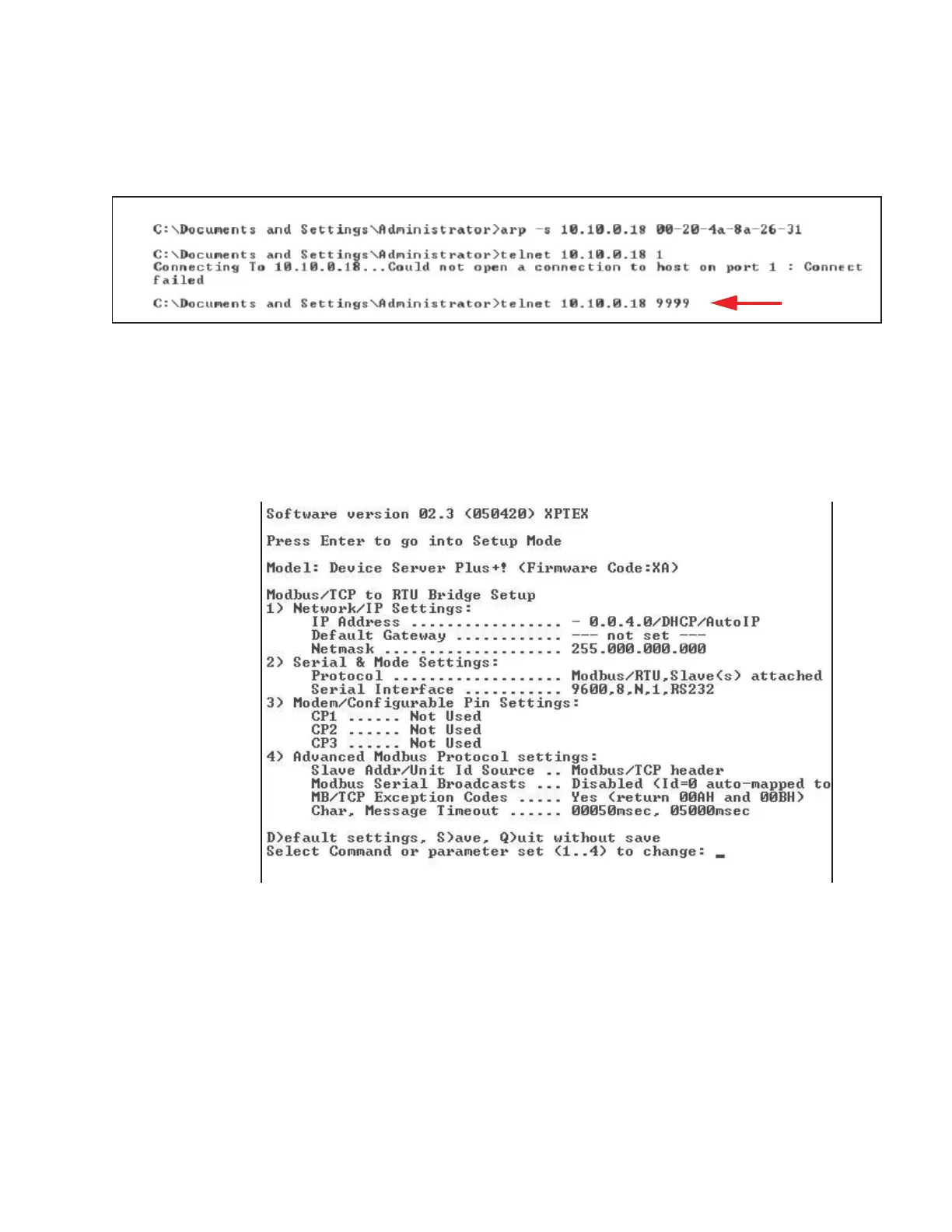
10. Type telnet xx.xx.xx.xx 9999 and press Enter. This command
accesses the telnet port of the instrument. The expected error
message from Step 9. is shown in Figure 4-18.
Figure 4-18 Command - Send “Telnet 9999"
The user will have 4 seconds to respond in the next step. If the
response is too slow, repeat step 10.
11. Press Enter to start the SOLAIR Ethernet interface setup
program. Figure 4-19 displays some of the default settings - make
no changes to these settings except as instructed.
Figure 4-19 Starting the Set Up Program










 To Next Page