Operate Counter
248083387-1 Rev 10 6-7
• SAMPLE: The Sample Time (hh:mm:ss) is the duration of one
counting cycle. The Sample Time will count down on the MAIN
screen when the instrument is in AUTO or Manual mode so the user
can see how much time is remaining in the sample period. In
Concentration mode, the Sample Time will count up to 6 seconds
per cycle.
Note:
If Hold time is
greater than 1 minute, the
pump will stop during that
time. At the end of the hold
time, the pump will restart.
•HOLD: Displays the hold time in between cycles. The maximum
hold time is 23 hours, 59 minutes, 59 seconds.
•RECS: This displays the current number of records stored in the
instrument and the total number of records that can be stored. The
data buffer is a circular buffer. The instrument can store up to 3000
records. An asterisk (*) will appear in front of counts when the
buffer wraps.
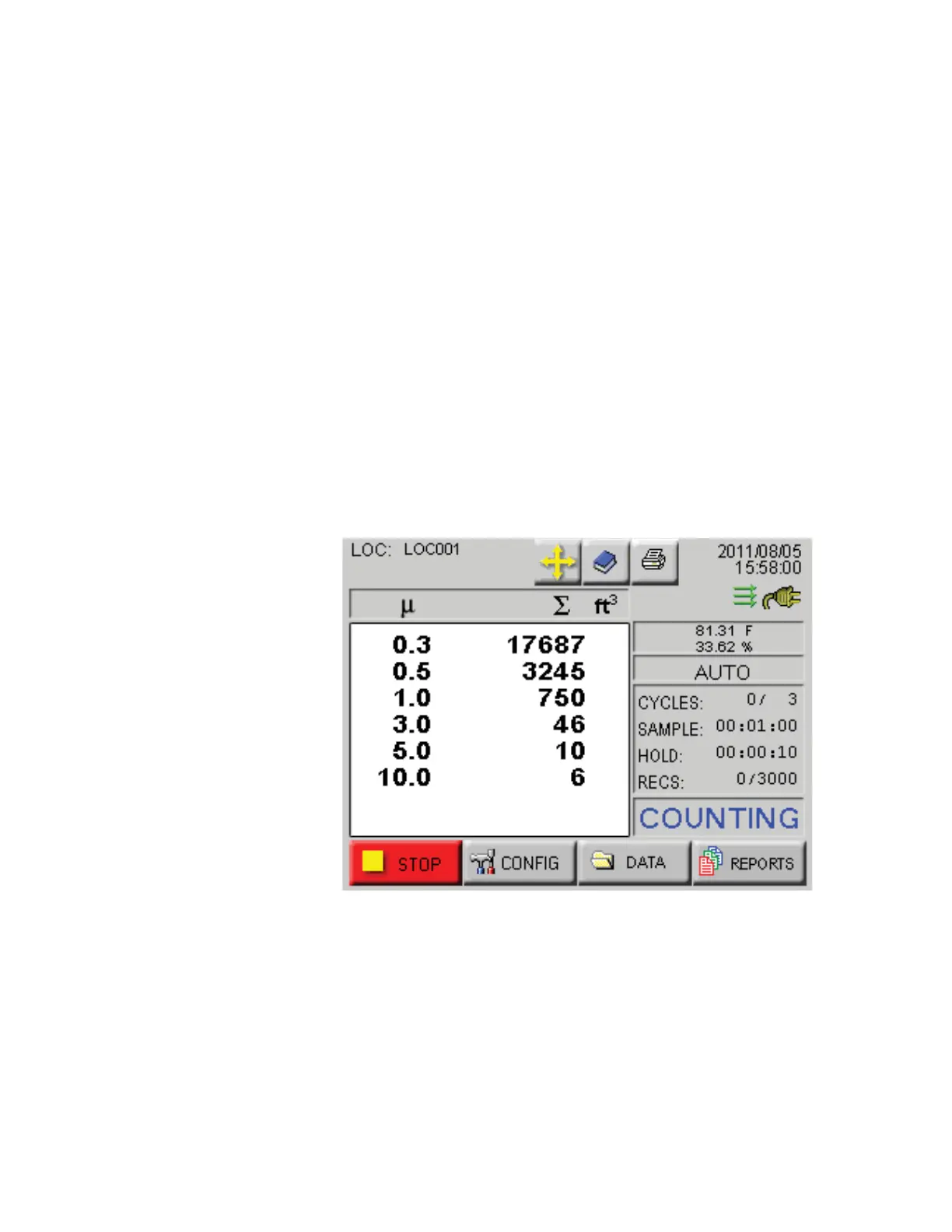
• START/STOP: Press START button on the screen to start
counting. When running, the instrument will display
“COUNTING” in the lower right corner of the screen as shown in
Figure 6-5. Press the STOP button to stop counting; the word
“STOPPED” will display.
Figure 6-5 Counting Mode










 To Next Page