LIGHTMED TruScan Pro – Operator’s Manual Rev. No. 01 Page 31 of 109
4.3 Liquid Crystal Display (LCD) Screen Controls
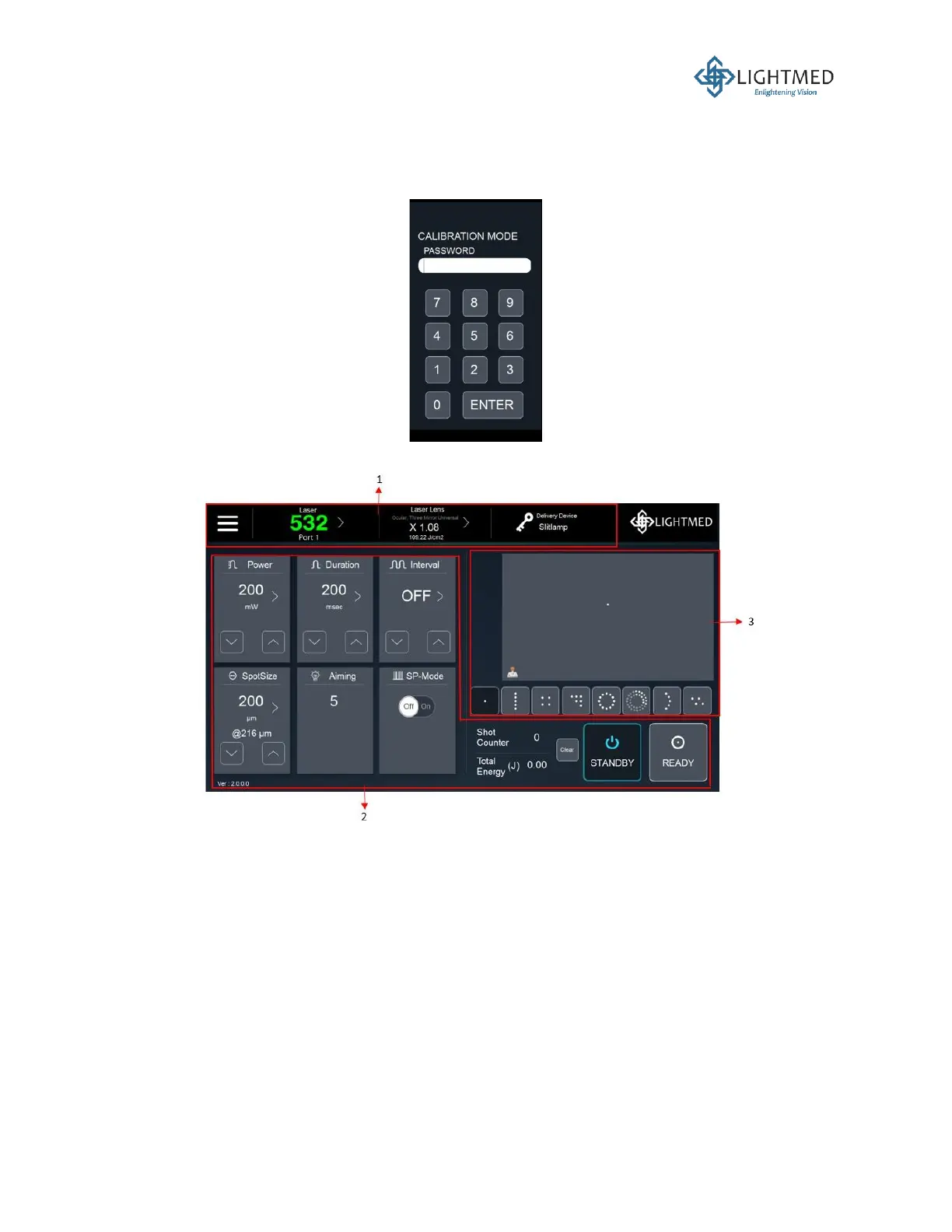
The software is protected by a login password upon system start-up, as shown in Figure 9. The
user mode login password is “999”.
Figure 9: User mode login display.
Figure 10: User mode screen display divided into three panels.
The user mode screen display can be divided into three panels, as follows:
1. Menu bar
2. Console control panel
3. Pattern scanner panel



 To Next Page