LIGHTMED TruScan Pro – Operator’s Manual Rev. No. 01 Page 32 of 109
4.3.1 Menu Bar
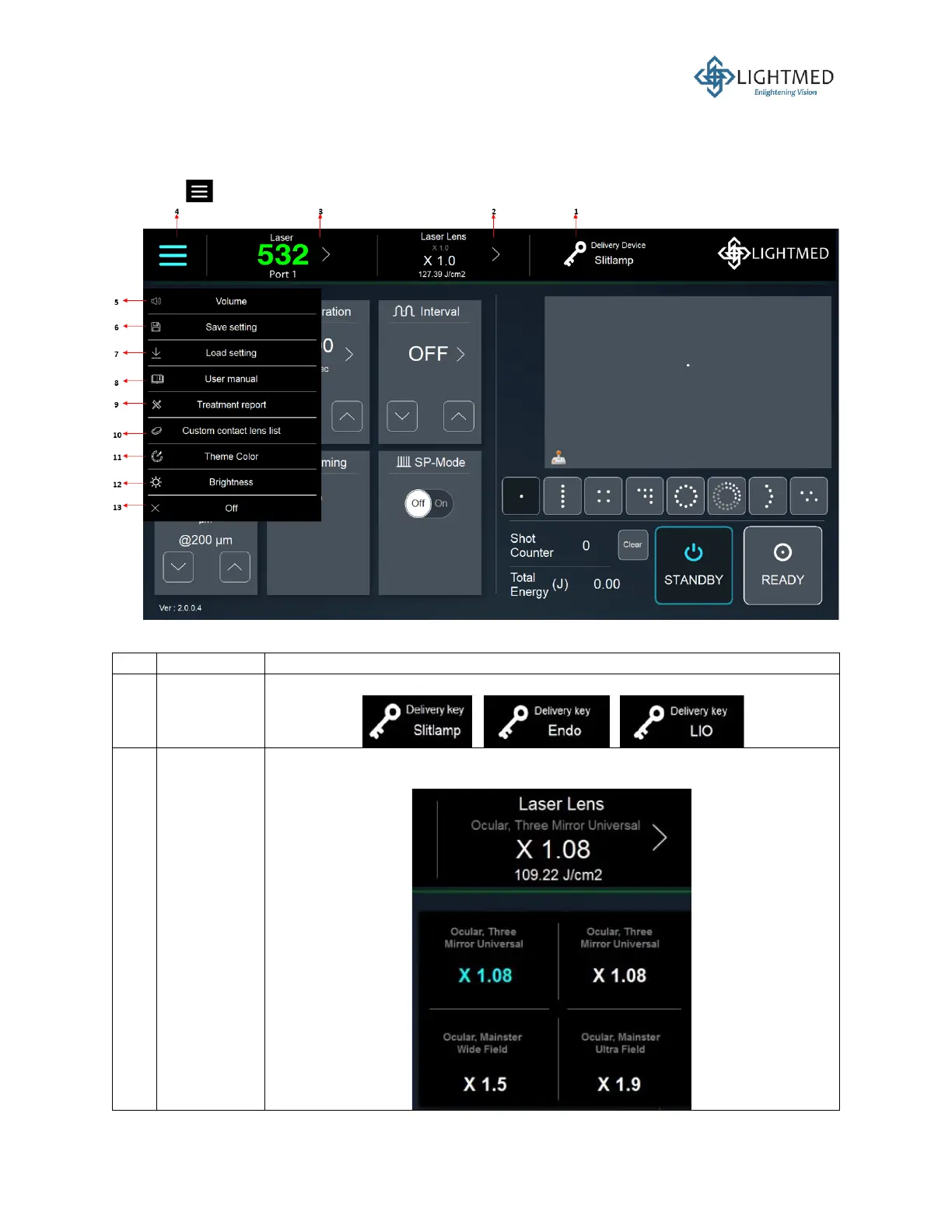
In the top-left corner of the menu bar, a dropdown list, named the function option menu, will appear
when the is pressed, as shown in Figure 11.
Figure 11: Function option menu.
This display indicates the type of laser lens selected. This selection can be
customized, as shown in the description of item no. 10.



 To Next Page