EasyManua.ls Logo

Lightmed TruScan Pro - Page 33

Lightmed TruScan Pro
109 pages
Print Icon
To Next Page IconTo Next Page
To Previous Page IconTo Previous Page
Loading...
LIGHTMED TruScan Pro Operator’s Manual Rev. No. 01 Page 33 of 109
3
Wavelength
and port
selection
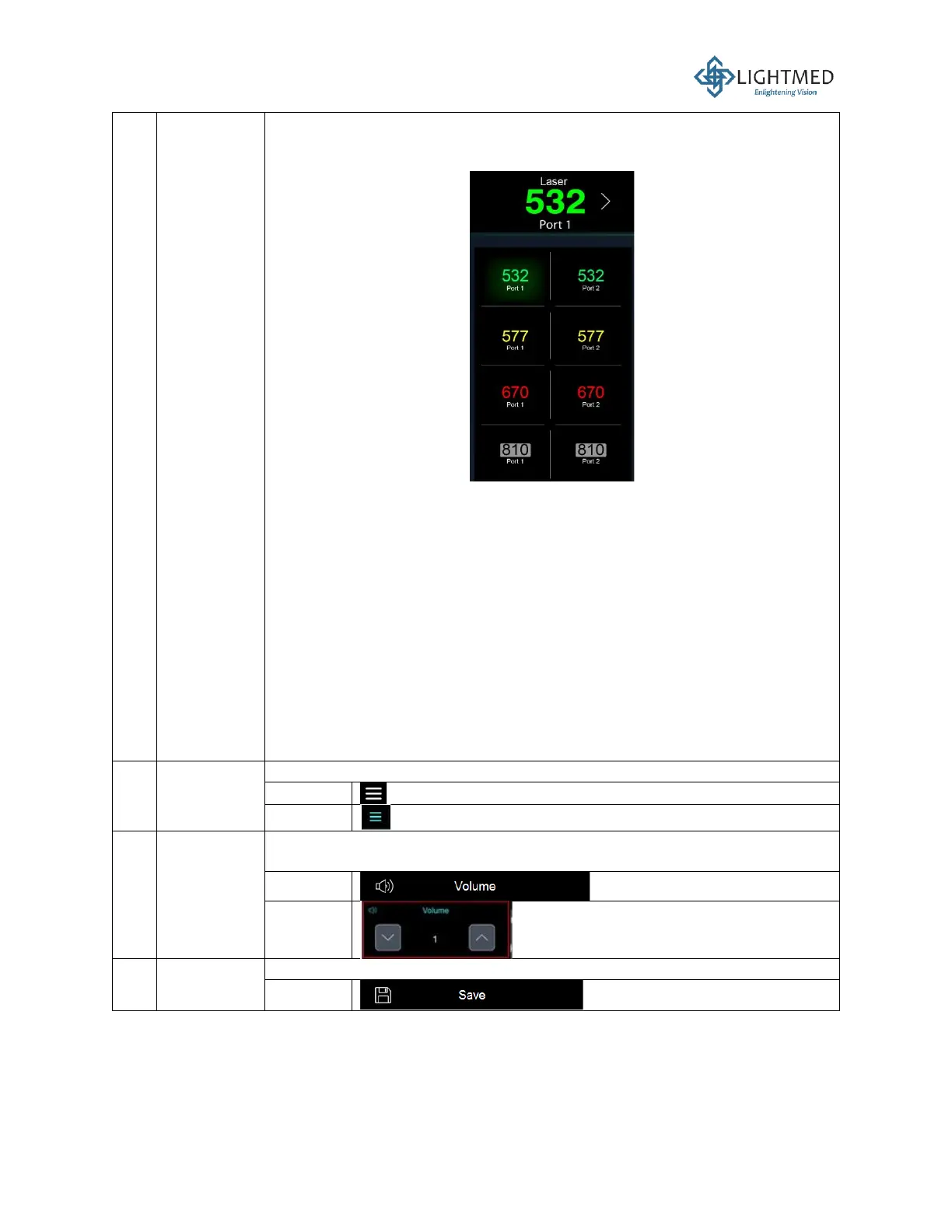
This display shows the laser wavelength and port selection. Click this
display to open the laser wavelength and port selection menu, as
mentioned below:
Four wavelengths in Port 1 or 2:
i. 532 nm (green)
ii. 561 nm (yellow) or 577 nm (yellow)
iii. 670 nm (red)
iv. 810 nm (infrared)
Three wavelengths in Port 1 or 2:
i. 532 nm (green)
ii. 561 nm (yellow) or 577 nm (yellow)
iii. 670 nm (red)
Two wavelengths in Port 1 or 2:
i. 532 nm (green)
ii. 670 nm (red)
One wavelength in Port 1 or 2:
532 nm (green)

4
Function
option
menu
This icon is used to open the selection menu.
Inactive
Activated
5
Volume
The two up and down arrows control the volume of the audible touch
response.
Inactive
Activated
6
Save
setting
This button saves your settings upon request.
Inactive

Table of Contents

Related product manuals