LIGHTMED TruScan Pro – Operator’s Manual Rev. No. 01 Page 79 of 109
7. Make sure the remote cable is plugged in. Feed the cable from the console cavity to the
tabletop (Figure 21).
Figure 21: Feeding remote cable from the console cavity to the tabletop.
8. Feed the LCD monitor cables through the cable management spine.
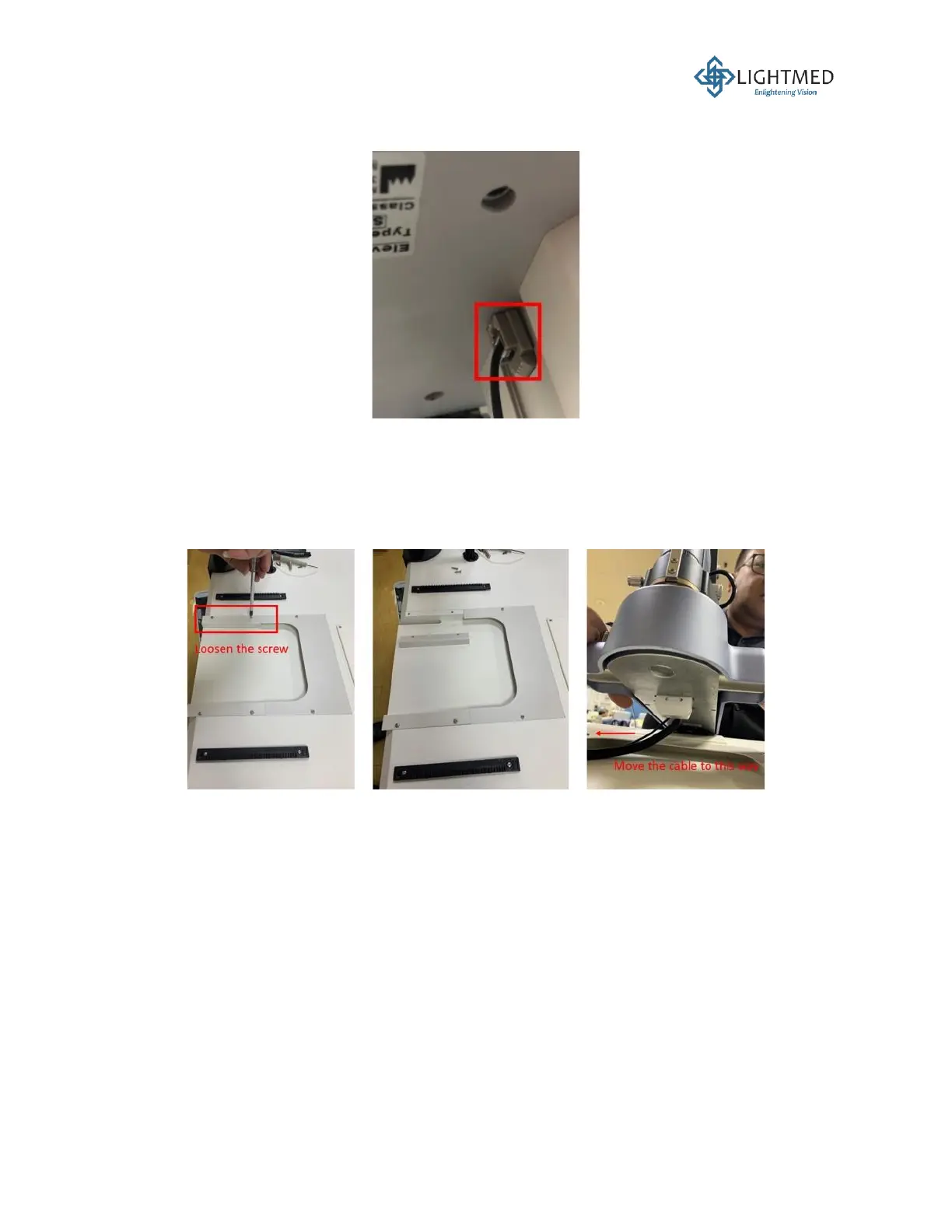
9. Use a Phillips screwdriver to remove the left metal cable cover plate on the tabletop (the cable
cover plate closest to the table column). Lift the slit lamp and make sure to carefully route the
cable and fiber to the left side towards the table column (Figure 22).
Figure 22: Routing the cable and fiber from the slit lamp.
10. Secure a cable tie around the cable and fiber. Place the cable tie onto the notch on the tabletop
to act as a stopper during slit lamp horizontal movements. Screw the metal cable cover plate
back onto the tabletop (Figure 23).



 To Next Page