LIGHTMED TruScan Pro – Operator’s Manual Rev. No. 01 Page 82 of 109
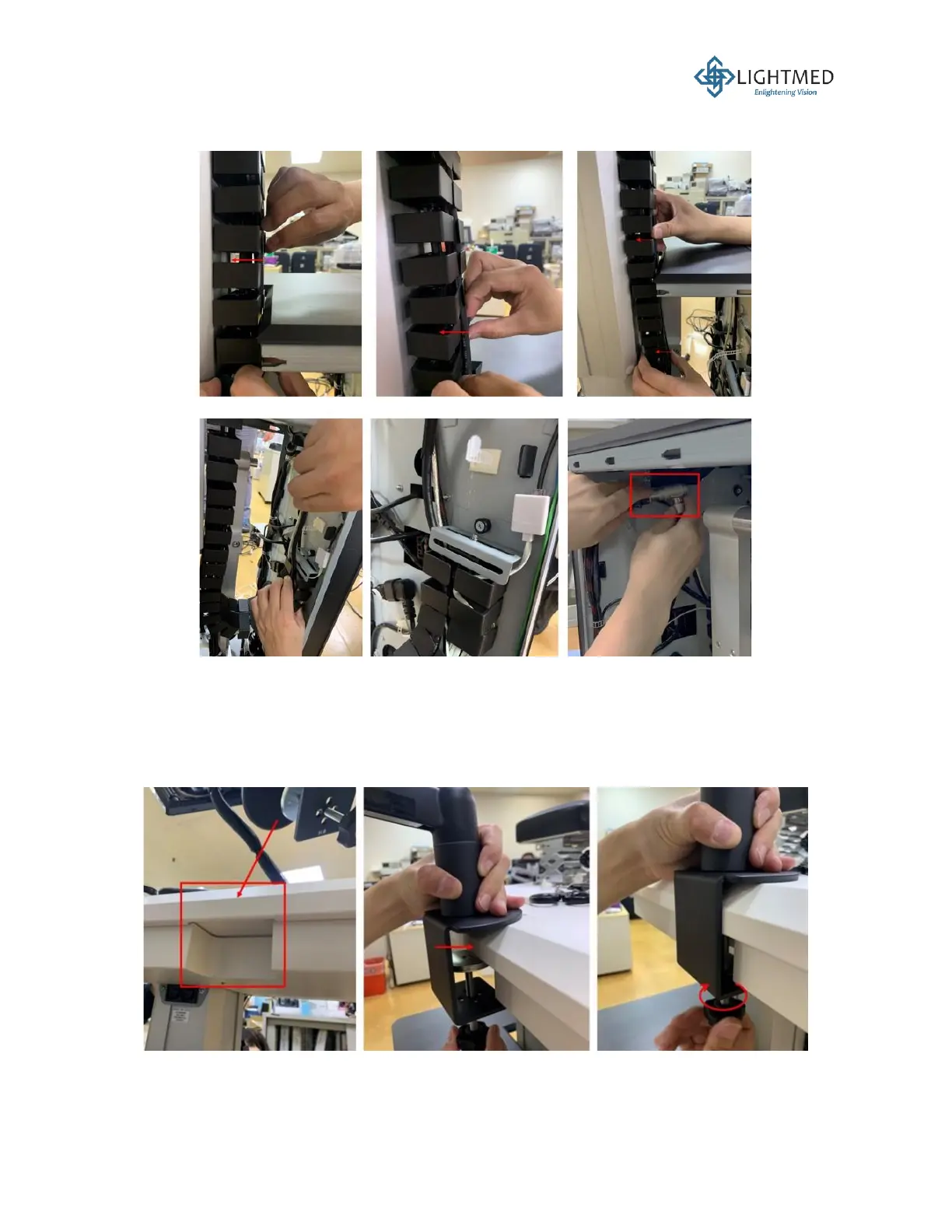
15. Route the slit lamp power cable and fiber through the flexible cable management spine.
Connect the slit lamp power cable to its corresponding counterpart (Figure 28).
Figure 28: Cable management spine.
16. Equip the tabletop cable cover by using a 2 mm hex wrench to secure the six screws
underneath the tabletop. Locate the indent between the tabletop and cable cover near the
column. This is the location where the 10-inch LCD screen will be mounted. To loosen the
mount clamp, turn the knob on the mount counterclockwise. To tighten it, turn the knob
clockwise (Figure 29).
Figure 29: Mounting the LCD screen onto the tabletop.



 To Next Page