LIGHTMED TruScan Pro – Operator’s Manual Rev. No. 01 Page 39 of 109
4.3.2 Console Control Panel
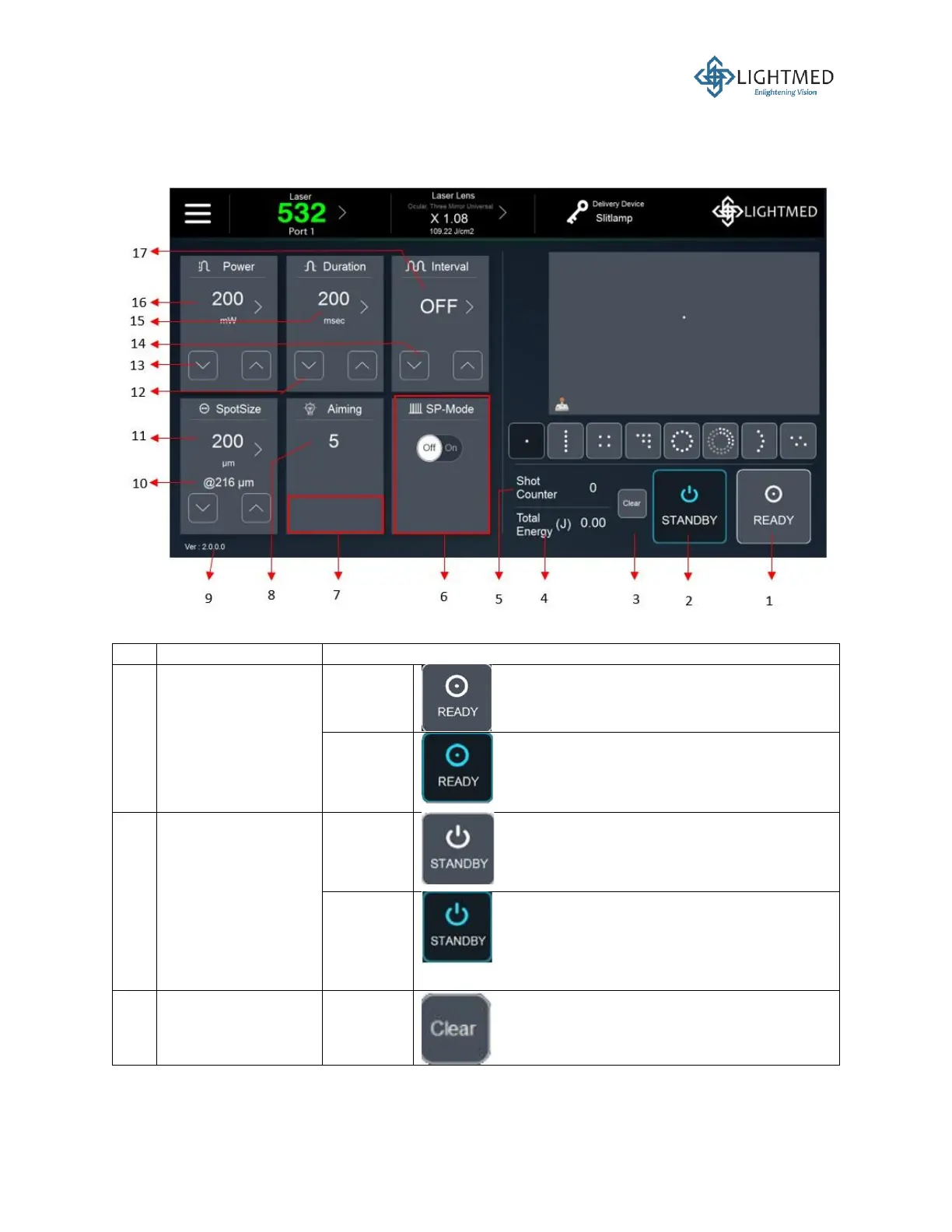
The controls on the console control panel are described in more details below:
Figure 12: Console control screen.
The system is in “STANDBY” mode, where
both the aiming beam and laser power are
disabled.
The system is in “READY” mode and both
the aiming beam and laser power can be
delivered to the patient once the footswitch
is pressed.
The system is in “READY” mode and both
the aiming beam and laser power can be
delivered to the patient once the footswitch
is pressed.
The system is in “STANDBY” mode, where
both the aiming beam and laser power are
disabled. The system will automatically go
into “STANDBY” mode if it is not operated
for 10 minutes.
This button is not activated, which means
the total laser shot counter is not reset to
zero.



 To Next Page