LIGHTMED TruScan Pro – Operator’s Manual Rev. No. 01 Page 40 of 109
When this button is pressed, the total laser
shot counter is reset to zero.
Displays the total laser shots fired during the treatment session.
To indicate the total delivered energy to the patient, in J.
The sub-threshold pulse (SP) mode is
OFF.
The sub-threshold pulse (SP) mode is ON. The SP-
mode duty cycle is selectable from 2.5% to 50%.
The aiming beam intensity can be adjusted with the two up and
down arrows.
Aiming beam
intensity display
Displays the brightness of the aiming beam. At the maximum
brightness, the output power is around 1.0 mW or less to the
patient’s cornea.
Displays the current software version.
Displays the spot size on patient’s retina in µm.
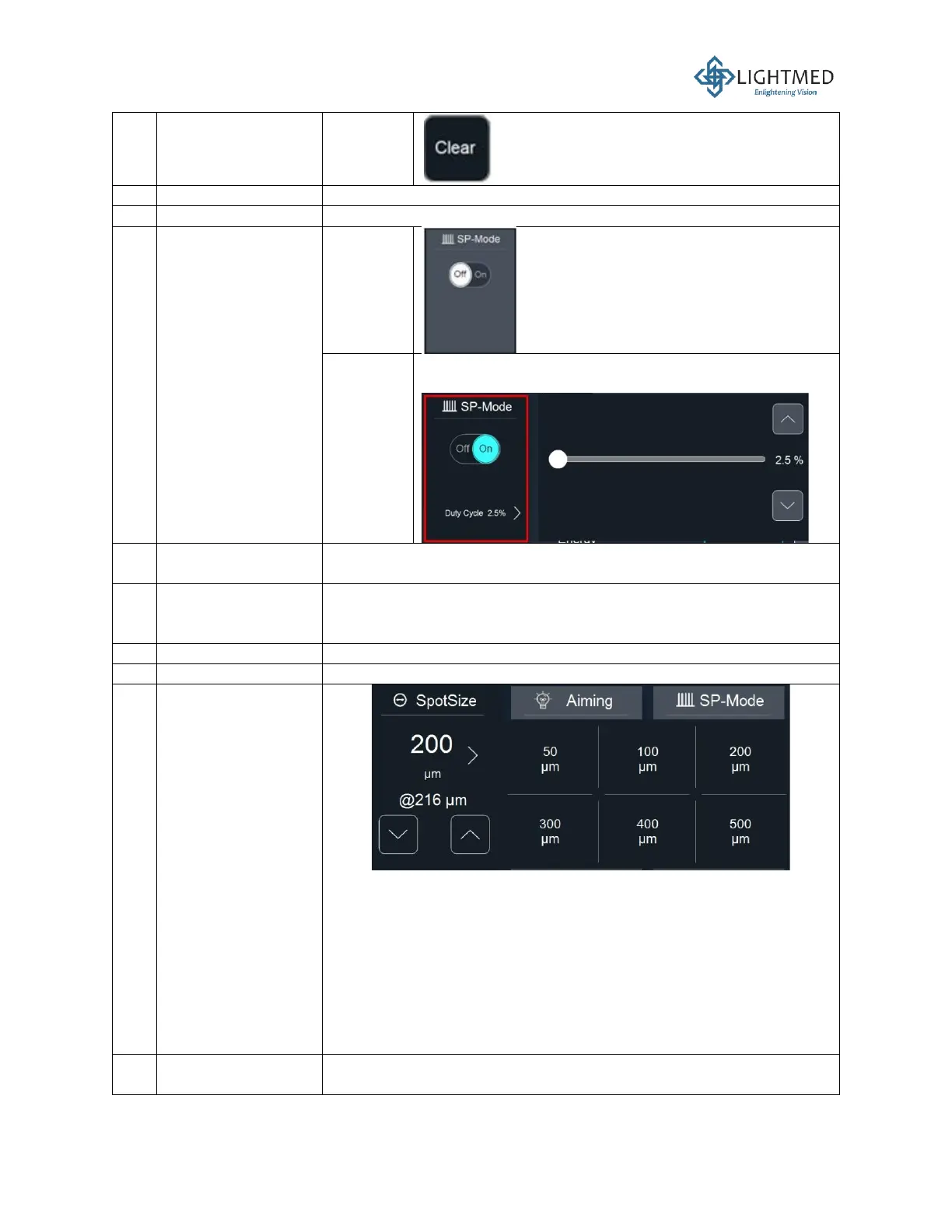
Displays the spot size in µm. The spot size quick menu can be
accessed by clicking on the right arrow to expand the following spot
size options:
• 50 µm
• 100 µm
• 200 µm
• 300 µm
• 400 µm
• 500 µm
The duration of laser exposure to the patient each time the
footswitch is pressed in the “READY” mode can be adjusted by the



 To Next Page