EasyManua.ls Logo

Lightmed TruScan Pro - Mouse Controls

Lightmed TruScan Pro
109 pages
Print Icon
To Next Page IconTo Next Page
To Previous Page IconTo Previous Page
Loading...
LIGHTMED TruScan Pro Operator’s Manual Rev. No. 01 Page 71 of 109
4.4 3D Mouse Controls
The 3D mouse is an optional accessory that complements the TruScan Pro laser system. This
device can also be configured into a wireless accessory. The 3D mouse controls are described
below:
Control
Description
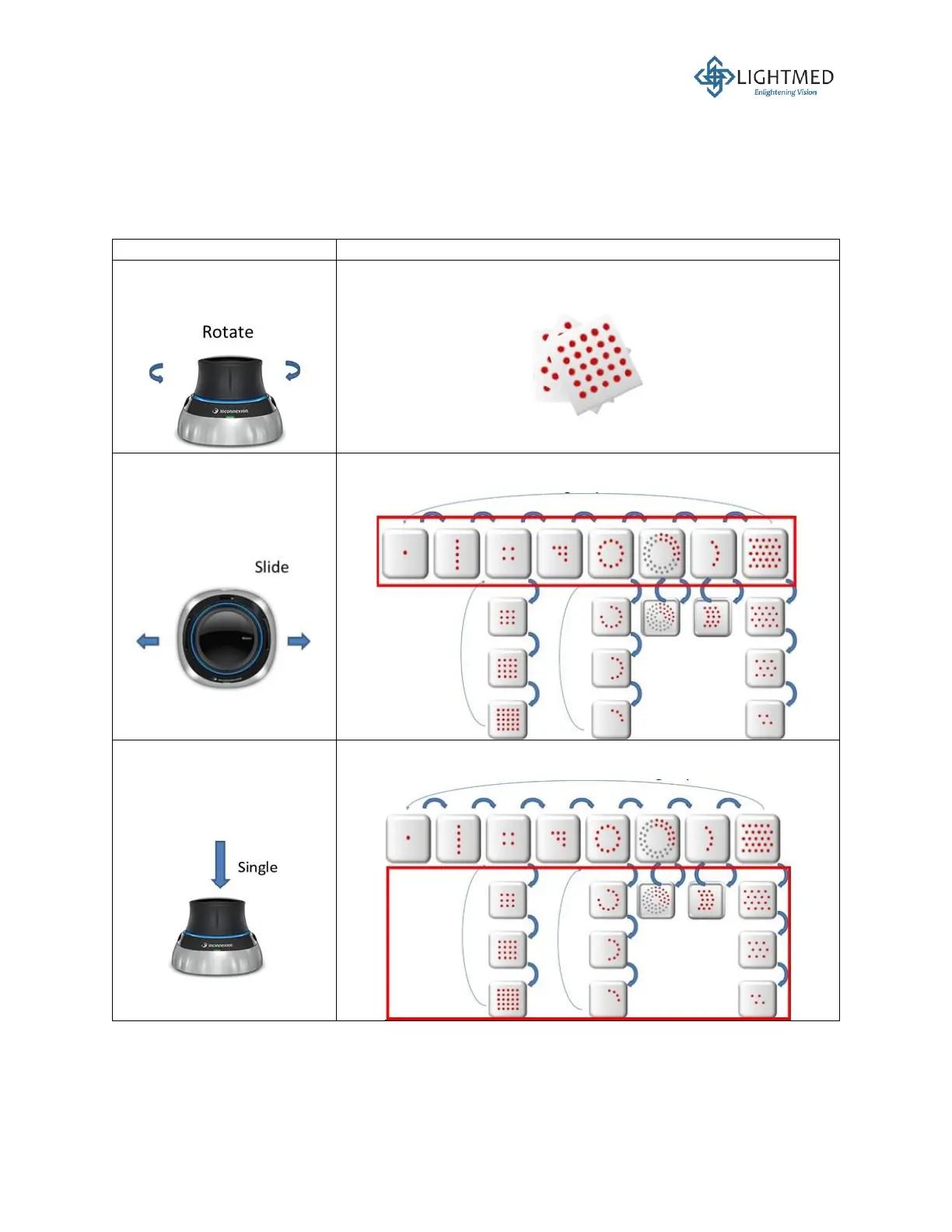
Rotate the black top of the
3D mouse.
Rotates the chosen pattern.
Slide the black top of the
3D mouse to the left or
right.
Toggles between all the pattern groups in the pattern selection
process (highlighted in red below).
A single push onto the
black top of the 3D mouse.
Toggles between the different patterns within a pattern group
(highlighted in red below).

Table of Contents

Related product manuals