LIGHTMED TruScan Pro – Operator’s Manual Rev. No. 01 Page 72 of 109
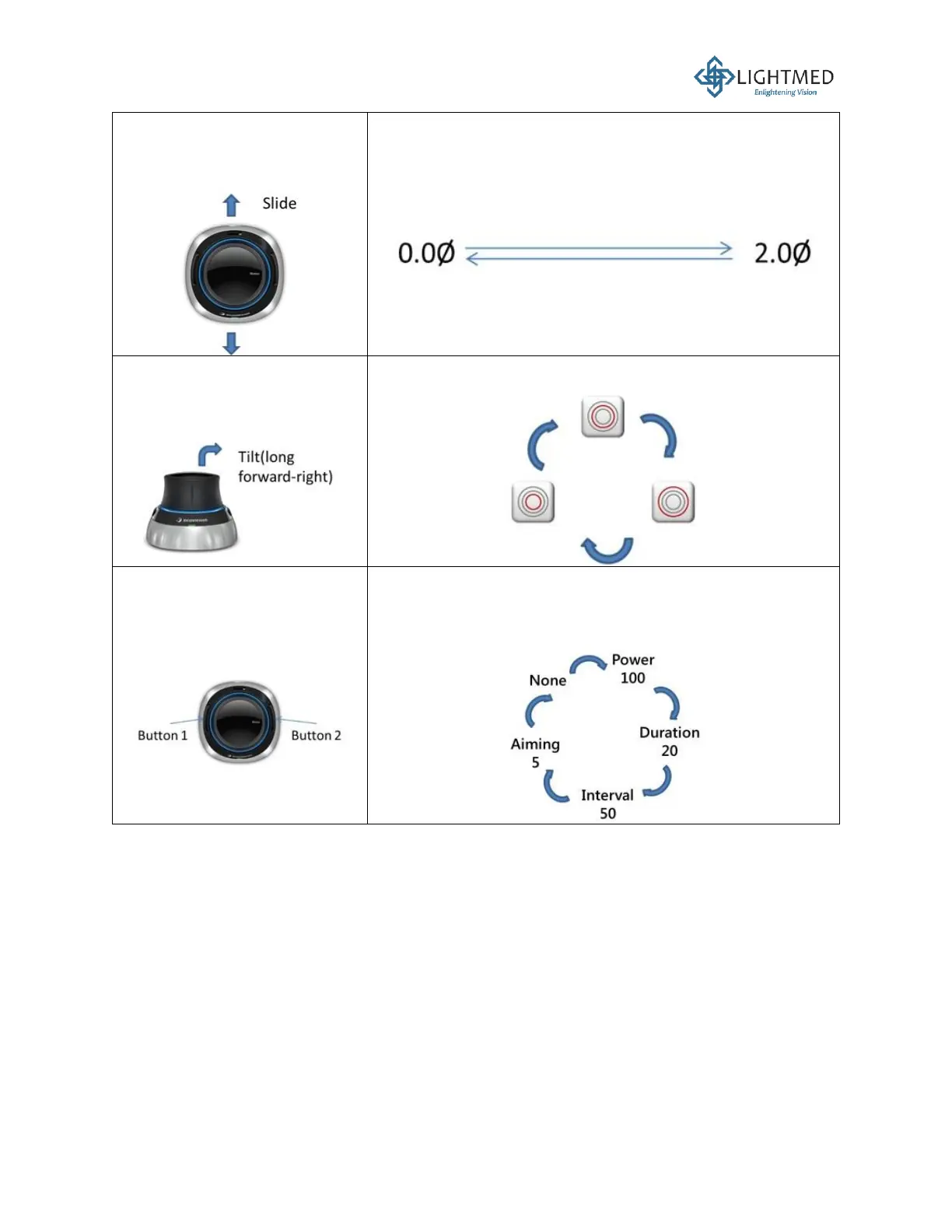
Slide the black top of the 3D
mouse towards the front or
back.
Changes (decrease or increase) the spacing between the
dots of a chosen pattern, from 0 to 2.0 Φ.
Tilt the black top of the 3D
mouse towards the top right
direction.
Changes (decrease or increase) the radius of a chosen
pattern.
Press the two buttons on the
sides of the 3D mouse.
• Toggles between the Power, Duration, Interval, Aiming
Beam Intensity controls.
• Button 1 decreases the value of each selected control.
• Button 2 increases the value of each selected control.



 To Next Page