LIGHTMED TruScan Pro – Operator’s Manual Rev. No. 01 Page 83 of 109
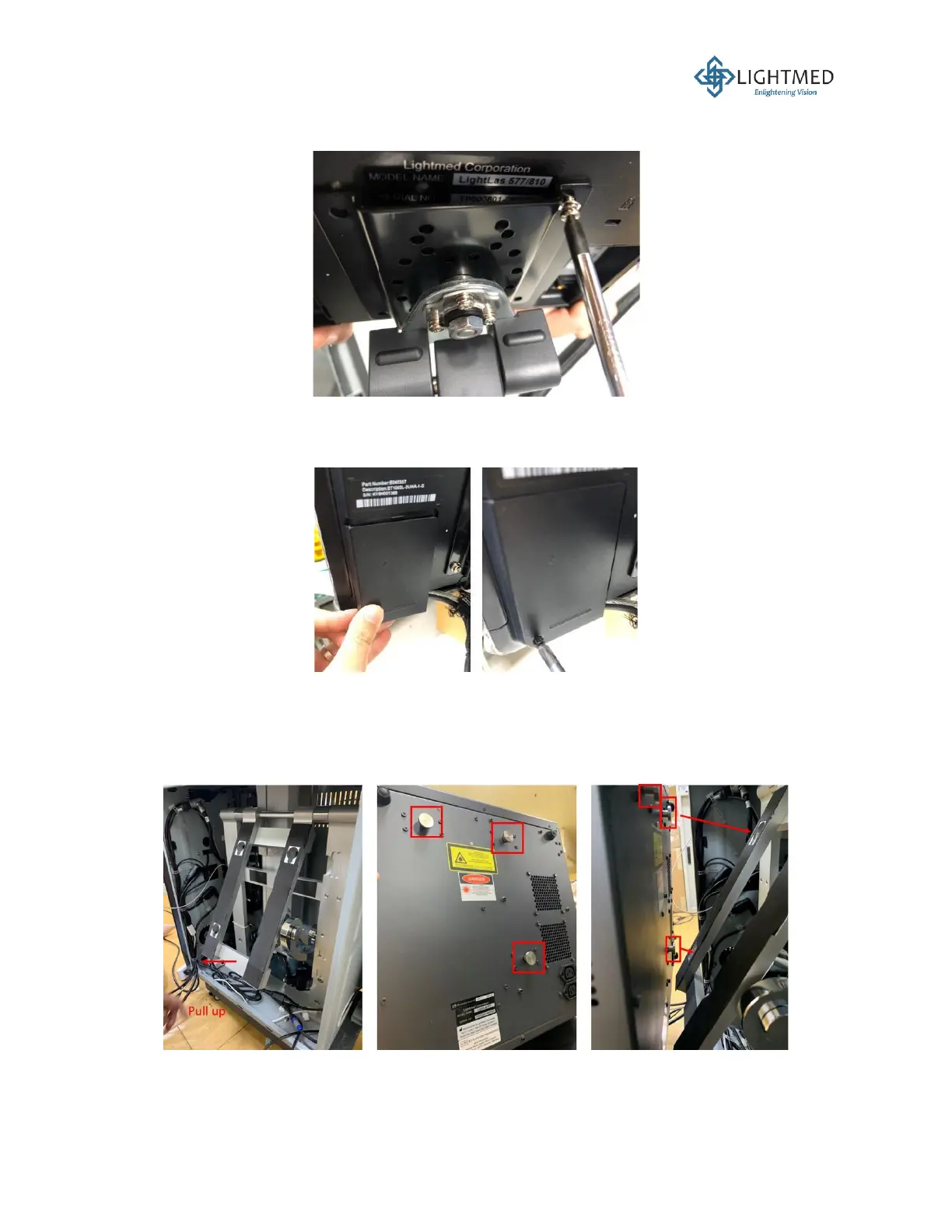
17. Lock the arm on the mount clamp. Mount the LCD screen onto the arm by securing 4 screws
(Figure 30).
Figure 30: Mounting the LCD screen onto the arm.
18. Remove the two cable covers at the back of the LCD screen (Figure 31). Connect all the LCD
screen cables. Secure the LCD cable covers back.
Figure 31: Connecting LCD screen cables.
19. To mount the laser console to the console holder, first pull the hanger outwards from the
hanger cavity. Note that there are three circular holes that are set in the configuration that
matches the circular hooks on the back of the laser console. Next, mount the laser console to
the hanger (Figure 32).
Figure 32: Mounting the laser console to the console hanger.



 To Next Page