LIGHTMED TruScan Pro – Operator’s Manual Rev. No. 01 Page 89 of 109
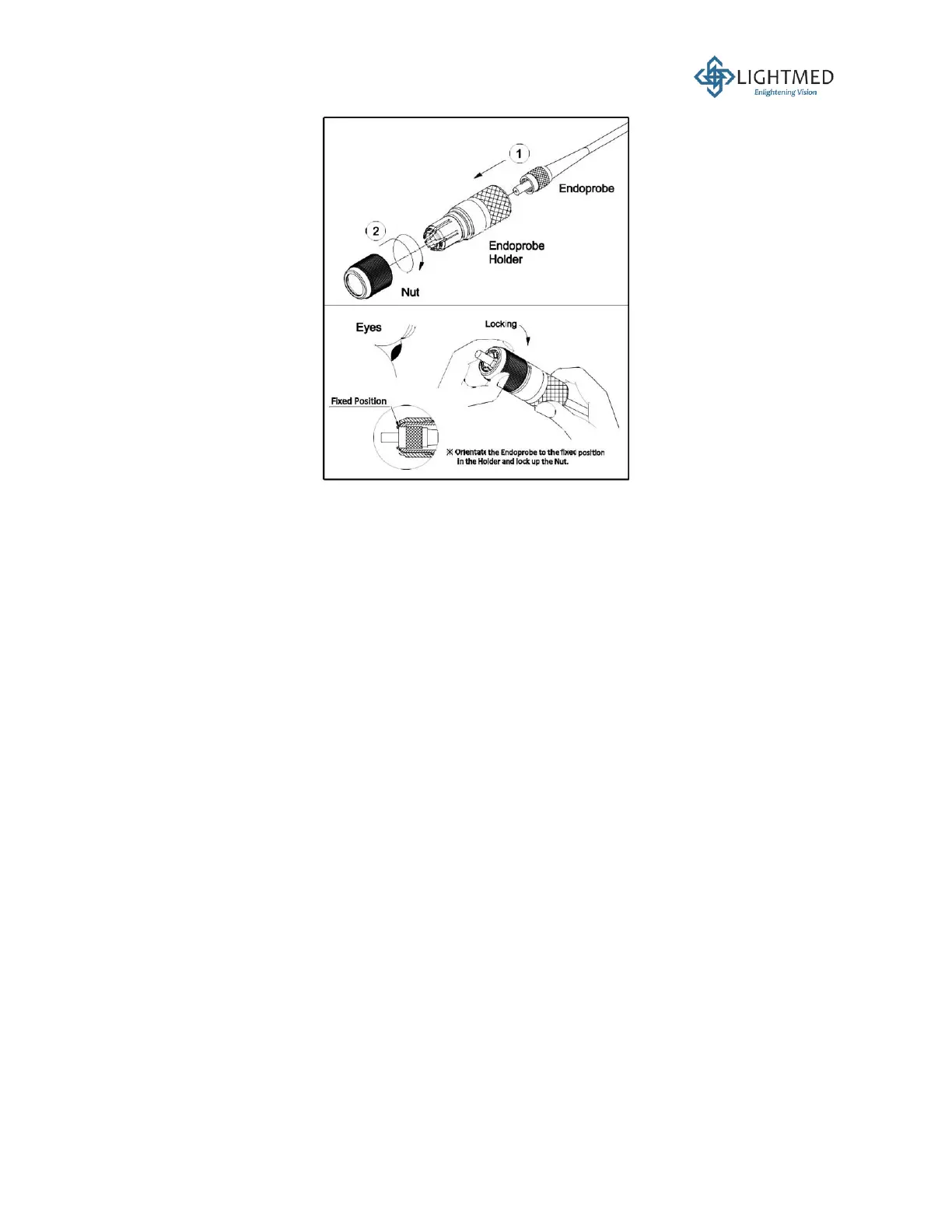
Figure 42: Endoprobe coupling plug assembly.
5.7 System Verification
5.7.1 LCD / Console Verification
1. Turn the LCD screen ON and wait for the software to boot up.
2. Check for any abnormalities or error codes.
3. On the console, disengage the emergency button, plug in the interlock key, and turn on the
power button to allow for the system to boot up.
4. Verify if the console has established communication with the LCD screen without any
abnormalities or error codes.
5.7.2 Pattern Scanner Controls Verification
1. Click the square pattern (5x5) and verify that the patterns are evenly distributed in x- and y-
axes. Otherwise, refer to the Service Manual.
2. Verify that all controls in the pattern scanner controls screen are functional.
5.7.3 Micro Joystick Movement Verification
1. Click the single spot and verify that the joystick can move in the field of view.
2. Repeat with the rest of the patterns.
5.7.4 Output Power Verification



 To Next Page