LIGHTMED TruScan Pro – Operator’s Manual Rev. No. 01 Page 41 of 109
two up and down arrows. The minimum duration is 10 ms and the
maximum is 90 s.
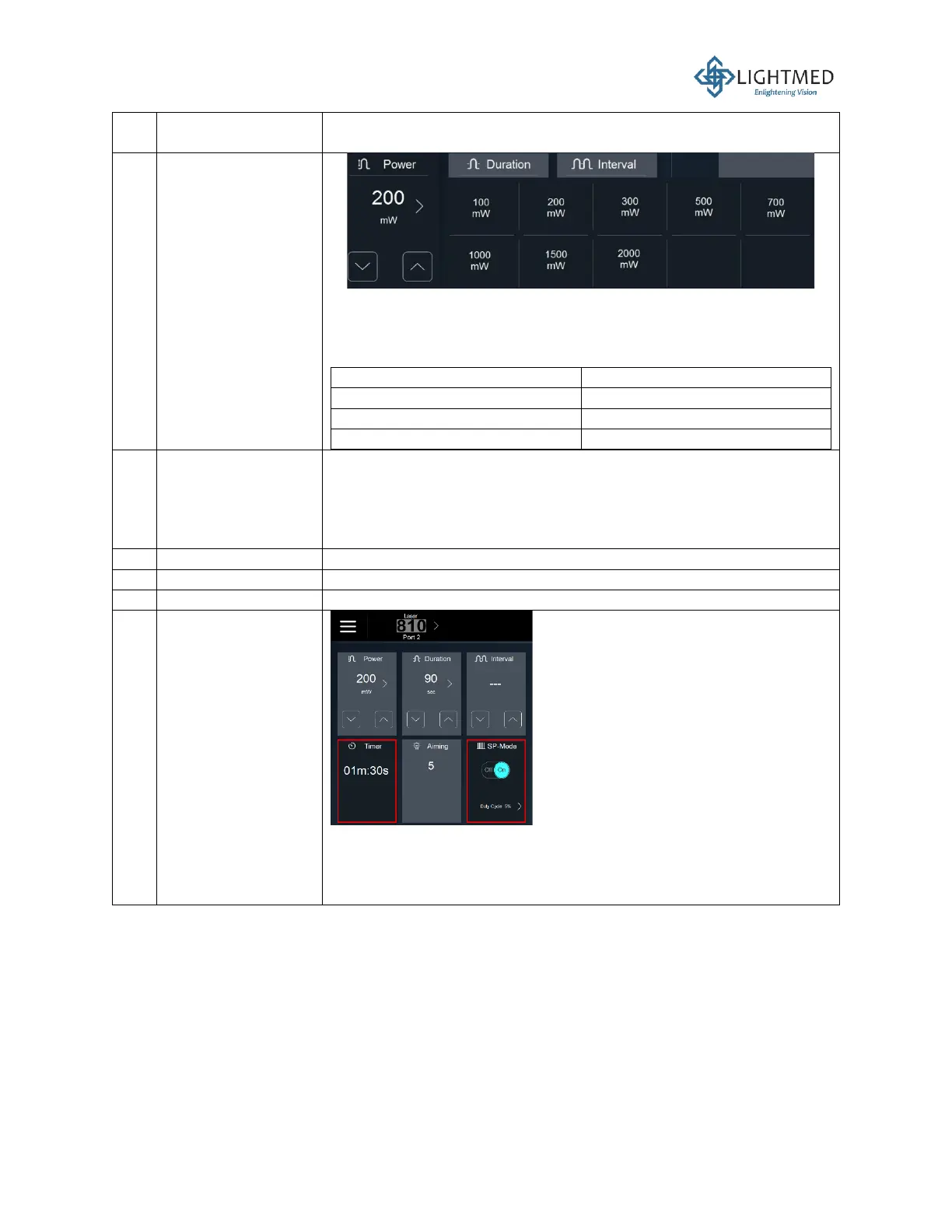
The output laser power can be adjusted using the two up and down
arrows. By default, the laser power is set at 200 mW upon system
start-up. The power quick menu can be accessed by clicking on the
right arrow to expand the following power options:
The exposure interval, which is the time between each laser pulse,
is adjustable using the two up and down arrows. The minimum
interval is 10 ms and the maximum is 3,000 ms. If the interval is
adjusted below 10 ms, then the interval will display “OFF” and the
laser will only fire once per footswitch press.
Displays the laser exposure duration in ms.
Displays the laser power in mW.
Displays the exposure interval in ms.
The timer display will show up when at 810 port 2, SP mode on
and Duration greater or equal to 20 s. The minimum is 20 s and
the maximum is 90 s. Displays the countdown the laser exposure
duration.



 To Next Page