108
1. Set DAC output to 100kHz single tone.
2. Start with the nominal setting value for “CG_IAMP_TBB”.
3. Linearly and proportionally adjust “CG_IAMP_TBB<5:0>” control lines to have
about 80% of full scale swing. For this: measure the output, if the output was lower or
higher than 80%, then adjust “CG_IAMP_TBB” proportionally and retest and
measure for verification.
4. Record the exact value of the amplitude in “LowFreqAmp” for later on comparison.
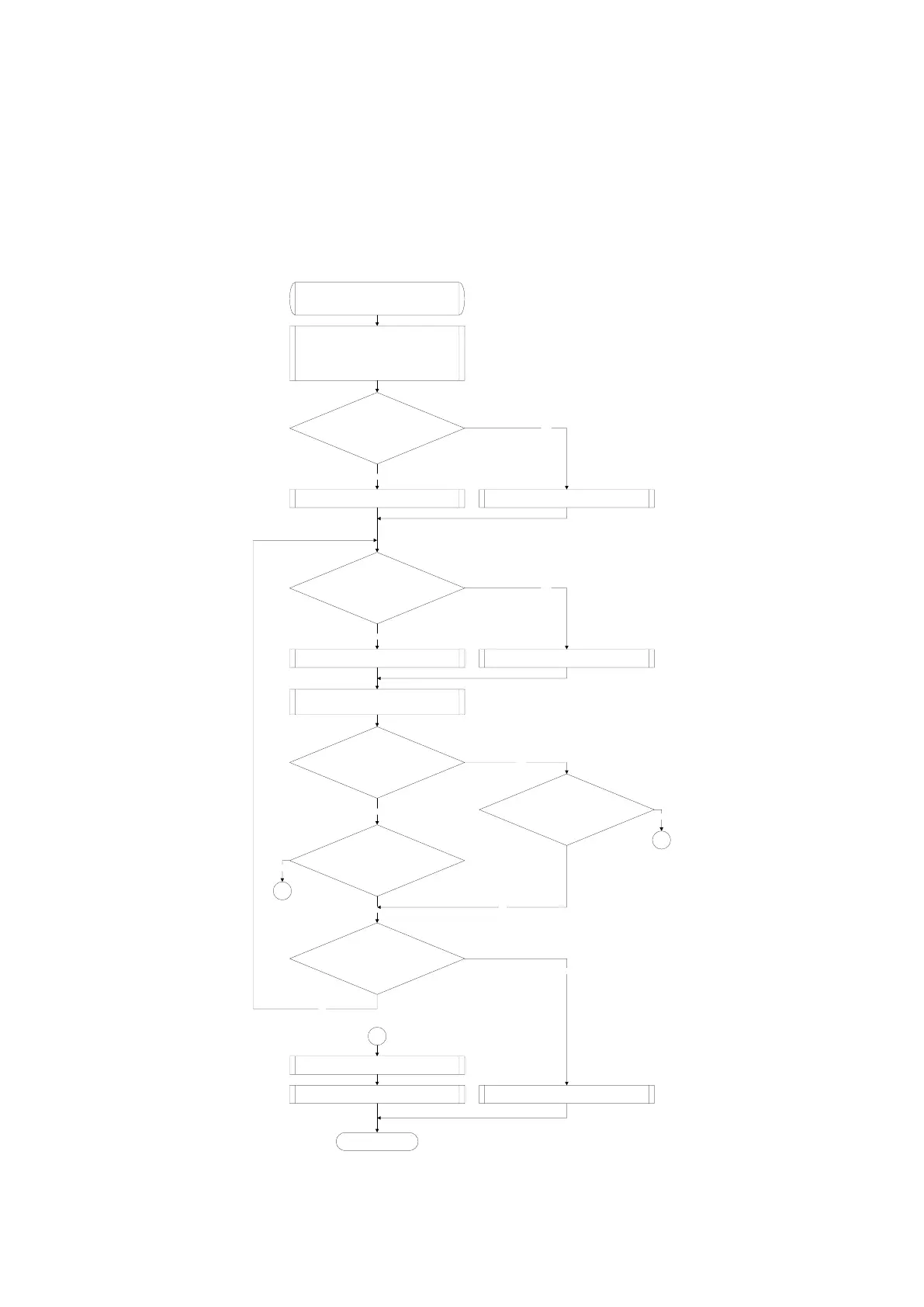
Algorithm_B_RBB
Input Parameters: *LowFreqAmp
Return Parameters: status
Set NCO Frequenct at 100 kHz
CG_IAMP_TBB := 24
CG_IAMP_TBB_(1, 2)[5:0](0x0108[15:10]) :=
CG_IAMP_TBB
ADCOUT := RSSI[15:0] (0x040B[15:0])
ADCOUT < 80% ?
gain_inc := 1
gain_inc == 1
CG_IAMP_TBB := CG_IAMP_TBB + 1CG_IAMP_TBB := CG_IAMP_TBB - 1
CG_IAMP_TBB_(1, 2)[5:0](0x0108[15:10]) :=
CG_IAMP_TBB
ADCOUT := RSSI[15:0] (0x040B[15:0])
gain_inc == 1
ADCOUT >= 80%
ADCOUT <= 80%
CG_IAMP_TBB == 0 or
CG_IAMP_TBB == 63
YES
gain_inc := 0
NO
NO
YES
YES
NO
NO
NO
NO
NO
1
NO
*LowFreqAmp := ADCOUT
Return Result.
END
Result := TRUE Result := FALSE
YES
1
1
Figure 36 RBB algorithm B



 To Next Page