4. Decrease the control value “CCAL_LPFLAD_TBB” by one step.
5. Jump back to line #3.
6. Store the value of “CCAL_LPFLAD_TBB” as the calibrated CBANK value of TBB.
unsigned char Algorithm_C_TBB (unsigned char Band_id)
{
unsigned short ADCOUT, LowFreqAmp;
unsigned char CONTROL;
Set_NCO_Freq (TBB_CalFreq[Band_id]); // 1 Apply a single tone frequency at “CalFreq”.
CONTROL = 31; // 2 Set the “CCAL_LPFLAD_TBB” to maximum value.
Modify_SPI_Reg_bits (0x010A, 12, 8, CONTROL);
while (1)
{
ADCOUT = Get_SPI_Reg_bits(0x040B, 15, 0); //RSSI value // Measure the value of the amplitude at the ADC input. This value should be lower
than “LowFreqAmp”.
if (ADCOUT >= LowFreqAmp) break; //If amplitude is lower than “LowFreqAmp” repeat cycle
if (CONTROL == 0) return 0;
CONTROL--; // Decrease the control value “CCAL_LPFLAD_TBB” by one step.
Modify_SPI_Reg_bits (0x010A, 12, 8, CONTROL);
}
TBB_CBANK[MIMO_ch] = CONTROL; // Store the value of “CCAL_LPFLAD_TBB” as the calibrated CBANK value of TBB.
}
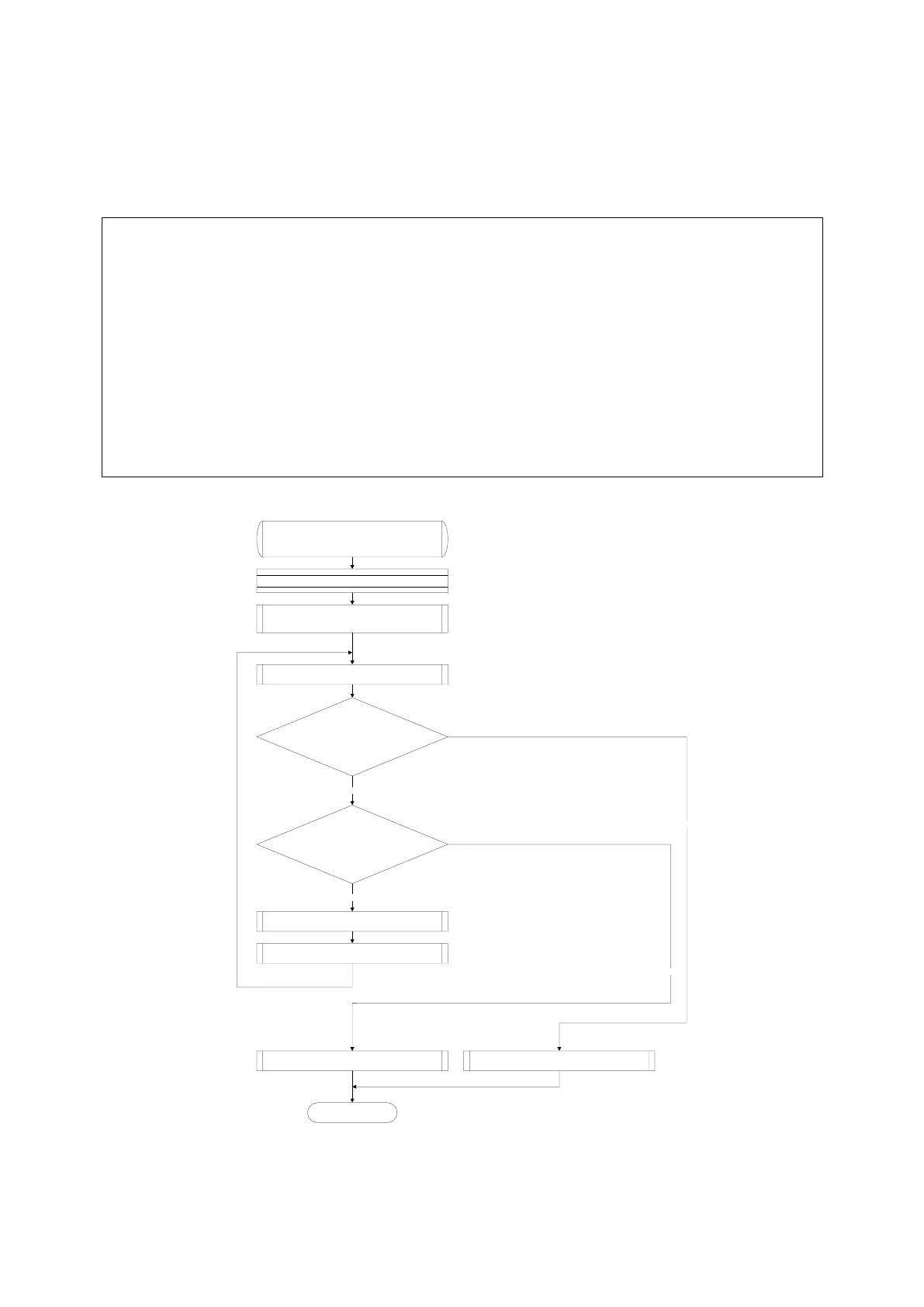
Algorithm_C_TBB
Input Parameters: Band
Return Parameters: status
Apply a single tone frequency at Band
CONTROL := 31
CCAL_LPFLAD_TBB_(1, 2)[4:0] (0x010A[12:8]) :=
CONTROL
ADCOUT := RSSI[15:0] (0x040B[15:0])
ADCOUT >= LowFreqAmp
CONTROL := CONTROL – 1
Result := FALSE
CONTROL == 0
NO
NO
Return Result.
END
Store CONTROL value (CBANK)
Result := TRUE
YES
YES
CCAL_LPFLAD_TBB_(1, 2)[4:0] (0x010A[12:8]) :=
CONTROL



 To Next Page