-58-
8.5 Delete
Find the le to be deleted by swiping the display, touch the le to select it.
Then touch [Delete] on the bottom to display the conrmation window. Click
[OK] to delete it or click [Cancel] to cancel the delete.
8.4 Reload (Read)
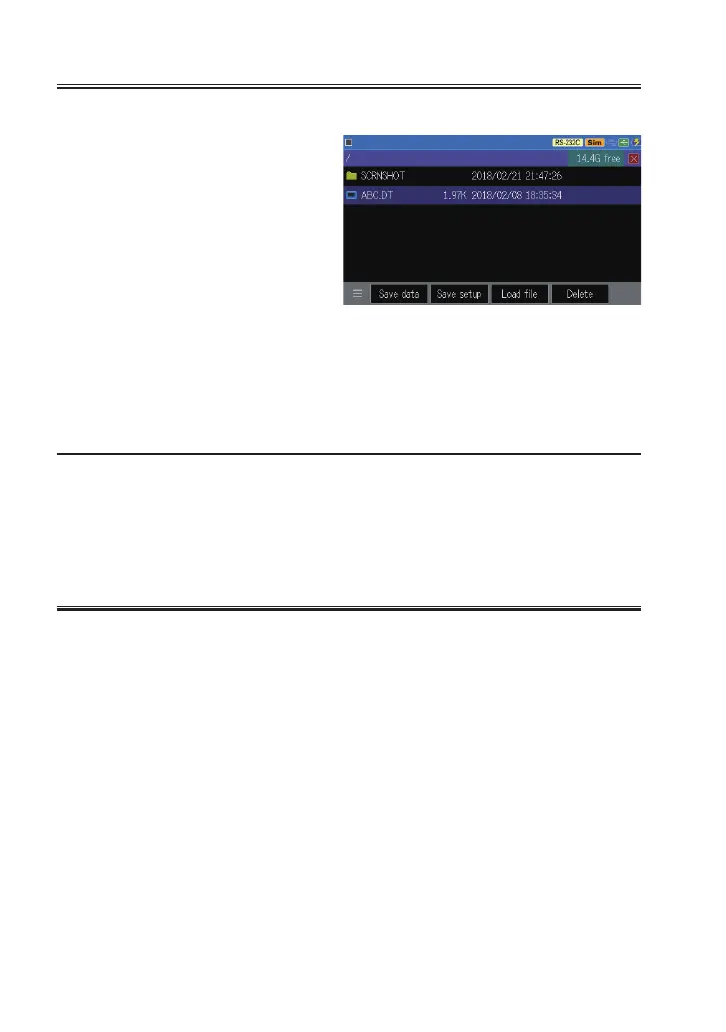
You can reload .DT and .SU le at le management display.
Find the file to be read by
swiping the display, touch the
le to select it. Then touch [Load
le] on the bottom to reloads the
le.
By reloading the current setting data and contents in the capture memory are
overwritten.
The LINEEYE line monitors can reload the les saved by the other LINEEYE
line monitor, but some data cannot be reloaded correctly.
File Name Change
You cannot change the le name directly. When you want do so reload the
le and resave it with the name which you want to sat.


 To Next Page
 Loading...
