110/150 D9U001GKB-0101
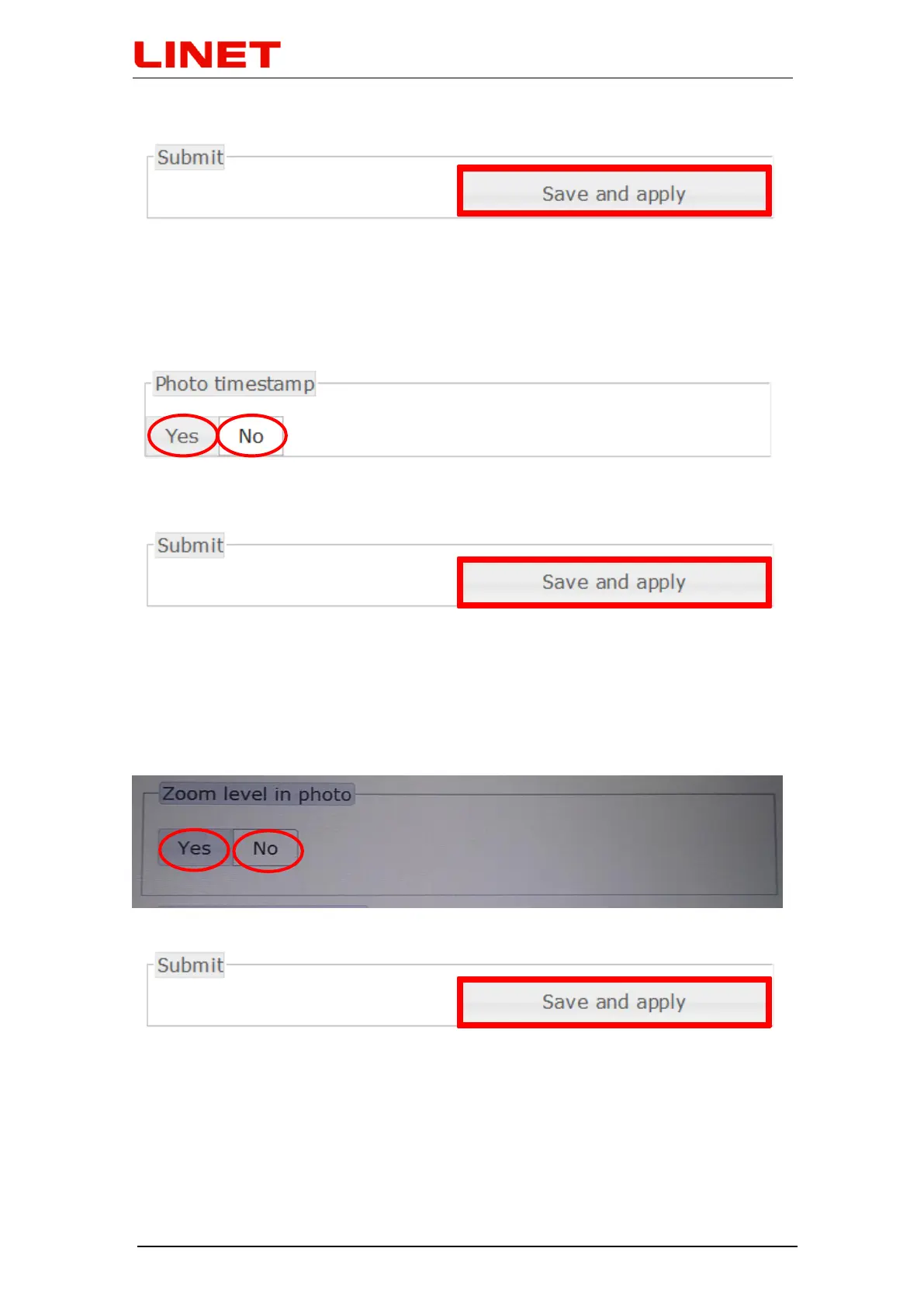
To finish the changes click SAVE AND APPLY.
5.7.3 Photo and video timestamp settings - "Photo timestamp"
Click "Yes" in the menu if you want to save information about the exact time of
taking the photo or video. Otherwise click on "No".
To finish the changes click SAVE AND APPLY.
5.7.4 Setting the information ‟Zoom level in photo“
Go to Menu and click on ‟Yes“, if you want to store Zoom level in photo time,
together with the photo. This information can be subsequently found in photo
detail. If you do not want to store this information, click on ‟No“.
Press SAVE AND APPLY to confirm completion of the change


 To Next Page