D9U001GKB-0101 111/150
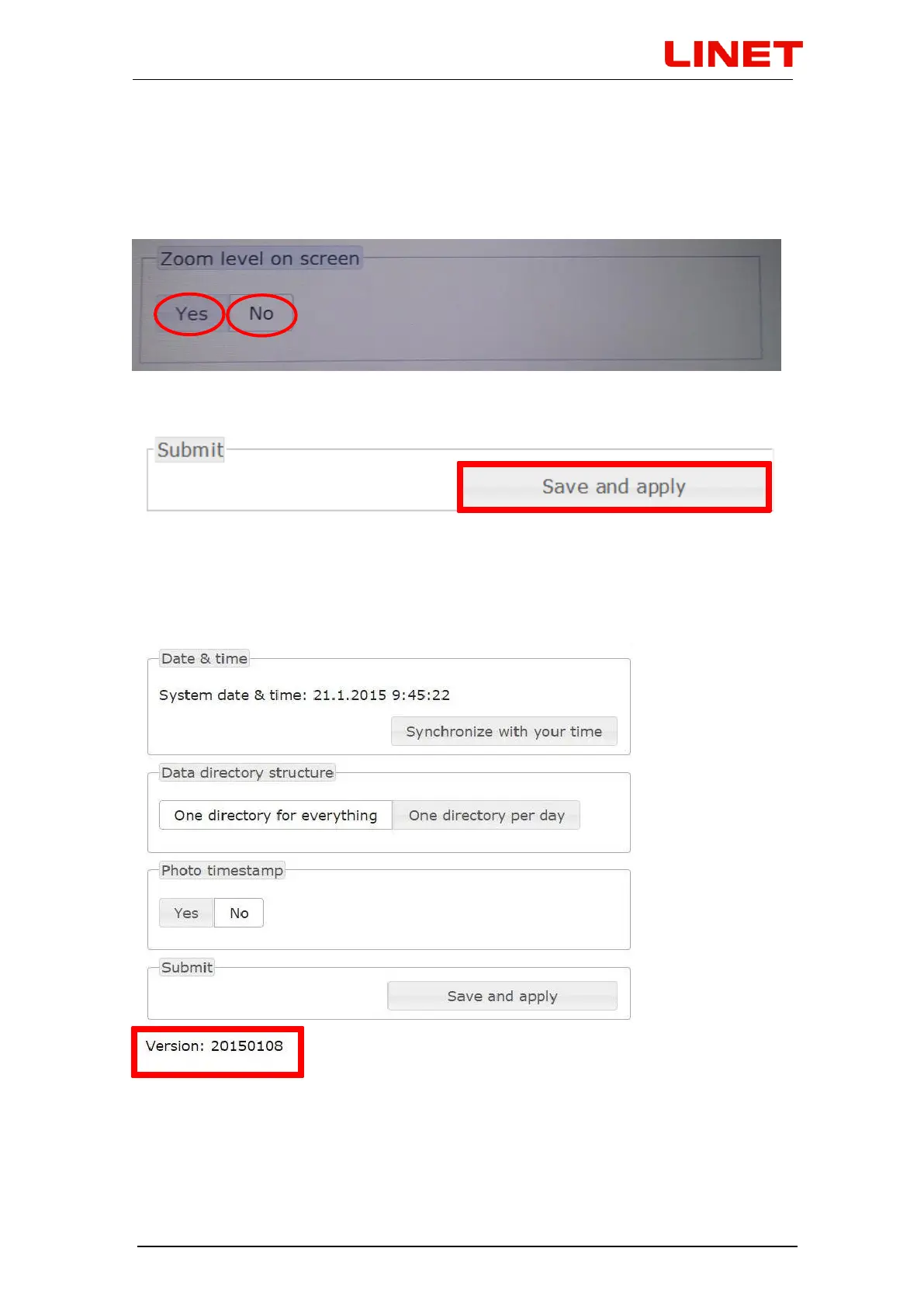
5.7.5 Setting the information ‟Zoom level on screen“
Go to Menu and click on ‟Yes“, if you want to display zoom level on screen
during the examination. Zoom levels response to your zooming in/out. If you
do not want to display this information, click on „No“.
Press SAVE AND APPLY to confirm completion of the change
5.7.6 Revision number
You will find the revision number in the bottom part of the menu. The number is
in the YYYYMMDD (year, month, day) format.


 To Next Page