D9U001GKB-0101 55/150
4.13.4 Connection of external screen in the office
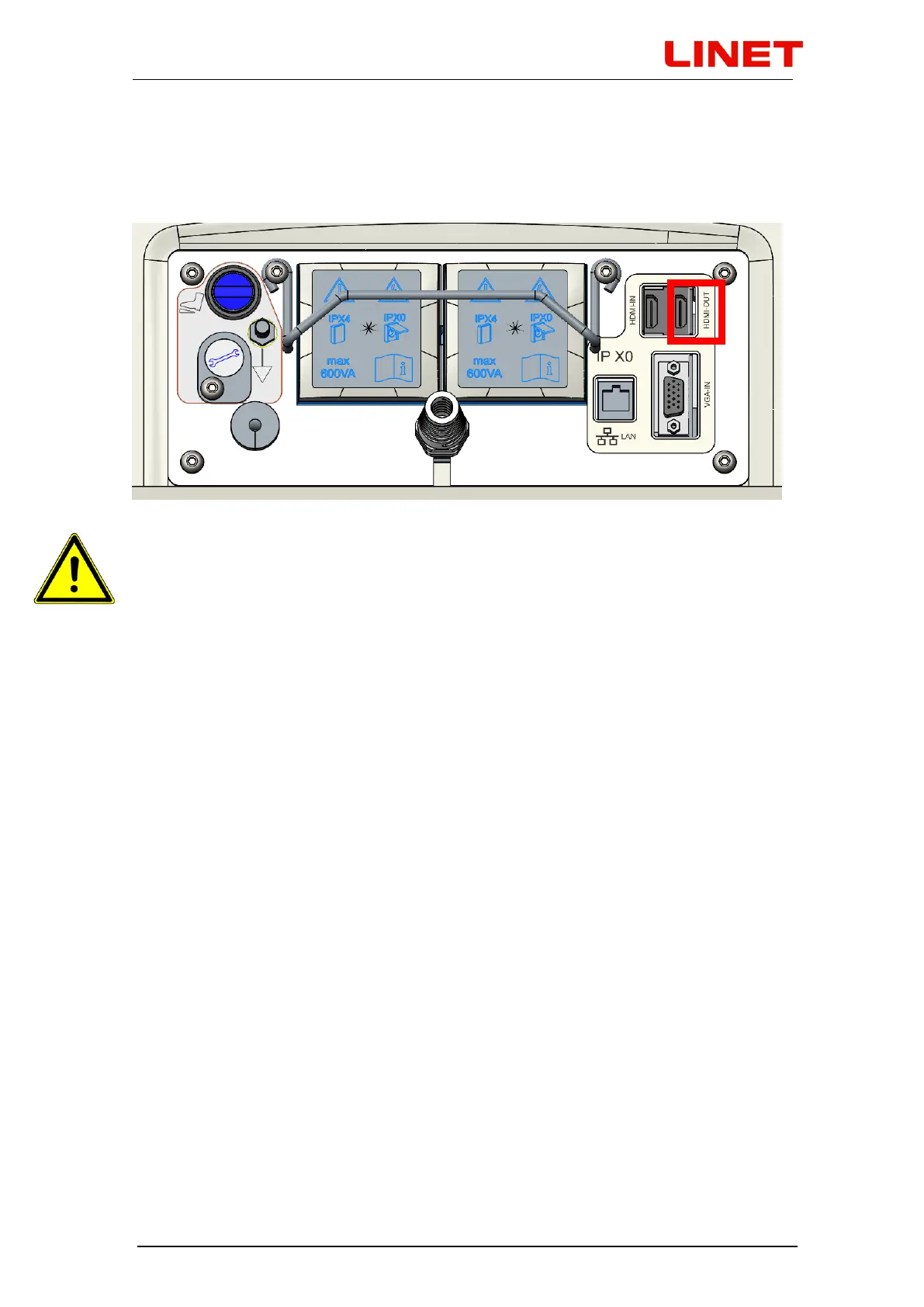
Remove rubber covers on the rear side of the chair base. Then connect
external TV via HDMI cable to the GRACIE chair (HDMI OUT output).
If image from the video colposcope is displayed on the screen, image
from the video colposcope is displayed also on the external screen
connected via HDMI output. If image from one of the inputs (HDMI or VGA)
is displayed on the screen, the same image is displayed also on the
external screen connected via HDMI output.


 To Next Page