54/150 D9U001GKB-0101
4.13.3 Image from external input (ultrasound)
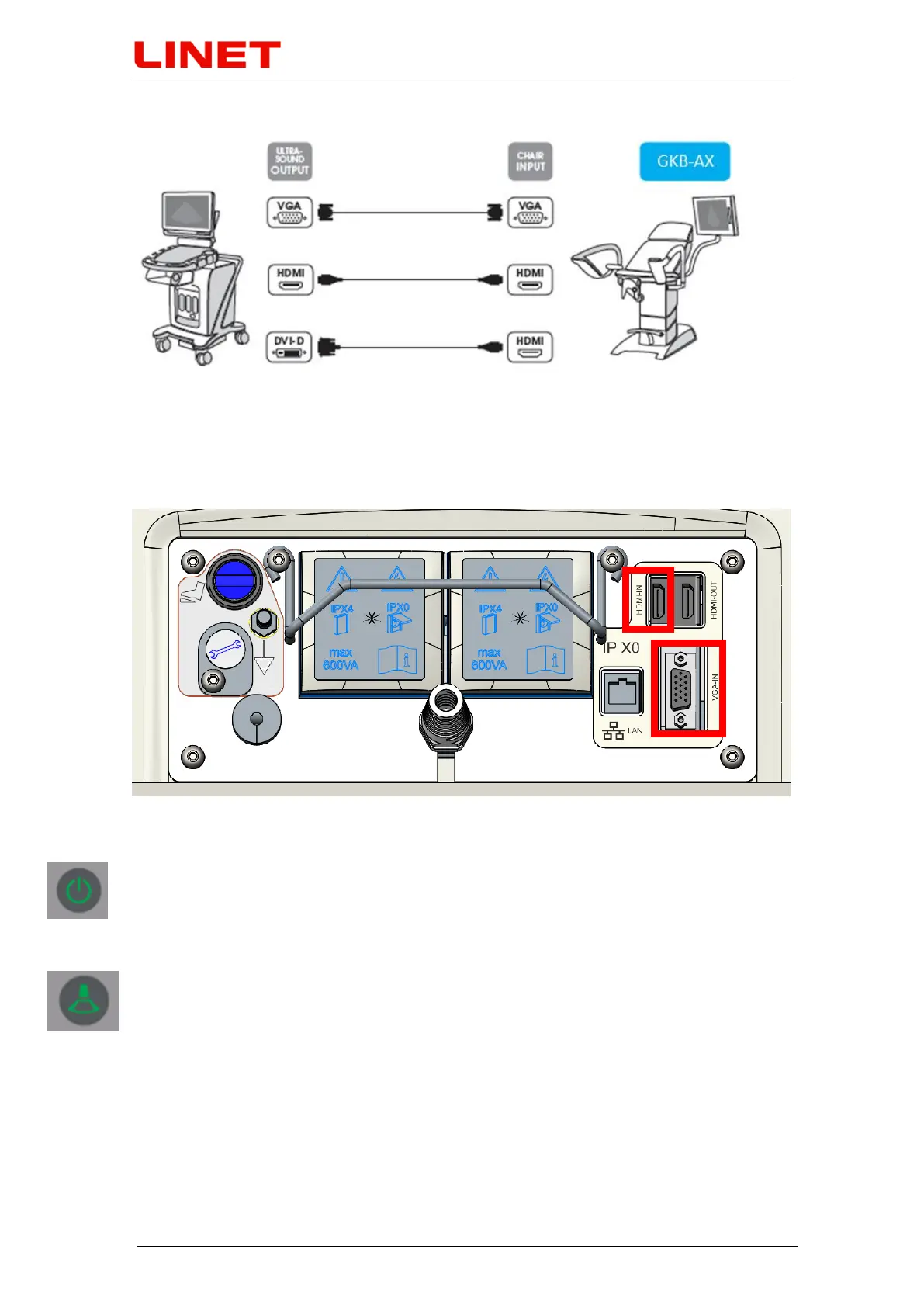
Remove rubber covers on the rear side of the chair base. Then it is possible to
connect an external device using input located on the socket terminal on the
rear side of the chair base (VGA input, HDMI input).
After the chair is connected to power supply, initialization of the system starts.
This condition is indicated by fast flashing of a greed LED on the keyboard of
the video colposcope as well as on the screen (duration of initialization: ca. 15
sec.).
When both diodes start flashing slowly, the system is ready for use. To display
image from ultrasound on the screen press touch button for the selection of
ultrasound image.


 To Next Page