D9U001GKB-0101 113/150
5.8 Changing default passwords
1) After successful pairing of the GRACIE chair with your PC/MAC, you need
to connect the folder where photos and videos taken from the video
colposcope of the GRACIE chair are stored
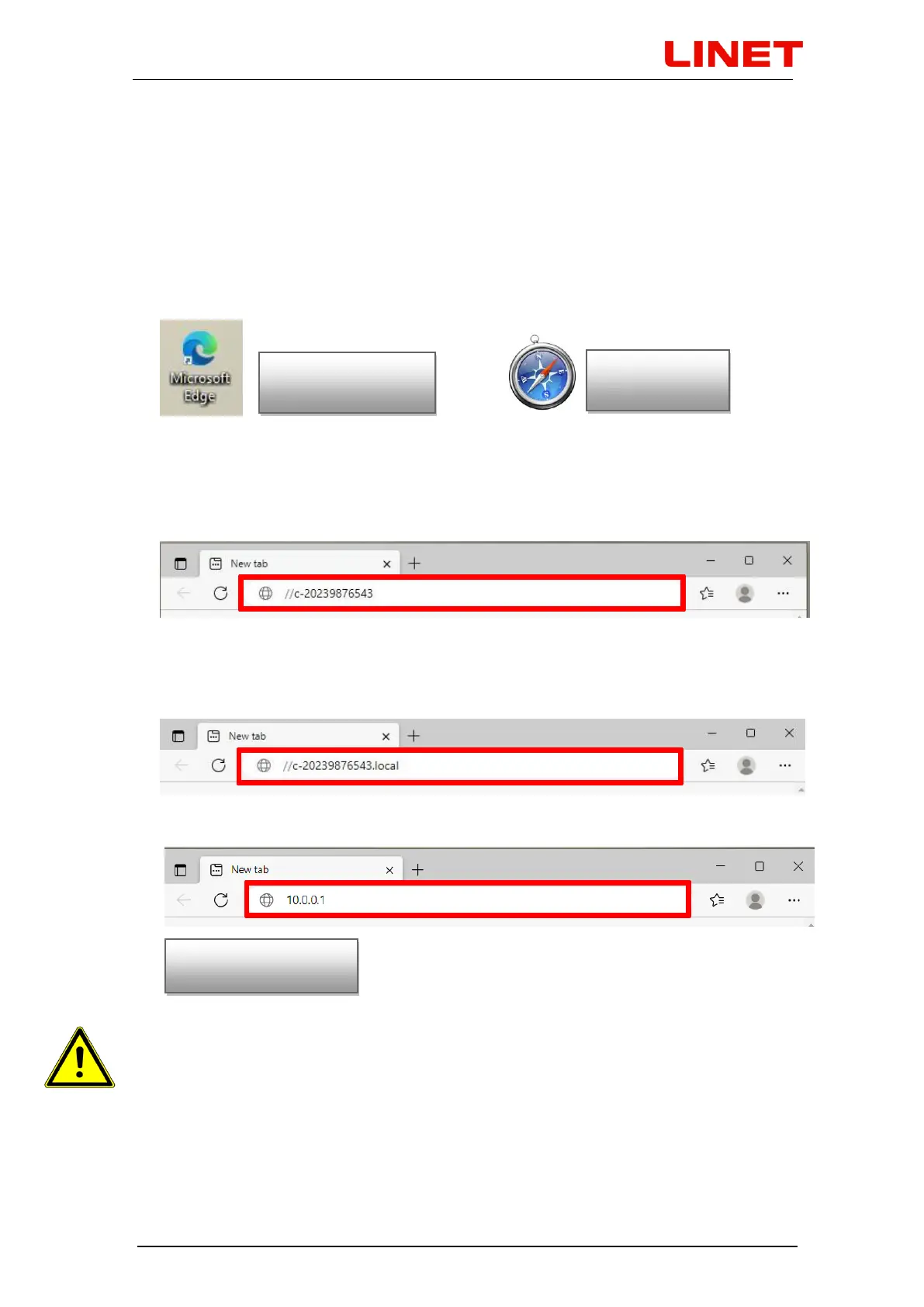
2) Open the Internet browser
3) Type \\c-XXXXXXXXXXX in the address bar, where XXXXXXXXXXX is the
serial number on the nameplate of the Gracie chair
or type //c-XXXXXXXXXXX.local in the address bar, where
XXXXXXXXXXX is the serial number on the nameplate of the Gracie chair
or type IP address (10.0.0.1) of the GRACIE chair into the address bar
When typing the path into the address bar, make sure to use correct
slashes!


 To Next Page