D9U001GKB-0101 67/150
5.1 Initial steps
• Turn on the doctor's PC/MAC.
• The PC/MAC must have a WLAN module, otherwise you will have to use a
USB WLAN adapter or connect the chair using Ethernet cable.
Switching the connection type on the video colposcope
The video colposcope is set to WLAN transmission in default. The video
colposcope must be turned off if you need to change the connection type.
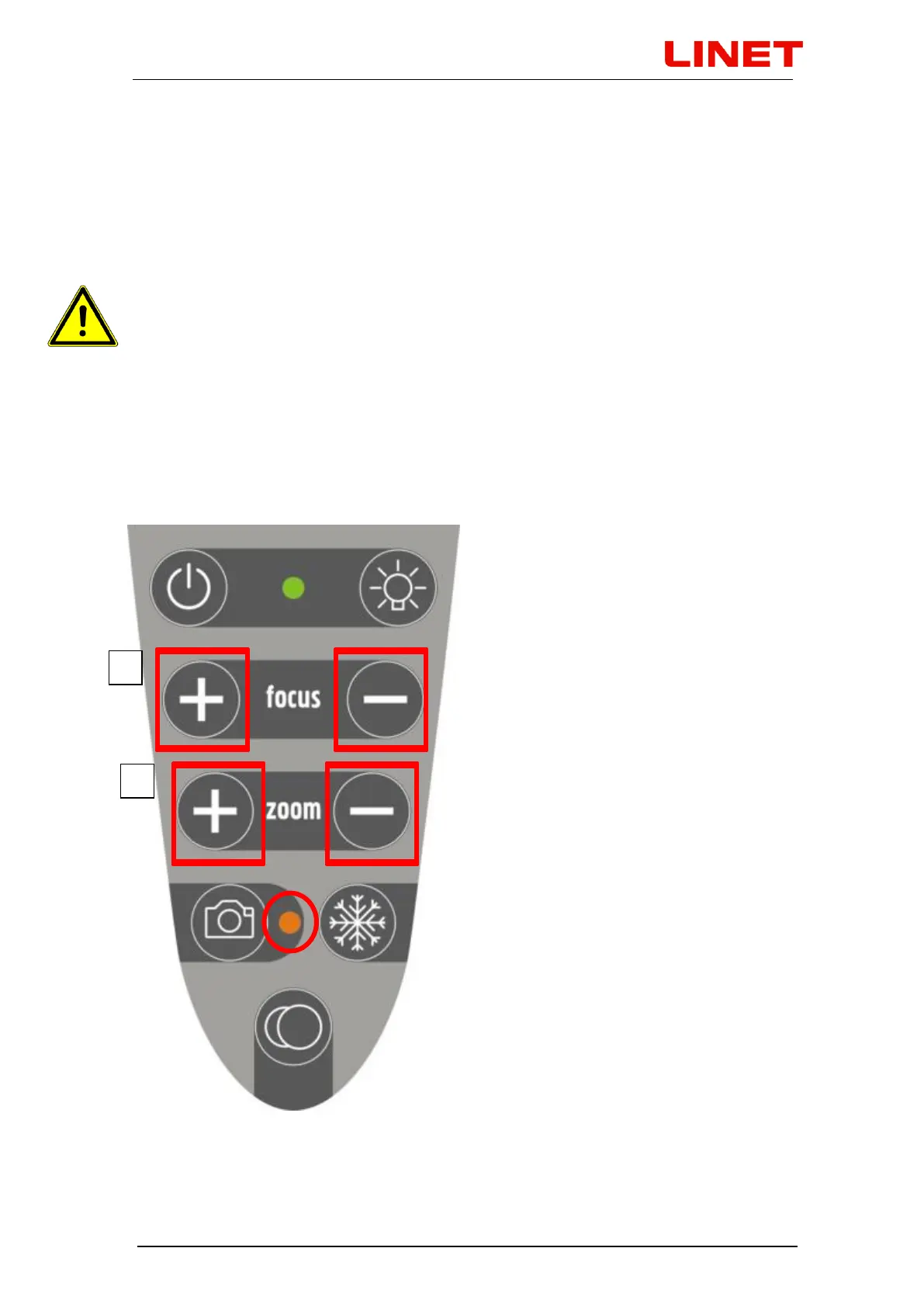
1. To switch to LAN module press the + and - FOCUS buttons and hold them,
until an orange diode of the camera button lights up on the video
colposcope.
2. To switch to WLAN module press the + and - ZOOM buttons and hold them,
until an orange diode of the camera button lights up on the video
colposcope.


 To Next Page