38/150 D9U001GKB-0101
Matching the remote controllers and Gracie
• Maximum of 3 foot controls, which can work together then, can be
paired with one chair (receiver in the chair base has 3 positions, into
which individual foot controls are stored)
• If the remote control is coupled with the chair for the second time and
it was already coupled with this chair before, then the remote control is
coupled for a new position (unless the reset occurred).
• The foot controller and the chair are already paired at the factory and
do not need to be paired again during the first installation!
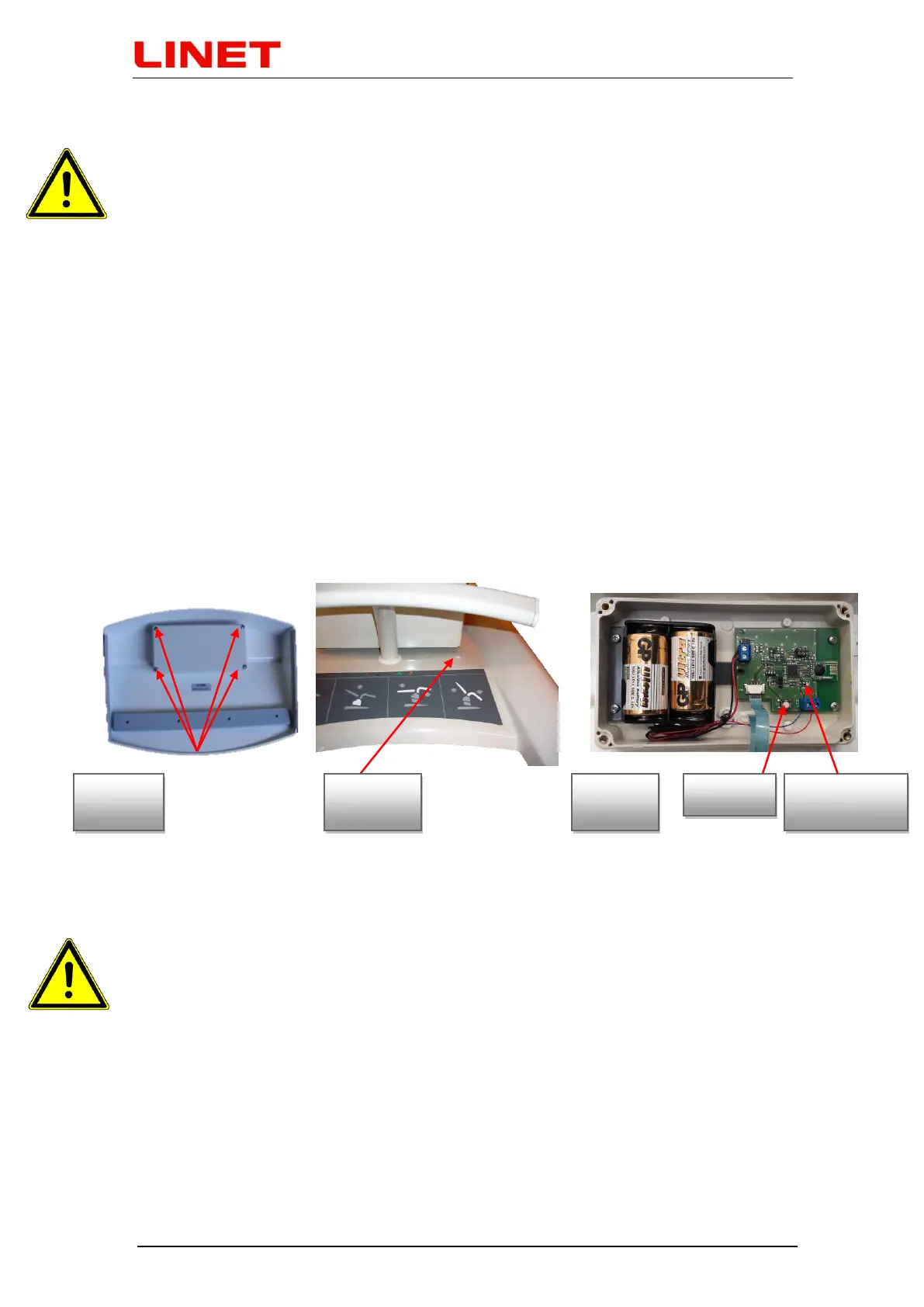
1) Unscrew 4 screws from the back side of the foot control (fig. A)
2) Remove the protective cap at the chair base (fig. B), then press the button
under the cap by a non-metallic, non-conductive object so that the surface is
not scratched. The LED indicator on the receiver will light up.
3) Then push on the button placed on printed circuit of the foot control (fig. C).
Small diode placed on the printed circuit will flash once. (fig. C)
4) The LED on the receiver goes out (fig. B). Cover the button with a protective
plug.
5) Now the correct connection is set up.
6) Screw the cover of remote control back (fig. A)
7) Set up the chair in standard position and test function of wireless control.
How to erase saved position
If all three positions have been saved but some new controller should be
assigned, all the controllers connected so far must be deleted from the receiver
memory. For erasing, please hold the pairing button (use a non-conductive
object for this operation) on the GRACIE chair up to the LED indicator turn off.


 To Next Page