D9U001GKB-0101 75/150
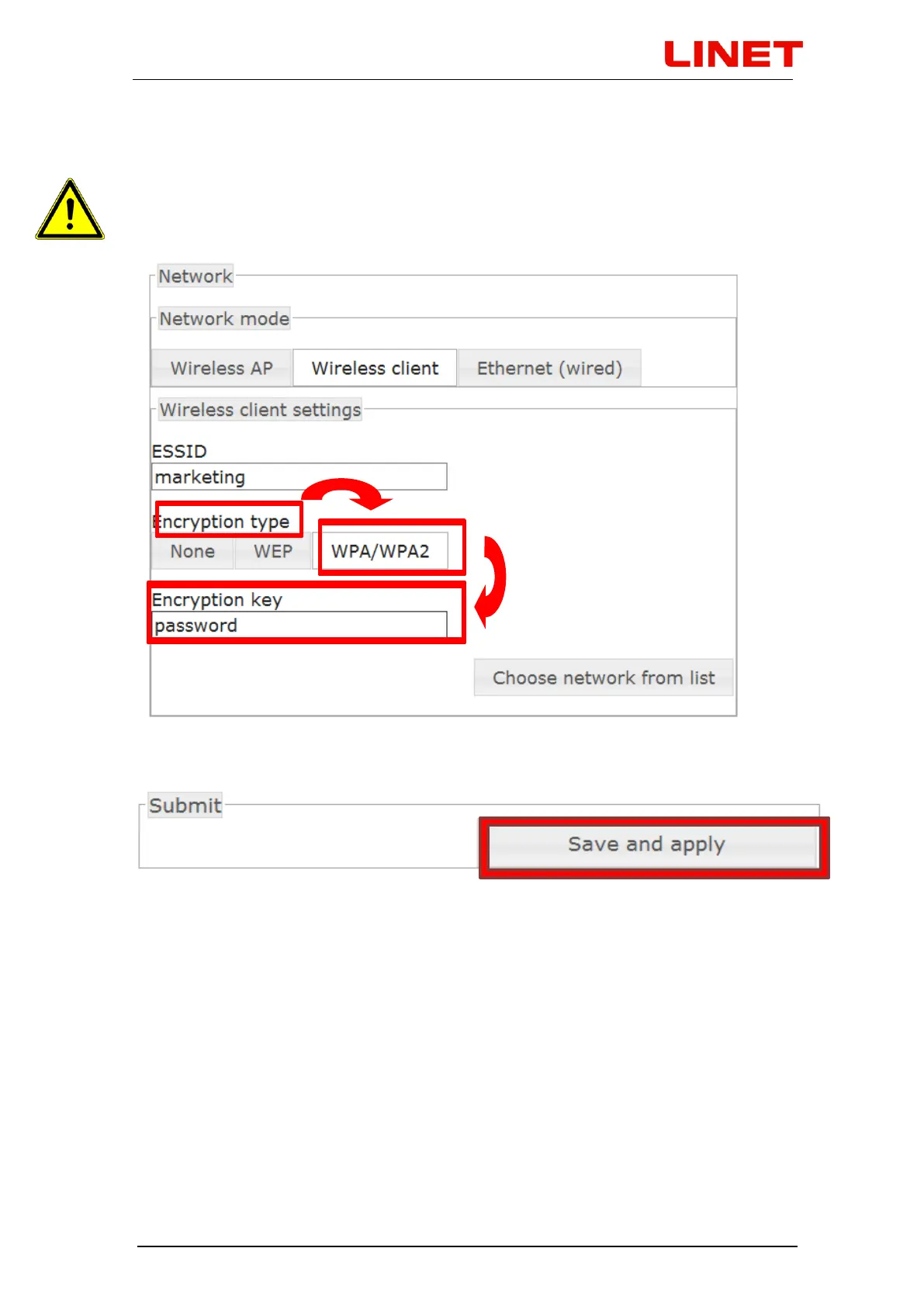
In "Encryption Type" click on WPA/WPA2 and enter the new password to this
network ("Encryption key", in this case it is "password".)
In case you do not know the password for the WLAN network you have
selected, contact the administrator.
8) Clicking on Save and apply will save the changes.
9) After saving the changes, the GRACIE chair will automatically connect to the
selected WLAN network. For correct functioning of the connection it is
necessary to connect the PC/MAC to the particular wireless network, in this
case "marketing".


 To Next Page