D9U001GKB-0101 77/150
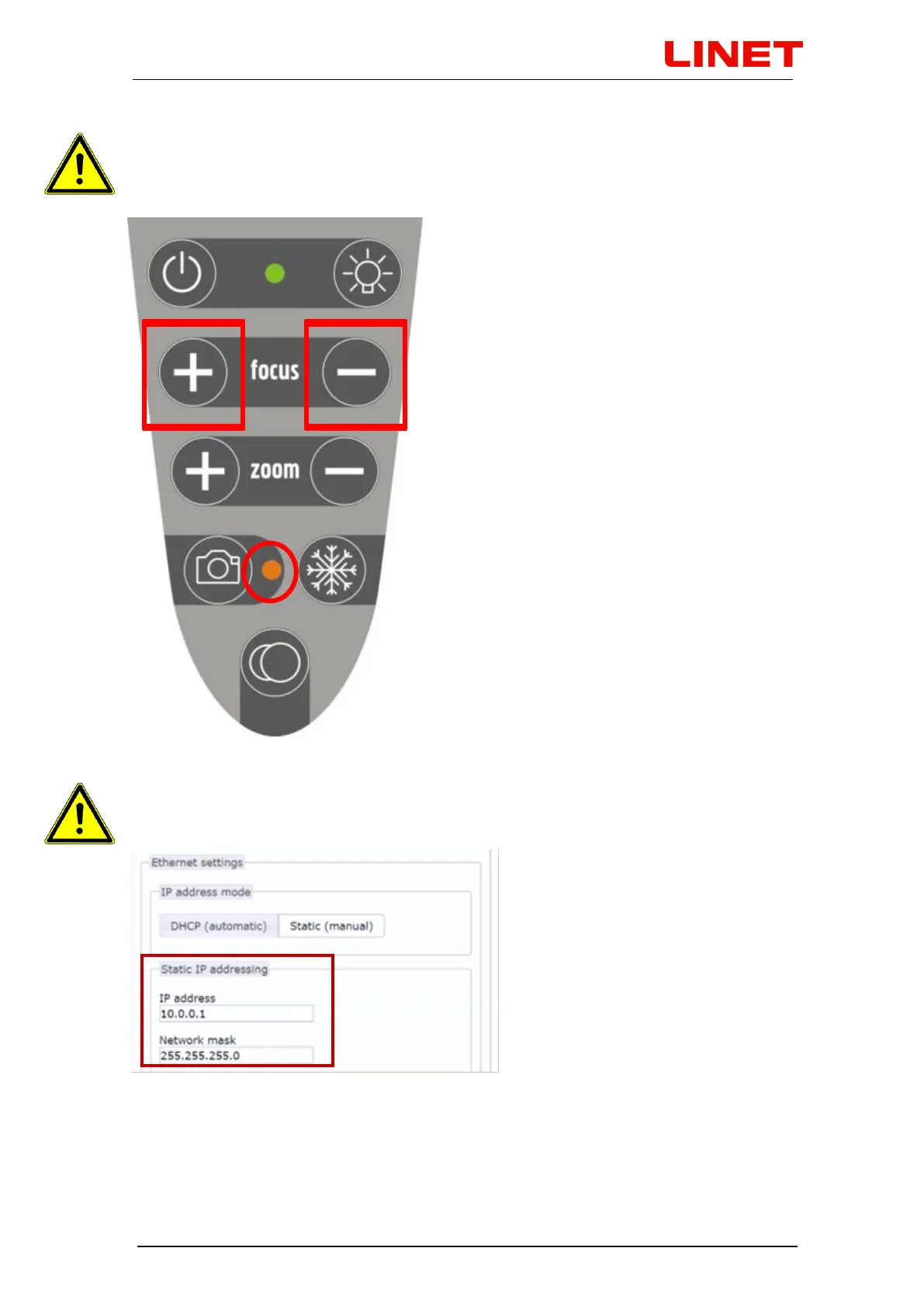
With the video colposcope turned off, first switch to the LAN module: This
is done by holding both + and - FOCUS buttons. Hold the buttons until an
orange diode of the camera button lights up on the video colposcope.
After pressing the buttons, static IP address and subnet mask will be
automatically set in the GRACIE chair as follows: 10.0.0.1 / 255.255.255.0


 To Next Page