D9U001GKB-0101 93/150
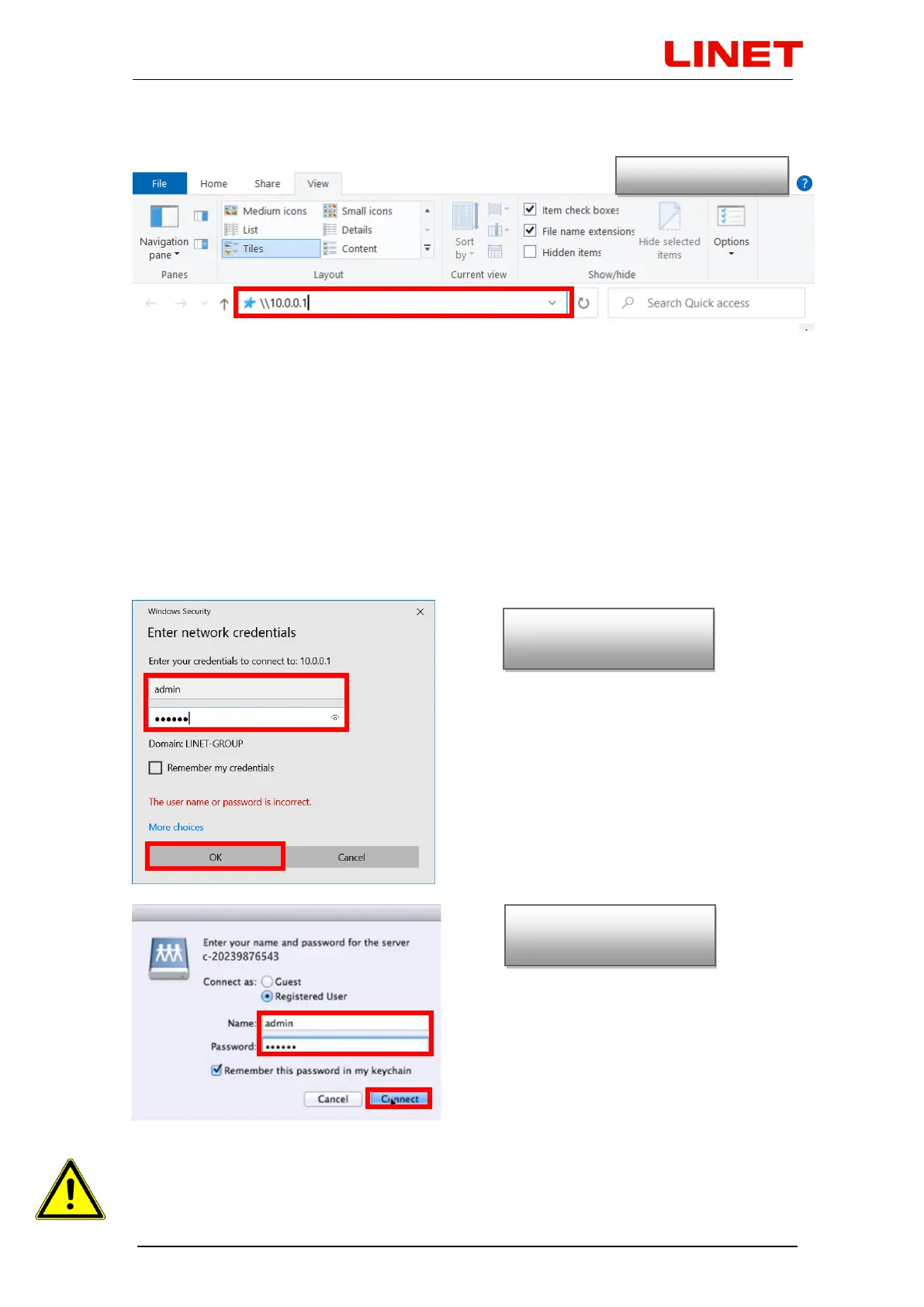
or type IP address (10.0.0.1) of the GRACIE chair into the address bar
4) Press ENTER on the keyboard of your PC/MAC or click on "Go" on the
address bar.
5) You will be promoted to enter the username and password.
Username: admin
Password: linet
6) After entering the username and password, press OK. It will open the folder
with your images.
Passwords and accesses have been factory pre-set. It is recommended to
change them, refer to Section 5.8


 To Next Page