SCPC System • Replacing components
52 CP_SEM_60-03-00.002
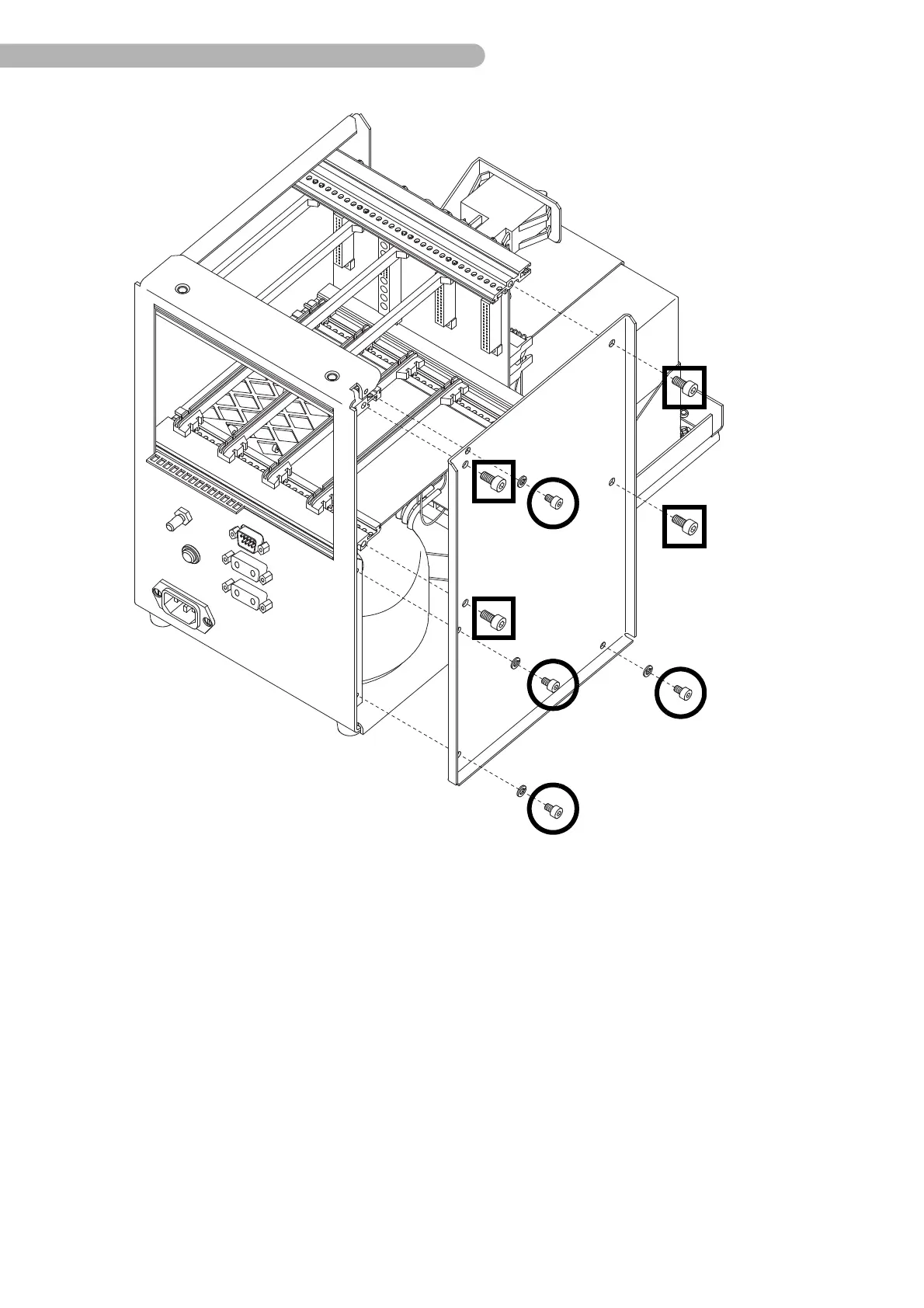
fig. 22: Disassembling the side panel
The side panel needs to be disassembled to access the ring core transformer, rectifier, main filter,
automatic circuit breaker, fan and all interfaces on the rear of the device
◗ Unscrew the four screws indicated (Allen key size 4).
◗ Unscrew the four screws indicated (Allan key size 2) including the washers.
◗ Take off the side panel.



 To Next Page