Brightfield cell counting
For Total and viability cell counting, prepare a cell suspension according to standard
procedures. Mix the sample, 1:1, with Trypan Blue Stain, 0.4% (T13001) or Erythrosin B Stain
(L13002) or Methylene blue Stain, 0.02% (L13004). Mix gently, but thoroughly to ensure a
homogenous suspension.
For total cell counting, load the sample directly onto the slide without staining the sample.
Fluorescent cell counting
Prepare a cell suspension according to standard procedures. Mix the sample, 9:1 (cells:
stain), with Acridine Orange/Propidium Iodide Cell Viability Kit (F23001). Mix gently, but
thoroughly to ensure a homogenous suspension.
** The LUNA™ 8-Channel Slides are multi-channel pipette compatible.
For easy and accurate loading, hold the slides by their edges and pipette at a 45-60° angle to
the slide. Take care not to overload or under-load the chamber.
Select appropriate counting mode and navigate to appropriate counting screen.
Press EJECT.
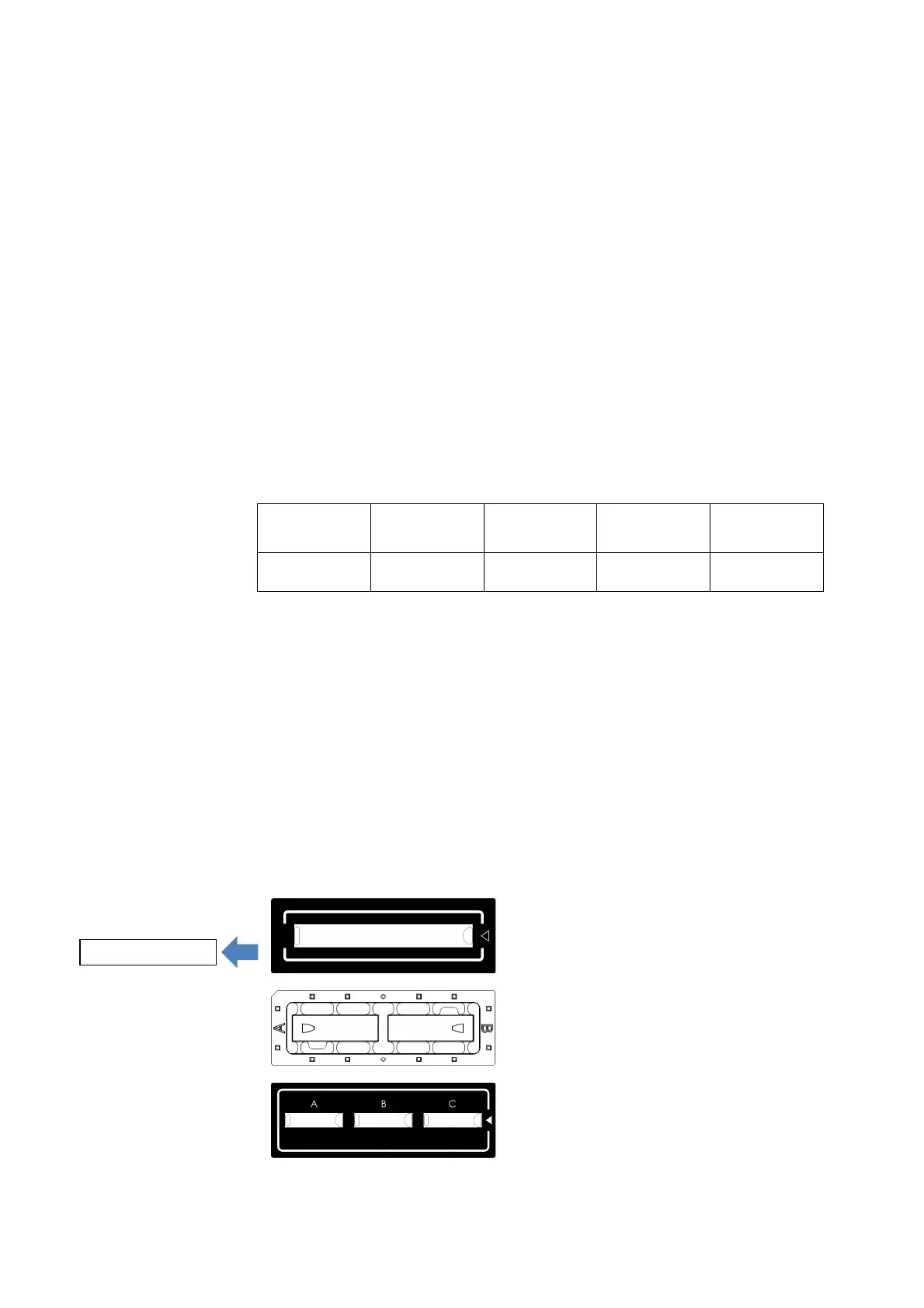
When inserting a slide into the instrument, ensure that the slide is facing up so that the arrow
is showing on the right side and/or so that the lowest chamber designation is to the left.



 To Next Page