Autofocus upon slide insertion
When Autofocus upon slide insertion is activated, autofocus is automatically performed when
a slide is inserted.
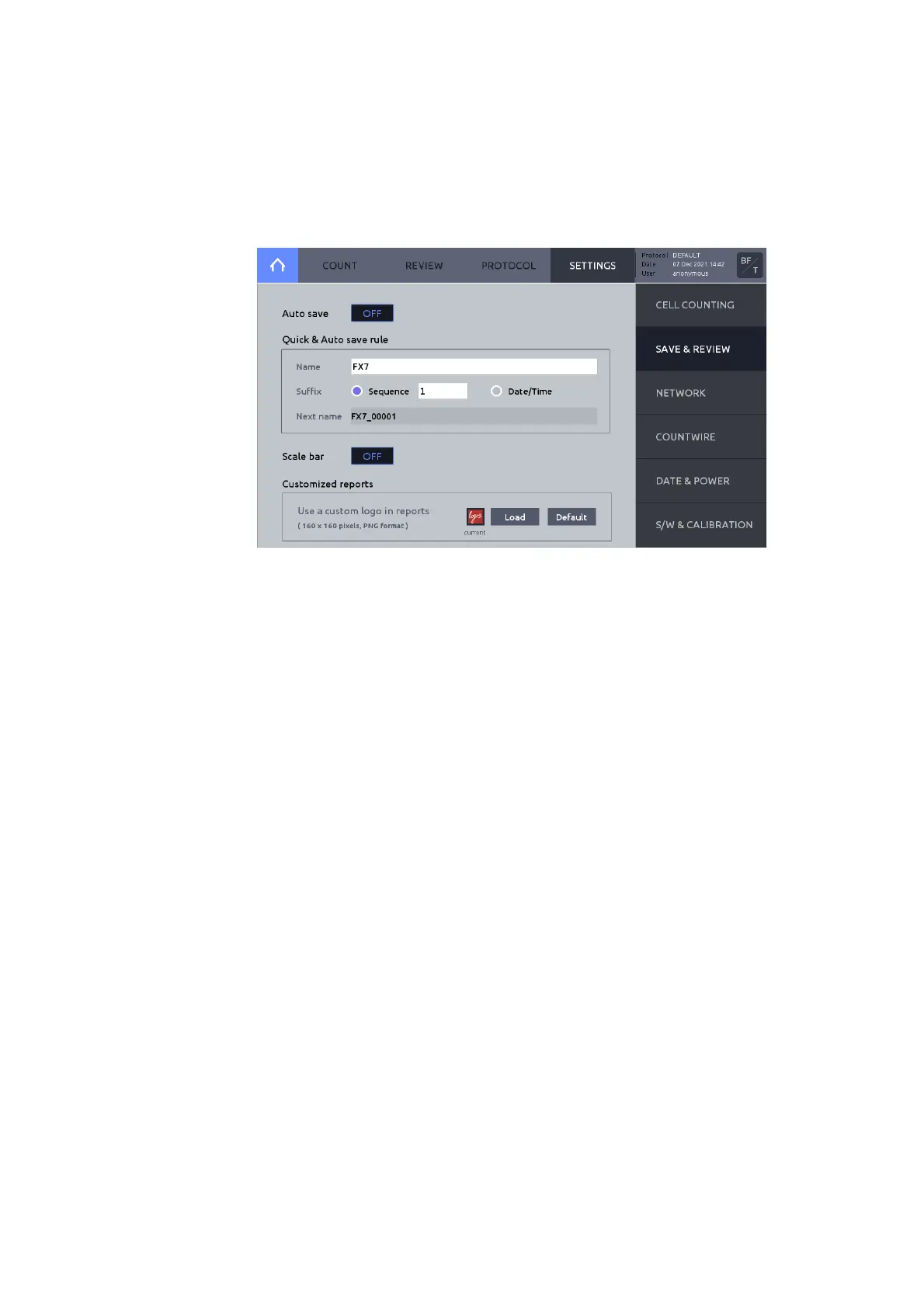
Press Save & review on the right menu.
Auto save
When Auto save is activated, cell counting results are automatically saved according to the
Quick & Auto save rule.
Quick & Auto save rule
o Name
This name will serve as the prefix for all saved counts.
o Suffix
Select Sequence to automatically add sequential numbers to the prefix name; OR,
select Date/Time to automatically append date and time to the prefix name.
o Next name
Displays file name to be used for the next count to be saved.
Scale bar
Includes or excludes scale bar for Tag (Analyzed) images.
Customized reports
Allows PDF reports to be customized with preferred logo or image. Required image format:
160 x 160 pixels and PNG format.
The LUNA-FX7™ may be connected to a local network via Ethernet cable or WiFi.
Within SETTINGS, press NETWORK.



 To Next Page