Connect the LUNA-FX7™ to a network. Make note of the LUNA-FX7™ IP address in the
SETTINGS: NETWORK screen.
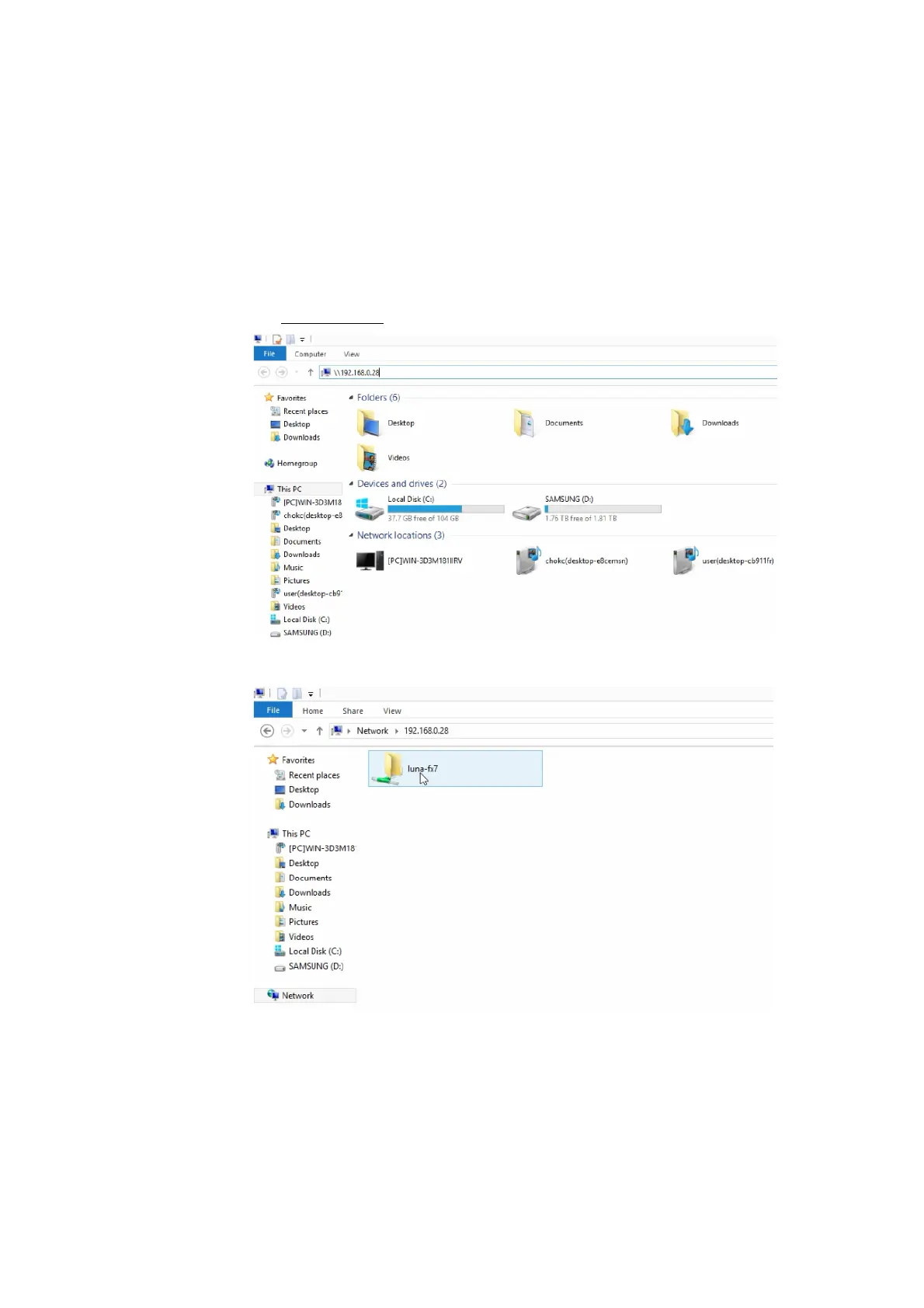
In your Windows PC, open File Explorer (Windows key + E)
Type the IP address connected to the LUNA-FX7™ in the location directory and press Enter.
e.g. \\192.168.0.28
You can double-click and open the luna-fx7 folder.
The data in the folder is not stored in the PC. You may move data from the luna-fx7 folder to
another drive in the PC.



 To Next Page