Piccolo 31 from 82
www.lt-light.com
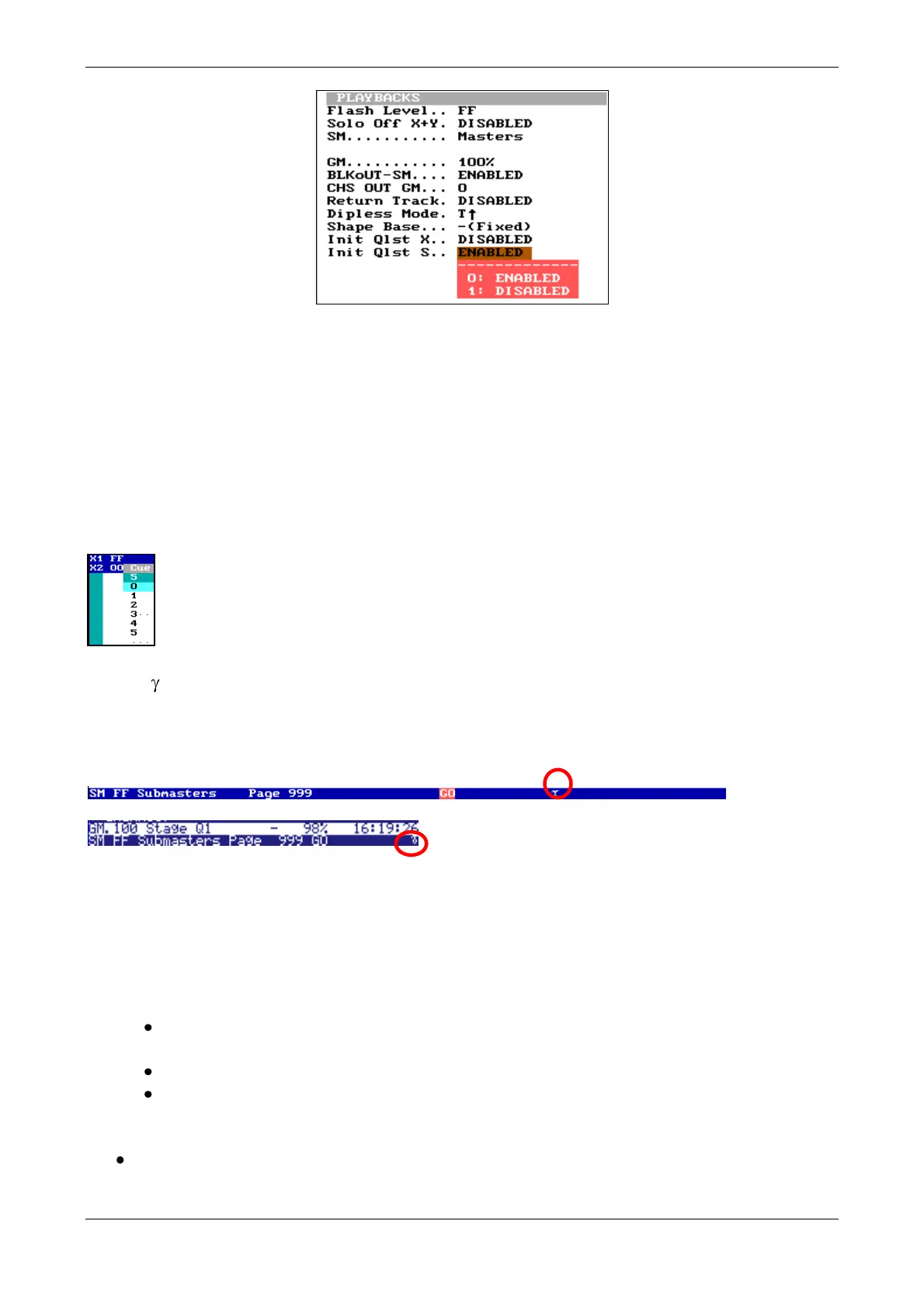
Init Qlst X enables the repeat mode of cue list loaded in to the Sequence.
Init Qlst S enables the repeat mode of list loaded in to Submasters.
When these options are ENABLED, it is not necessary to load the cue list again or to program a
Jump.
After Reset:
Init Qlst X is ENABLED
Init Qlst S is ENABLED
Example: A list of 5 cues, after the last cue is executed (cue 5), the cue list will be reset
and the next cue will be 0 (Black-Out) as shown in the picture.
Symbol : On Submaster status line & sequence status line; when this symbol shown it indicates
that repeat mode is enabled (ENABLED). In the next example the function is enabled for
Submasters, and the symbol appears in submasters status line, in monitor screen and on the internal
display:
19. MODIFING CUES & GROUPS
[2_B]BLIND is used to select if the modification will be on stage in live (LED off) or in blind
(LED on). Pressing this key the mode is switched. Groups & Cues are modified following the same
process (any of the next methods):
a) Opening the cue or group for modification:
Starting from zero ([RST] [RST]) or current scene, press [GRP] [#] [MD.FY] or [CUE]
[#] [MD.FY]
Do the desired changes with the channel faders or from the keyboard
Store the modification pressing [REC] or discard them by pressing [RST] [RST].
b) Using a scene, cue or group to modify which is loaded to a Submaster.
Edit the desired scene, Submaster at FF, with the channel faders or the keyboard, and using
(if desired) the output of any playback (Submaster or Crossfader).



 To Next Page