Piccolo 17 from 82
www.lt-light.com
12. BASE DISPLAY / BASE SCREEN
12.1. Base Display
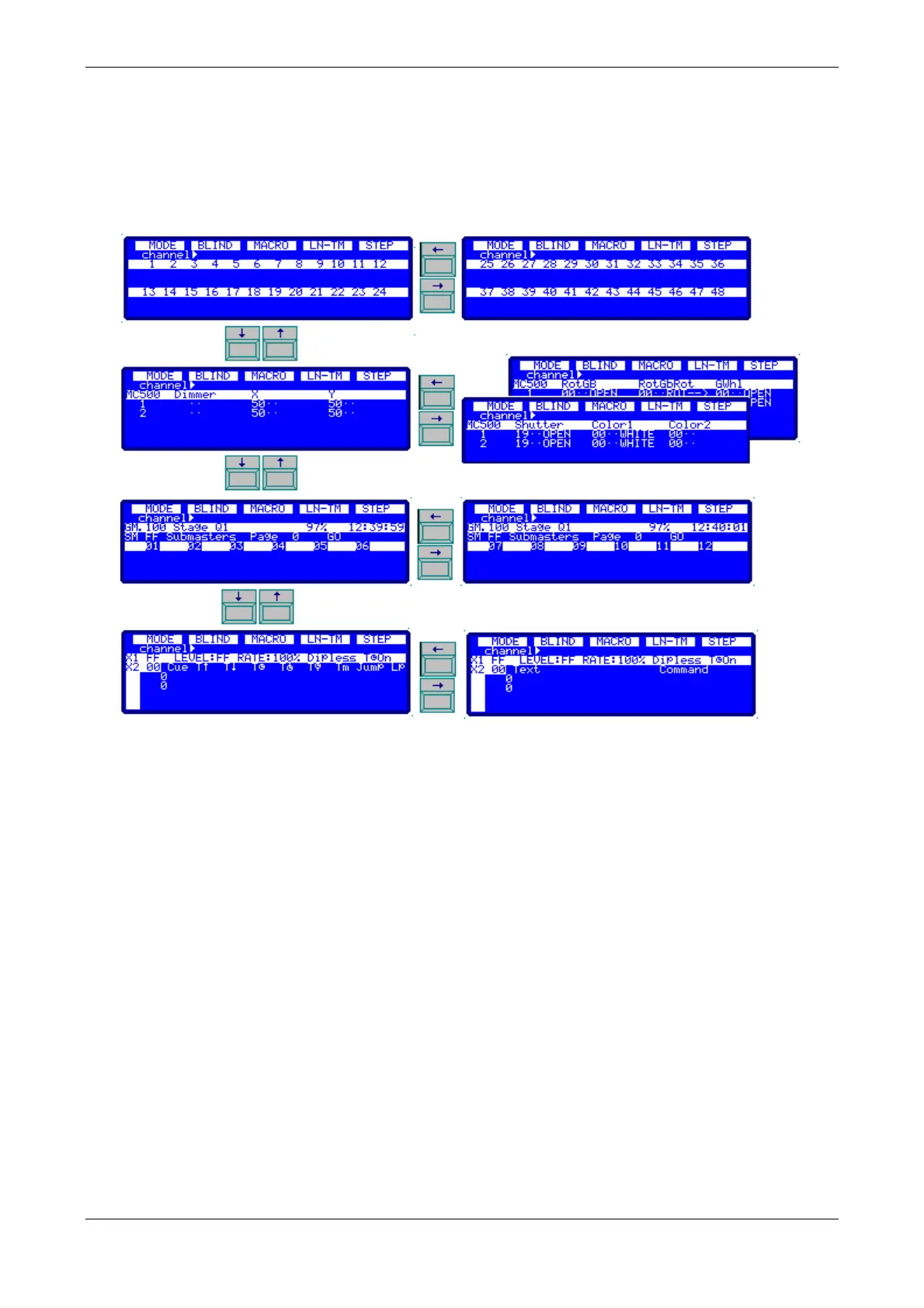
With the up-down arrow keys you look over the information about channels, fixtures (if
configurated), submasters and crossfader.
With the left-right arrow keys you look over more information about each item (channels,
fixtures…). The number of displays in horizontal it’s depended of the Piccolo model.
12.2. Screen
In the monitor, and depending of the model, the information is in one screen that, if necessary, is
paged pressing [↓] and [↑]. In the fixtures zone it’s possible to have more information about the
same fixtures, pressing [] & [].



 To Next Page