Piccolo 60 from 82
www.lt-light.com
Parameters:
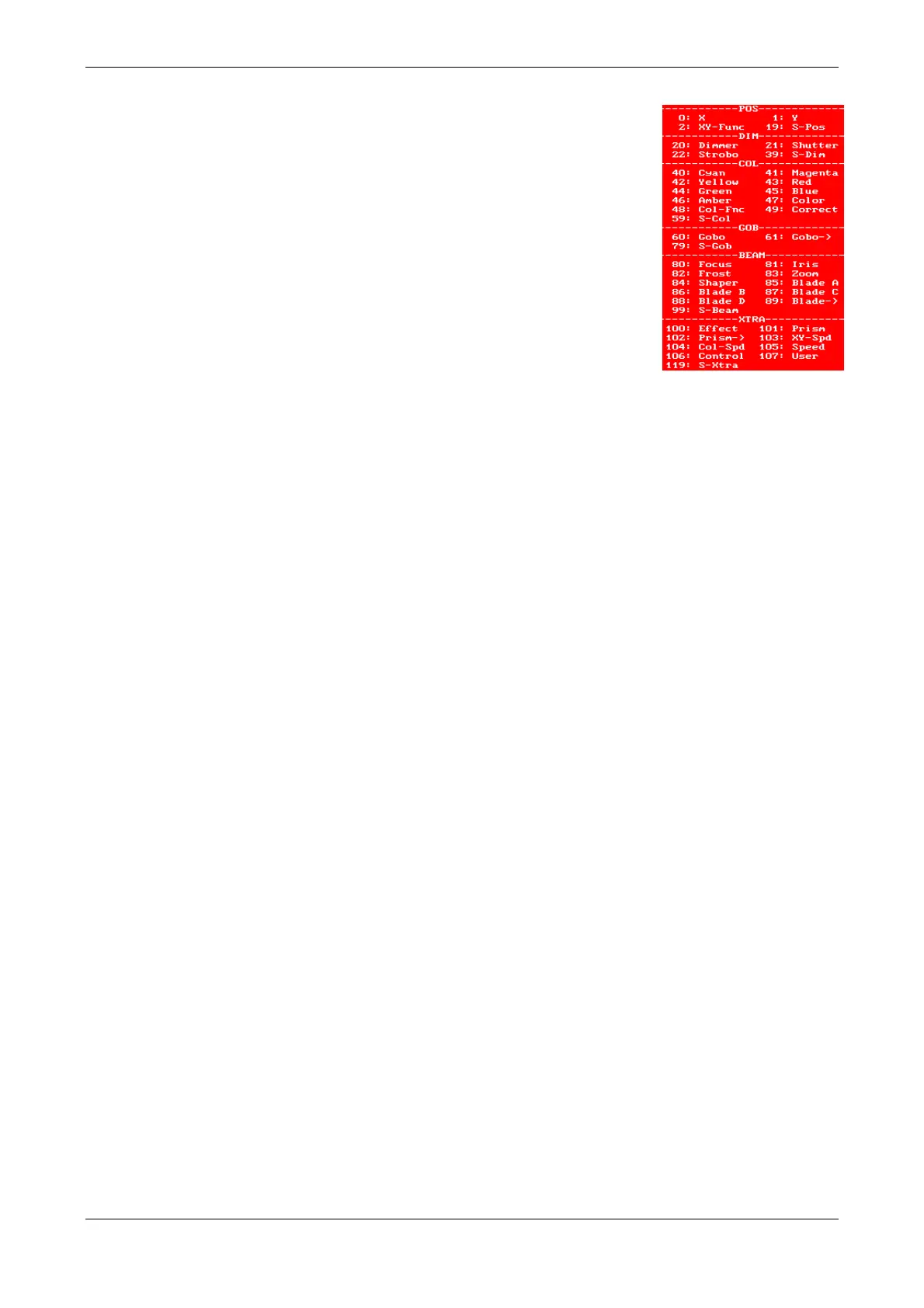
Num: is the parameter function (definition). There are 6 categories in the
list, those are:
POS
lists the beam position parameters
DIM lists the intensity parameters, as 20: Dimmer in the HTP
parameter for the light regulation.
COL lists the colour parameters.
GOB lists the gobo parameters.
BEAM lists the beam parameters and Blade parameters.
X-TRA lists the rest of the special parameters, such as effects, prisms, speed,
etc.
Name is a text to identify the parameter that can be edited.
Ch+Fn: Parameter for the DMX order. Enter Ch value for 8 bits parameters and Ch & Fn
values for 16 bits parameters. The DMX order for the fine parameter is edited inside the Fn cell.
Some 20: Dimmer parameters have an external association. In this case, the DMX
address for this conventional dimmer will be entered in the Patch table, next to the DMX
address of the fixture.
I: If marked, the parameter has its scale inverted. Example: An Iris that at 0% is totally
opened and at 100% is totally closed can be inverted. On value is entered on Piccolo it will then be
closed at 0% and at 100% will be opened.
L: No-used in Piccolo consoles; for Piccolo Scan consoles indicates if this parameter is included
in libraries & the category of the library.
F: If marked, this parameter can fade in cues & groups; if not marked it cannot fade.
Hom: Home value for the parameter (0-255). These values are set using [3_B]HOME
St: Number of parameter step divisions from 0 to 99, where:
0 indicates that the parameter is not defined or not in use
1 indicates that the parameter is continuous. Some typical continuous parameters are X, Y,
Zoom, Iris, Dimmer, etc...
Others values indicate the step number or division of the parameter.
There is a special parameter, Control that has the control commands of the fixture. The most
important use of this command is to switch on and off the lamp and/or to reset the fixture...
Note: If you want to create yours owns fixtures, you can use the simulator of Hydra Spirit. Created
fixtures will be compatibles with Piccolo. More information in user manual of Hydra Spirit.
35. PATCH TOOLS
This option can be found in the channels patch menu. It has tools to copy, delete, exchange, or
activate DMX addresses or DMX lines. Inside channels patch, press [OPTIONS] to access, now
you can:
Set dimmers to their default values:
Default



 To Next Page