Piccolo 70 from 82
www.lt-light.com
39. ETHERNET
Piccolo has all which is necessary to transmit DMX over Ethernet:
IPX: To transmit DMX universes by IPX, without the necessity of configure IPs (recommended
to work with the eBox).
ArtNet: This protocol is a standard in the market, and it opens the doors to connect Piccolo with
the most of the lighting software (simulators, media servers, etc) and many other devices.
CIPT: This protocol is used to communicate between Piccolo and Capture Polar. This option
now gives the possibility to exchange data: selections, actions, levels, positions…
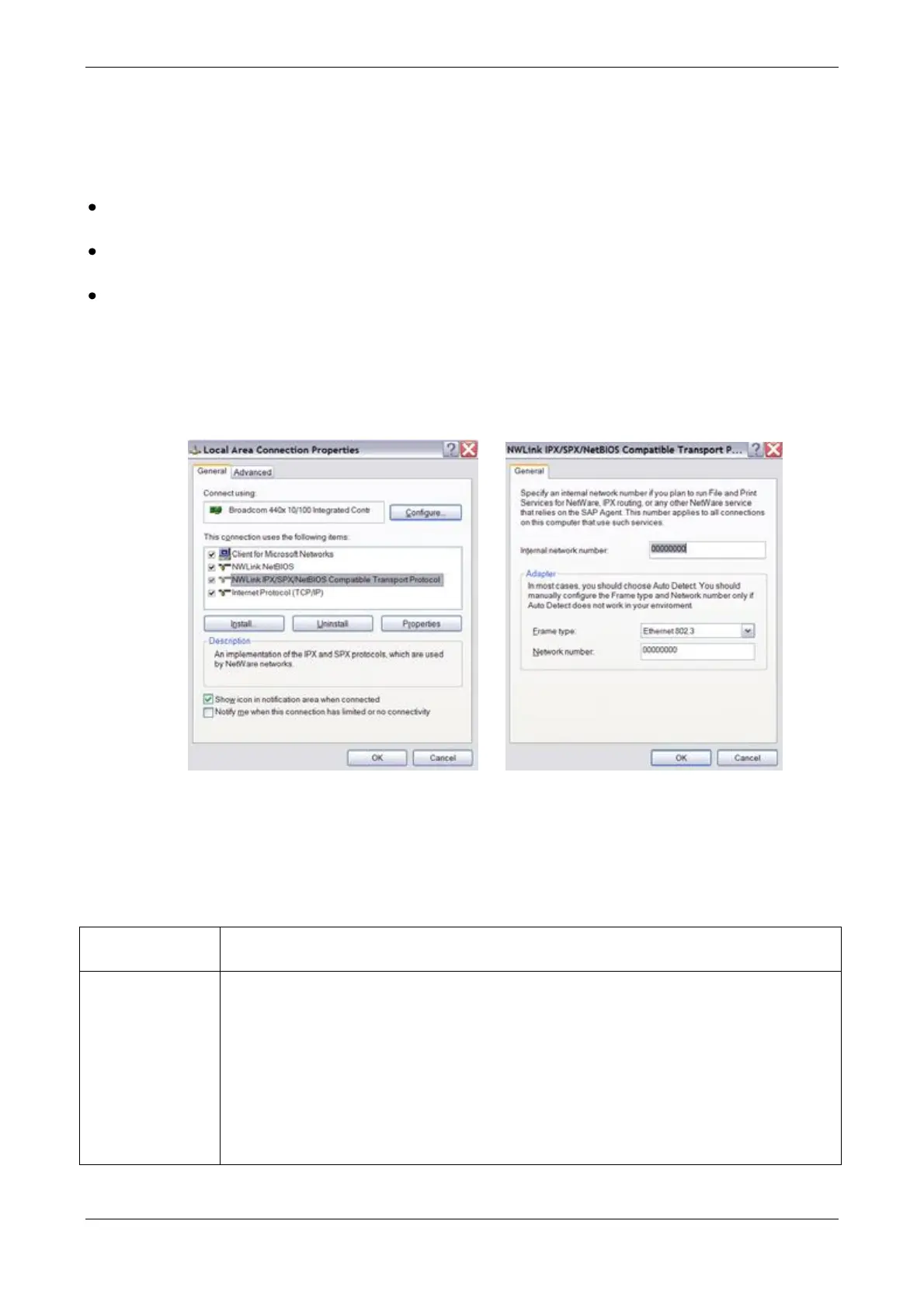
For Ethernet transmission based in the IPX Ethernet protocol: In the PC (for use with OLE or
Capture), it is necessary to install the IPX protocol: Compatible with NWLink IPX and to set the
frame type to Ethernet 802.3. (This driver is unfortunately only available for Windows XP)
The Ethernet cables (RJ45) must be crossed to use the units directly with PC or straight if connected
to an Ethernet hub.
To configure the DMX output on Ethernet of the console, select menu 40 and edit the following:
On/OFF to enable or disable the Ethernet communication of Piccolo
The net number can be between 0 to 15. The information is only shared between
equipment connected to the same Net. This way different light boards can
control devices belonging to the selected Net, cable, hub etc.
For ArtNet protocol, this Net number is known as the SubNet.
Note: If it wants to communicate with Capture by IPX (as until now) the Net
number must be selected in the range between 0 and 9.
Some ArtNet devices use net numbers between 1 and 16 (1 = 0)



 To Next Page