Piccolo 48 from 82
www.lt-light.com
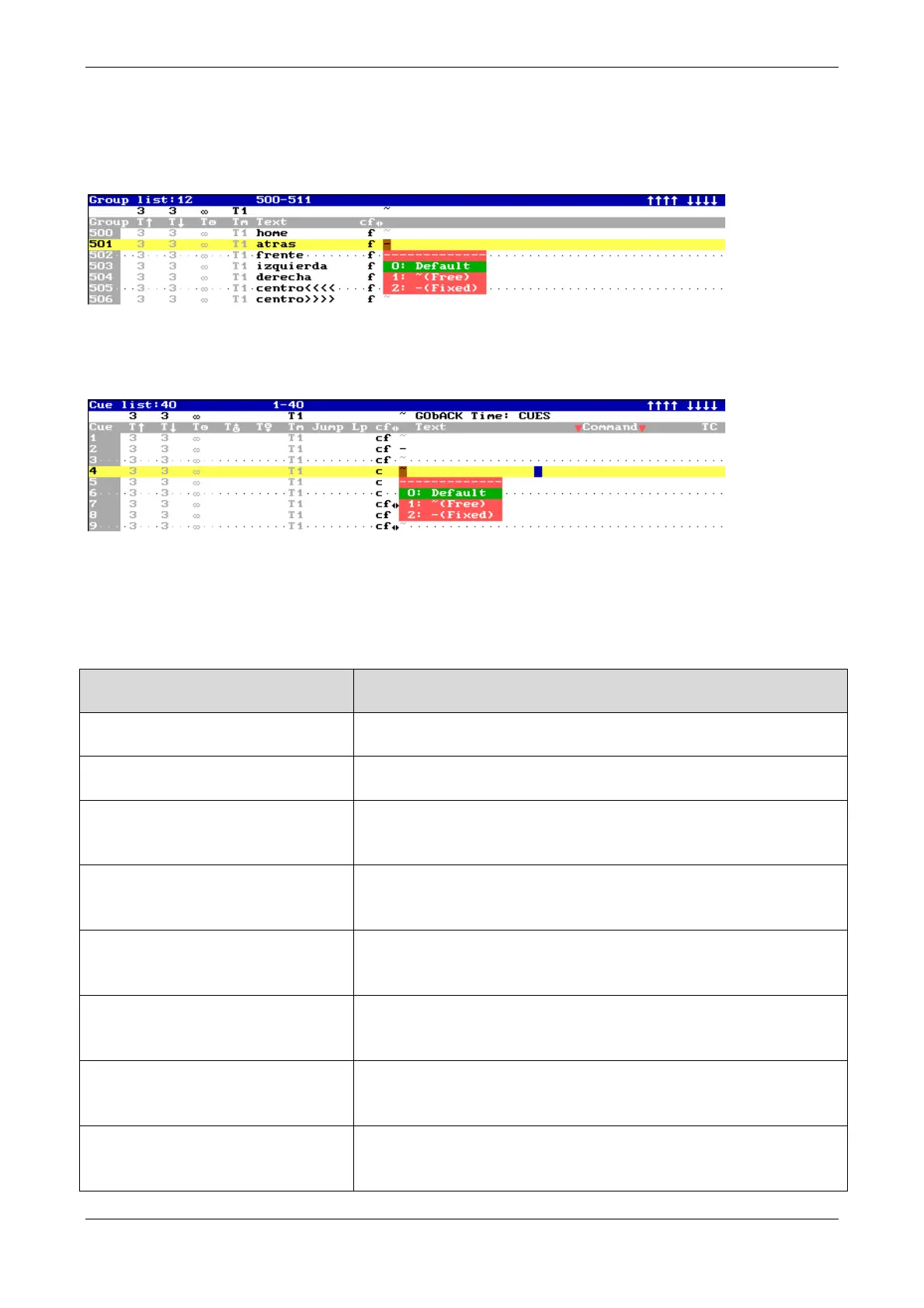
Also, it’s possible to assign this behavior defined individually for groups & cues.
For groups, press [GROUP] [GROUP]; accede to the last cell of the desired group and select the
appropriate option:
For cues, press [CUE] [CUE] ]; accede to the last cell of the desired group and select the
appropriate option:
26. EXAM & MDFY FUNCTIONS
Both functions are parallels, one for exams and the other for modifications.
It’s possible to exam () or to modify () any item.
Channel
[CHANNEL] [#][EXAM]()
Opens a table with the cues and groups where this channel is
stored and its level in each group or cue.
Fixture
[FIXTURE] [#][EXAM] ()
Opens a table with the cues and groups where this fixture is
stored and its parameters and levels in each group or cue.
Group
[GRP] [#] [EXAM] ()
[GRP] [EXAM] ()
Exams the contents of group # or exams the general group
options (text) in the groups list.
Cue
[CUE] [#] [EXAM] ()
[CUE] [EXAM] ()
Exams the contents of cue # or exams the general cue options
in the cue list.
Effect
[EFFECT] [#] [EXAM] ()
[EFFECT] [EXAM] ()
Exams the contents of effect # or exams the general effect
options in the effect in the list.
Page
[PAGE] [#] [EXAM] ()
[PAGE] [EXAM] ()
Exams the contents of page # or exams the general page
options (text) in the page list.
Macro
[3_B]MACRO [#] [EXAM] ()
[3_B]MACRO [EXAM] ()
Exams the contents of macro # or exams the general macro
options in the macro list.
Submaster
[EXAM] [S#] ()
[EXAM] [FL.MT]] ()
Exams the contents of the Submaster # or exams the item
loaded in all the Submasters.



 To Next Page