Piccolo 15 from 82
www.lt-light.com
10. SELECTING THE WORKING MODE
Piccolo has 4 working modes:
Single: In this mode, all faders of the console (C# & S#) are channel faders. This mode
is ideal for the creation of cues, or to work with static scenes (conference room, etc). This mode
is very useful for editing because all the channels are accessible in only 2 banks using all faders.
In this mode the Crossfader is active, but the Submasters are not.
Double: In this mode the upper and lower row of console faders (C# & S#) are channel
faders and are used for the same channel. In this mode the console has 2 scenes and is ideal to
do a totally improvised manual sequence. The Crossfader is the control of scene change
between upper and lower row. Not all functions of the Crossfader & Submasters are accessible.
Theatre: In this mode the upper faders, C#, are channel faders in edition mode, and the
lower faders, S#, are Submaster faders. This mode is a conventional working mode for
lighting consoles, where it is possible to use all features such as sequences, effects, cues, groups,
etc.
Manual: In this mode the upper faders, C#, are channel faders in manual mode, and the
lower faders, S#, are Submaster faders. This mode is a conventional working mode for
lighting consoles, where it is possible to use all features such as sequences, effects, cues, groups,
etc.
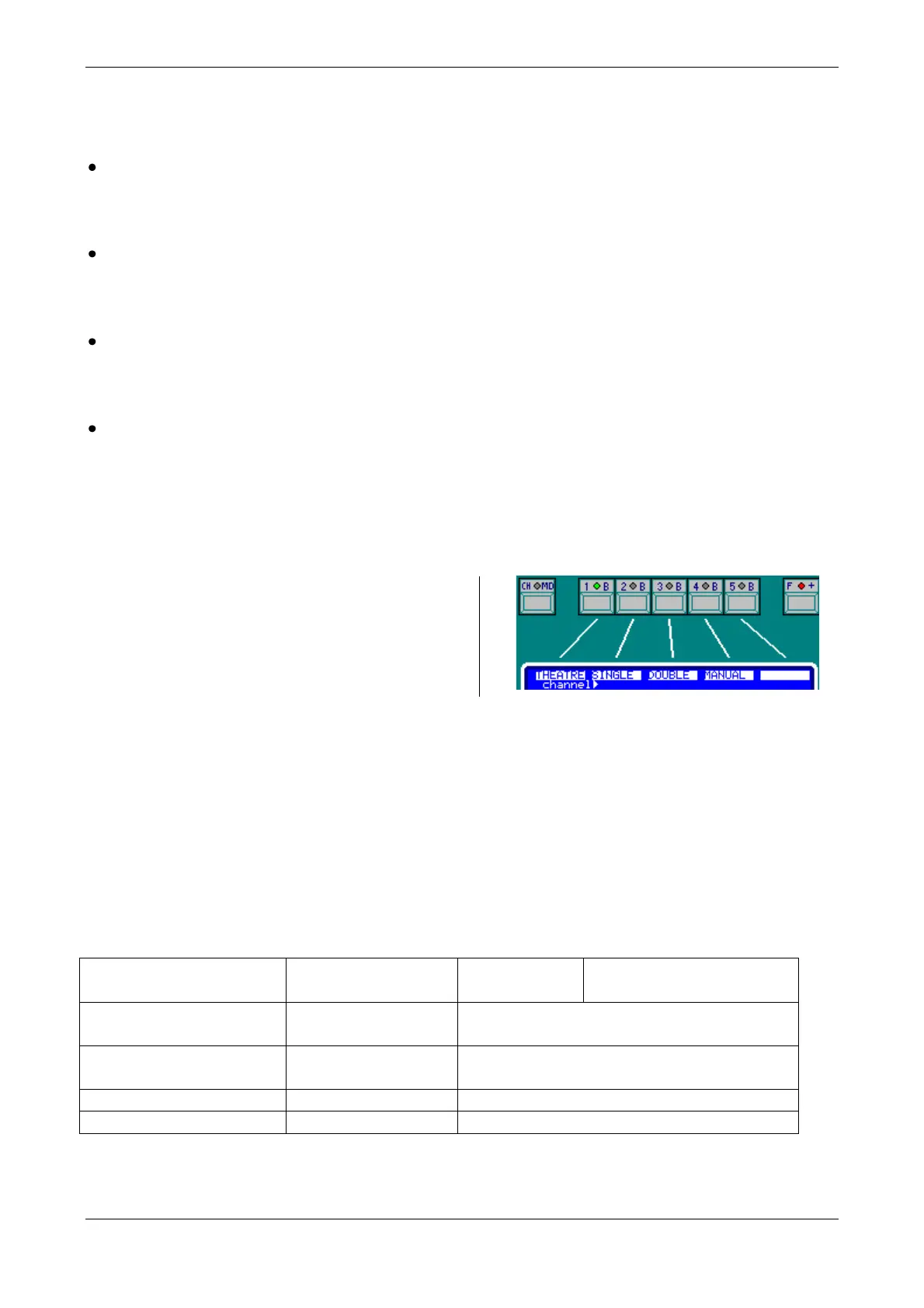
To select or change the working mode:
[1_B]Mode
This option is placed in the first page of the
soft keys. If necessary, press [F+] to search for
it.
Select the desired mode pressing the corresponded soft key.
For Theatre & Manual mode, the [CH.MD] LED is at off.
For Single mode, the [CH.MD] LED is at on.
For Double mode, the [CH.MD] LED is blinking.
It is possible to change the mode at any time, and as many times as necessary. There is no data loss
with a mode change, only the access to the different functions and possibilities are changed.
11. CHANNEL ACCESS AND MODE CHANGE
THEATRE / MANUAL:
4 BANKS
PICCOLO 12/48
PICCOLO SCAN 12/48
[1-12], [13-24], [25-36] & [37-48]
PICCOLO 12/48
PICCOLO SCAN 24/96
[1-24], [25-48], [49-72] & [73-96]
[1-36], [37-72], [73-108] & [109-144]
[1-48], [49-96], [97-144] & [145-192]
Press [CH.MD] to change the channel banks.
The active bank is marked with a LED (example: the first bank is selected):



 To Next Page