DRIVER’S COMPARTMENT -
INSTRUMENTS AND CONTROLS
21
RADIO AND AUDIO EQUIPMENT
The radio and audio equipment operating
instructions are provided in a separate
publication supplied with the vehicle.
A roof mounted aerial is fitted. The antenna
unscrews from the base by hand. If parking in a
garage or other confined space ensure that
there is sufficient clearance. Remove the
antenna in the event that there is any doubt over
clearance.
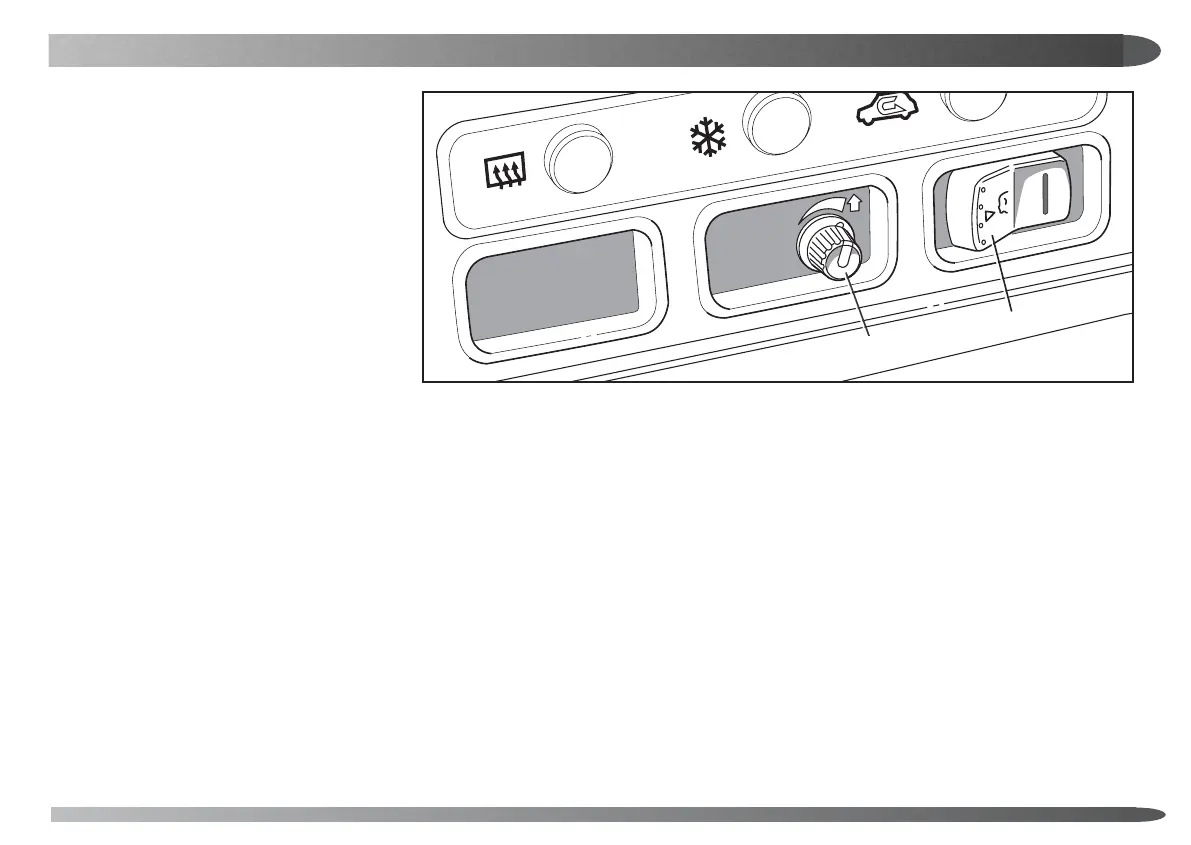
1. Intercom and induction loop systems
The vehicle is fitted with an intercom system to
facilitate communication between the driver and
passengers. With the ignition switched on, the
intercom may be operated by pressing the
fascia switch (A), or the similar switches in the
passenger compartment. Whenever the
intercom is turned on, the radio/cassette sound
output will be muted.
Pressing either switch again will turn the
intercom system off, so that privacy is available
as required. Lights in the switch and in the
passenger compartment are illuminated when
the intercom system is being used.
Note: The intercom system performance will be
affected by background noise and should be
operated with windows closed, and audio
equipment 'off'.
An induction loop system around the passenger
compartment enables hearing aid wearers to
hear conversations more easily by switching
their hearing aids to the 'T' position.
2. Intercom volume control
Rotate the control knob (B) clockwise to adjust
the volume from the driver’s compartment
intercom speaker.
Volume from the rear compartment speaker is
pre-set in manufacture but can be altered by an
LTI Main Dealer on request
Note: Under certain conditions, background
noise may adversely affect the sound quality if
the control knob is set to its maximum position.
EIV 0011
B
A



 To Next Page