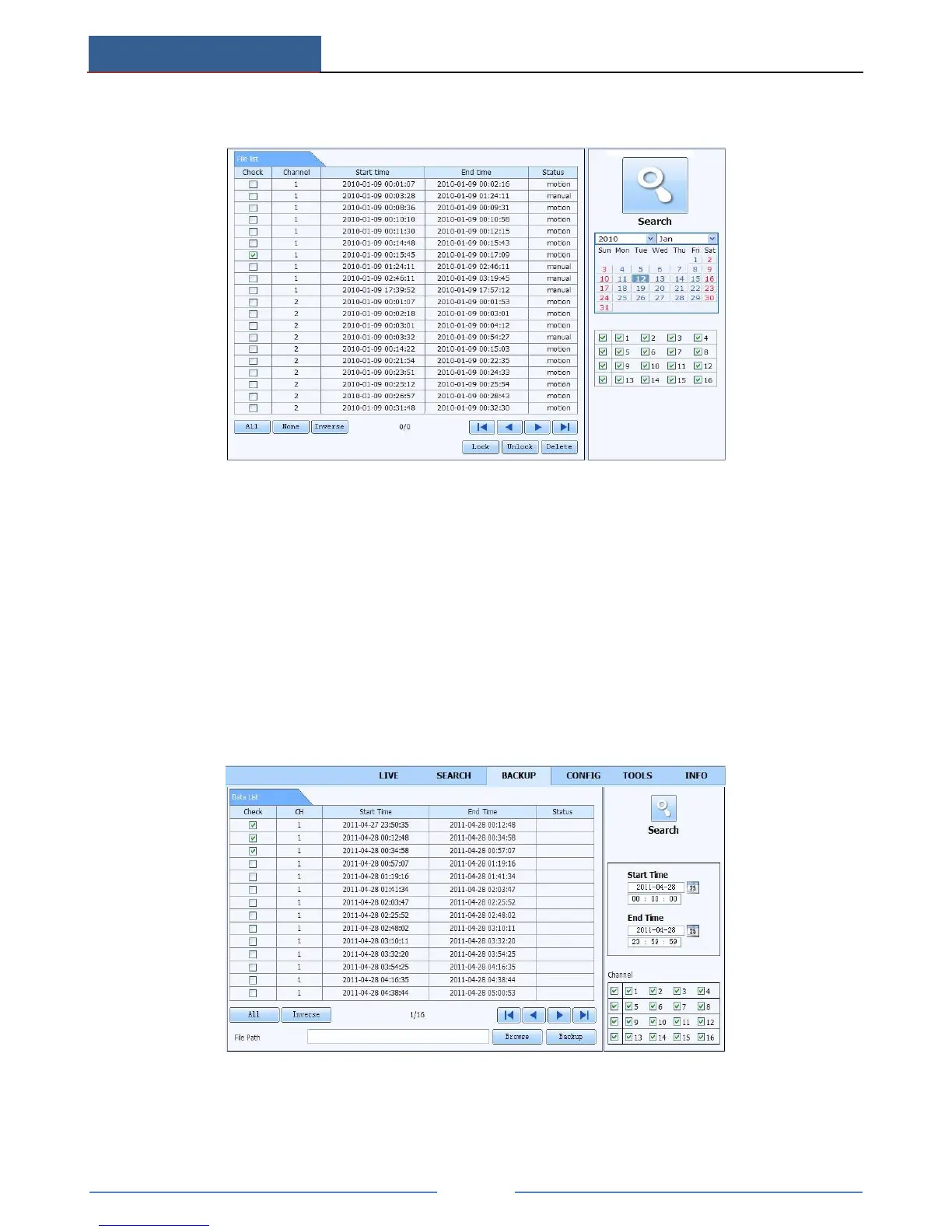
Go to SearchFile Management interface.
Select highlighted date and channels.
Click “Search” button to search the recorded files.
Lock: Select certain file item in the file list box and then click “Lock” button to lock this file
that ca not be deleted or overlaid.
Unlock: Select a locked file and then click “Unlock” button to unlock this file.
Delete: Select an unlock file and then click “Delete” button to delete this file from file list.
Remote Backup
Click Backup button to go to backup interface.
① Select channels, set the start and end time and then click “search’ button to display the
file information in the file list box.



 To Next Page