Plot point: 10 to 255 Number of times that a sampling occurs per page.
Read address:
Device type: PLC or OIT internal memory address
Device
address:
This is the starting address that is read from to get the data to plot.
BIN or BCD Select binary (BIN) or BCD format
Scroll control:
Device type:
If Multiple pages is selected, this 16-bit register represents the
position the window is located on the multi-page graph. If the value
is 0, then the window is at the foremost or front of the graph. For
each increment of this value, the window moves back by one plot
point.
Device
address:
PLC or OIT internal memory address
BIN or BCD Select binary (BIN) or BCD format
Hold control:
Device type:
If Multiple pages is selected, this coil register is used to enable the
hold function. If the coil is set, then the hold function is activated.
Device
address:
PLC or OIT internal memory address
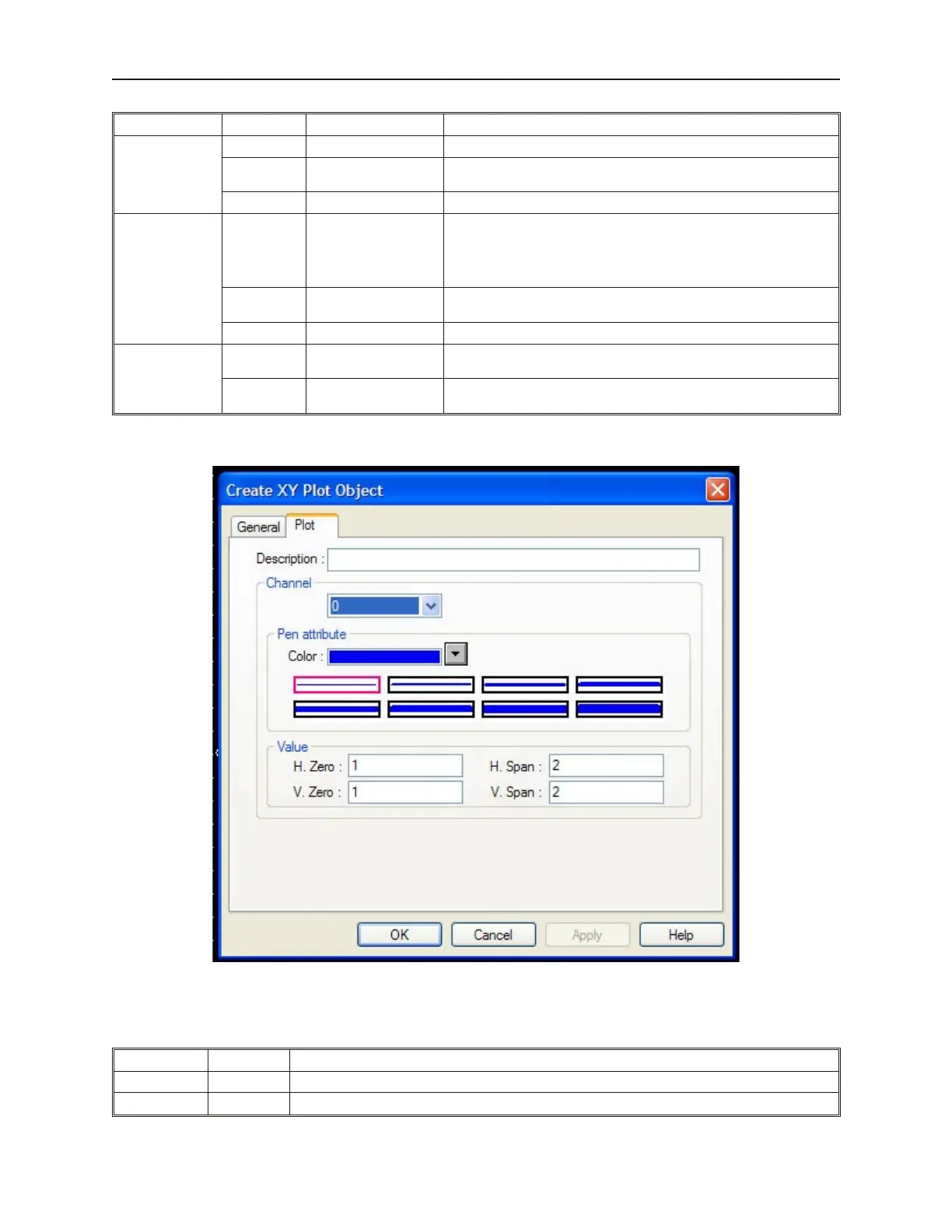
3. Click the Plot tab to display the Plot Display form.
4. Use the Description: box to enter a title for the XY Plot part. A description is not necessary
but does help you identify the purpose of the part.
5. In the Channel pull-down box, select each channel to modify the attributes for the channel.
The XY Plot only supports channel 0.
Function Range Description
Color: Selects the color used for that channel.
H. Zero: 1 to 32767 The value at which the plot will reach the left side of the Horizontal Axis.
1010-1001a, Rev 02
Bar Graphs, Me ters, and Trends 221



 To Next Page