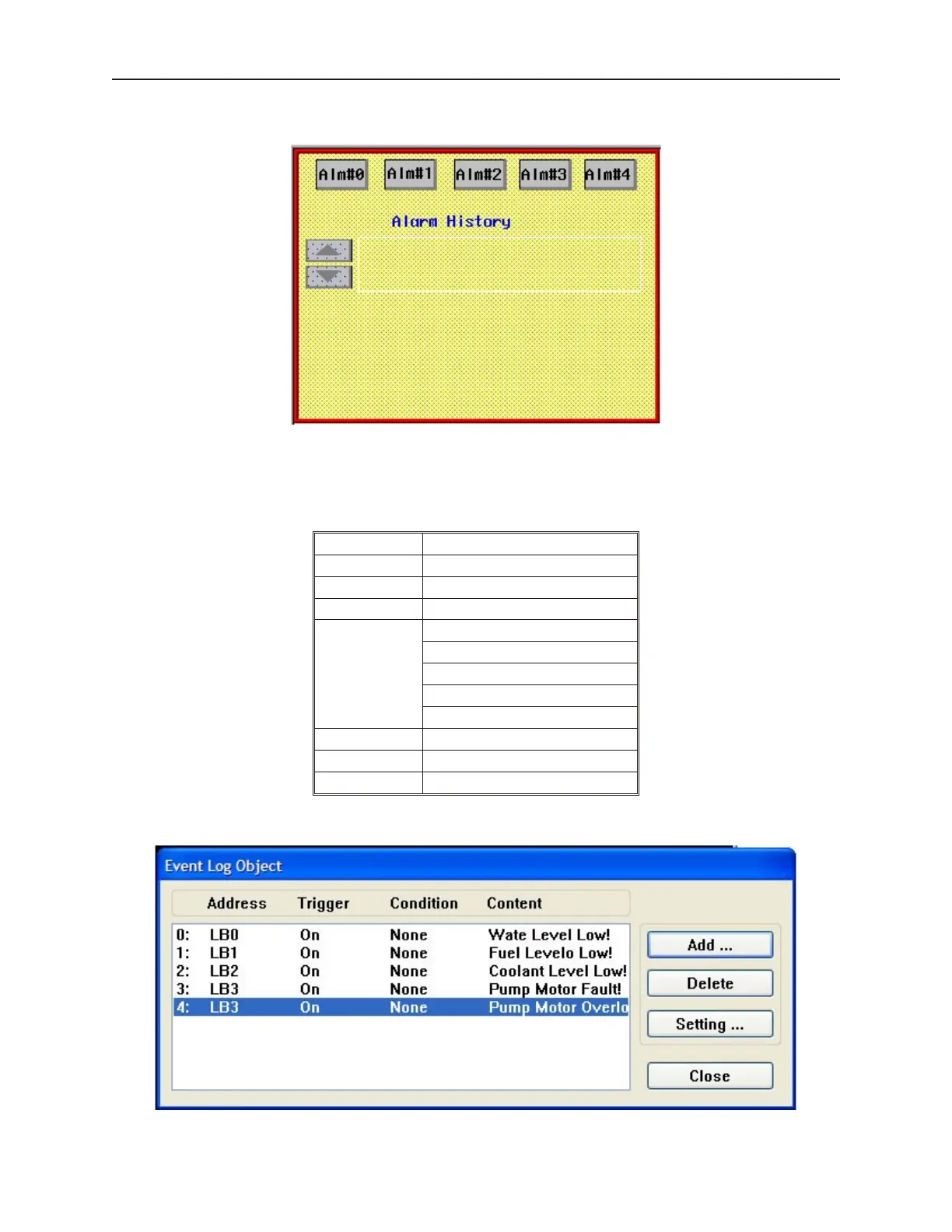
Place these objects onto the screen as shown:
4 Create an Event Log object to monitor alarms
1. From the Parts menu, click Event Log. Or click the Event Log icon in the Draw toolbar.
The Event Log Object dialog box appears.
2. Enter the following parameters for each event:
Attribute Setting
Address type: Bit
Read Address LB0 to LB4
Event trig On
Text
Water Level Low! (LB0)
Fuel Level Low! (LB1)
Coolant Level Low! (LB2)
Pump Motor Fault! (LB3)
Pump Motor Overload! (LB4)
Font: 16
Color: Select any color
Write value: 0
3. Click OK. The entries should look like this:
1010-1001a, Rev 02
236 Sil ver Se ries In stal la tion & Op er a tion Man ual



 To Next Page