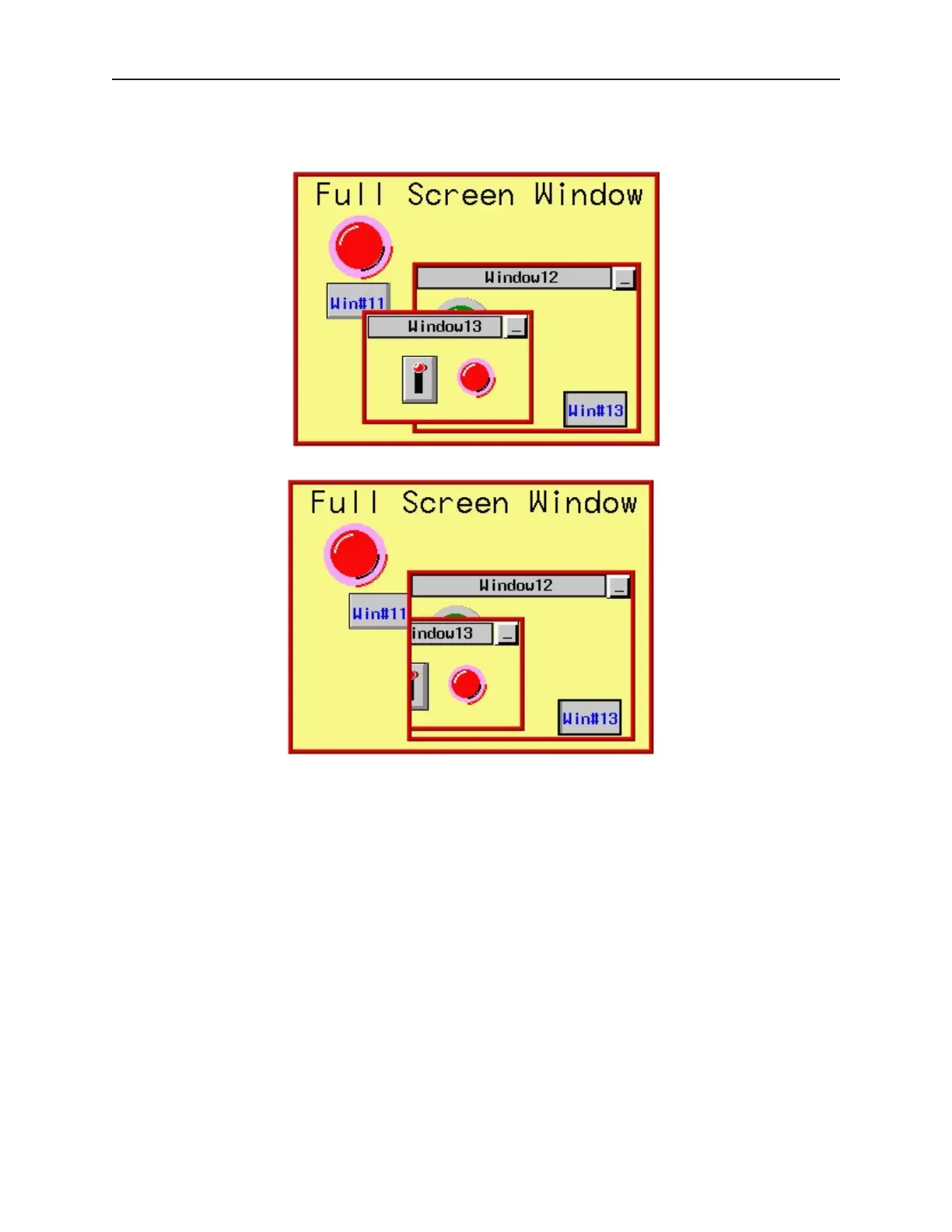
Without clipping, if we move Window#13 so that a portion of the window is out of the area covered by
Window#12, then the entire area of Window#13 is still shown on the OIT screen.
With clipping enabled on Window#13, the same move would cut off part of Window#13.
Like the tracking feature, clipping is most often used to reinforce the notion that one window is tied to the operation
of another window.
Coherence Feature
Normally, when a popup window is displayed on the OIT screen, it covers all other windows that are currently
displayed on screen. The coherence feature causes the popup window to be displayed underneath all other windows
currently displayed. In other words, the coherence feature makes that window subordinate to all other windows.
When the coherence feature is applied to a popup window, you will see the entire popup window only if there are no
other popup windows taking up the same area.
The coherence feature only works if the popup window that has this feature enabled, is called from a full screen
base window. If the popup window (child) is called from another popup window (parent), then the child window
will appear above the parent even with the coherence feature enabled.
1010-1001a, Rev 02
Cre ating Win dows 87



 To Next Page