The Direct and Indirect Window Objects
If you want the PLC to call up a popup window that is to be overlaid on top of other windows already open, then
there are two methods used to do this:
· Direct Window Object
· Indirect Window Object
Unlike the PLC Control Object, the Direct and Indirect Window Objects are only active
for the windows that they are placed into.
The Direct Window Object is used to display a popup window using a PLC coil. The OIT continuously reads the
value of the PLC coil to determine if it is set to 1. If so, then the predefined popup window is displayed.
The Indirect Window Object is used to display a popup window using a PLC data register. Similar to the PLC
Control Object, the OIT continuously monitors the selected PLC data register. It will display any popup window
that corresponds to the number placed into the PLC data register by the PLC.
The PLC must reference a window that is less than full size when using the Direct Window and Indirect Window
object.
4To call a popup window using the Direct Window Object
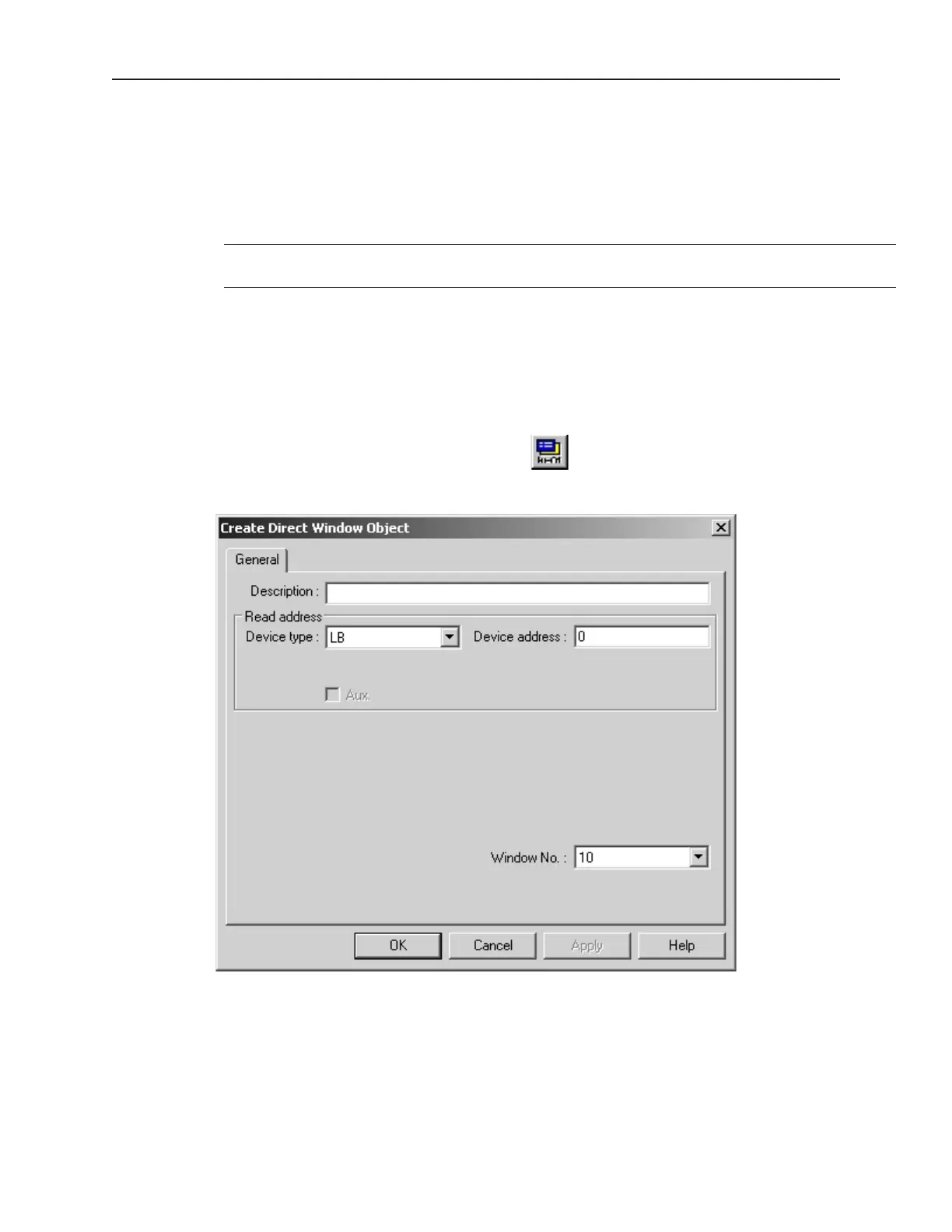
1. From the Parts menu, select Direct Window. The Create Direct Window Object dialog box
appears.
2. In the General Tab, select the PLC address according to Device Type and Device Address.
3. In the same tab, enter the Window No. you want to call.
4. Click OK to return to the main screen of EasyBuilder. The mouse cursor will have a square
object that represents the size of the popup window.
5. Place the Direct Window object where you want the popup window to appear.
1010-1001a, Rev 02
Cre ating Win dows 95



 To Next Page