116
Chapter 6, Setting Up Realtime Effects with Adobe Premiere
Applying a pre-created colorization effect
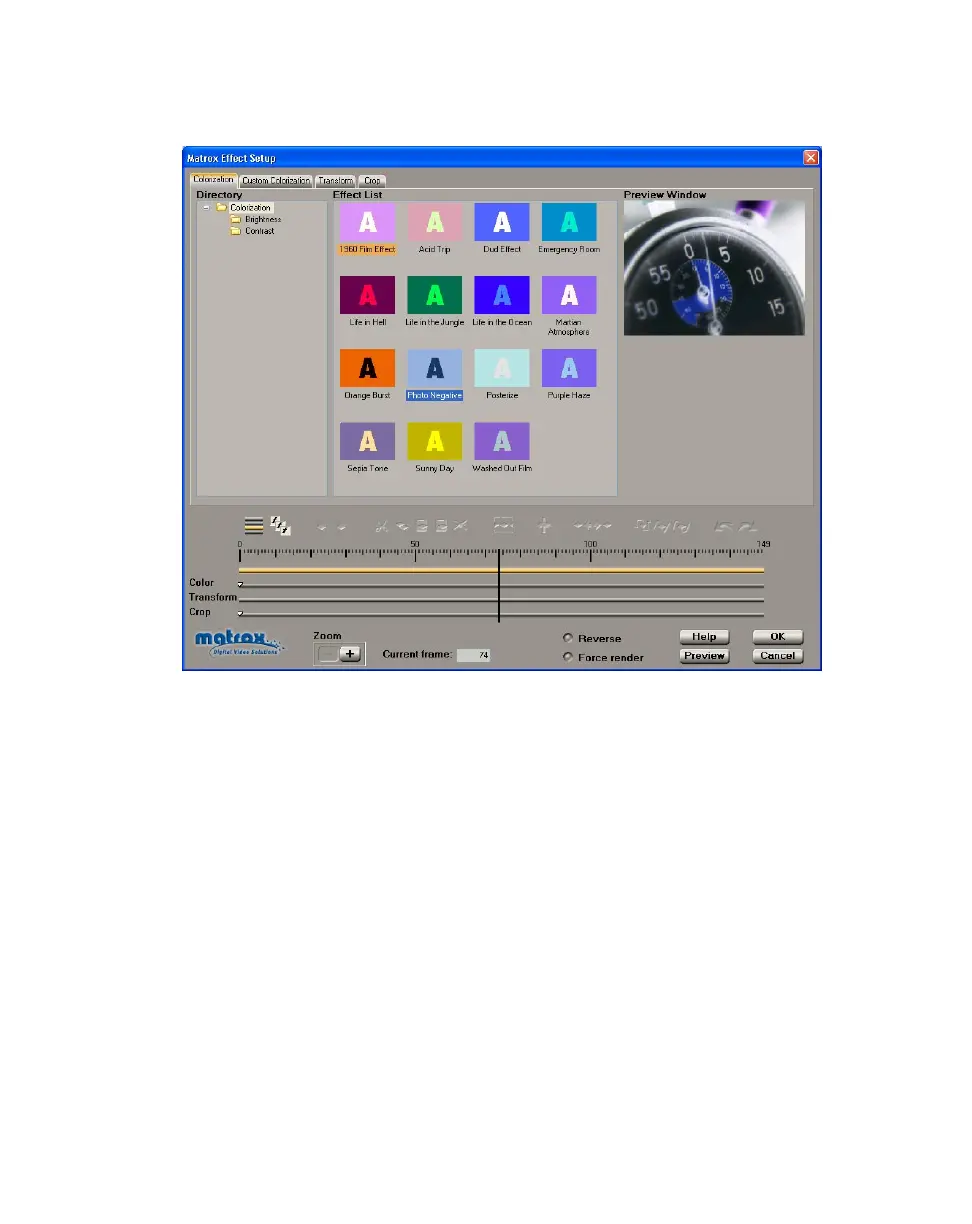
When you apply a Matrox colorization effect, the Colorization page appears:
°To set up a colorization effect:
1 Choose the type of effect you are looking for in the Directory.
2 Click the particular effect you want from the Effect List.
¥Tip If you want to modify your clip without using any of the pre-created
settings, select the
Dud Effect.
3 To change the settings for your selected colorization effect, click the
Custom Colorization tab or the Color track. For details on each of the
available settings, see “Creating a custom colorization effect” on page 117.
4 To see a preview of your effect at any time, click the Preview button.
5 If you want to apply or change various transform settings, such as to change
your clip’s size, position, and rotation settings, see “Transforming your clip”
on page 149.
6 When you are satisfied with your effect, click OK to return to your Timeline.



 To Next Page