74
Chapter 5, Defining Your Adobe Premiere Settings
Defining your export to tape options
In order to achieve a frame-accurate export to tape, you need to specify various
export options. The values you enter for these options depend on the DV-1394
device you are using.
¦NoteNot all DV-1394 devices are frame-accurate. For more information,
please see the RT.X Support section of our web site at
www.matrox.com/videoweb/support.
°To define your export options:
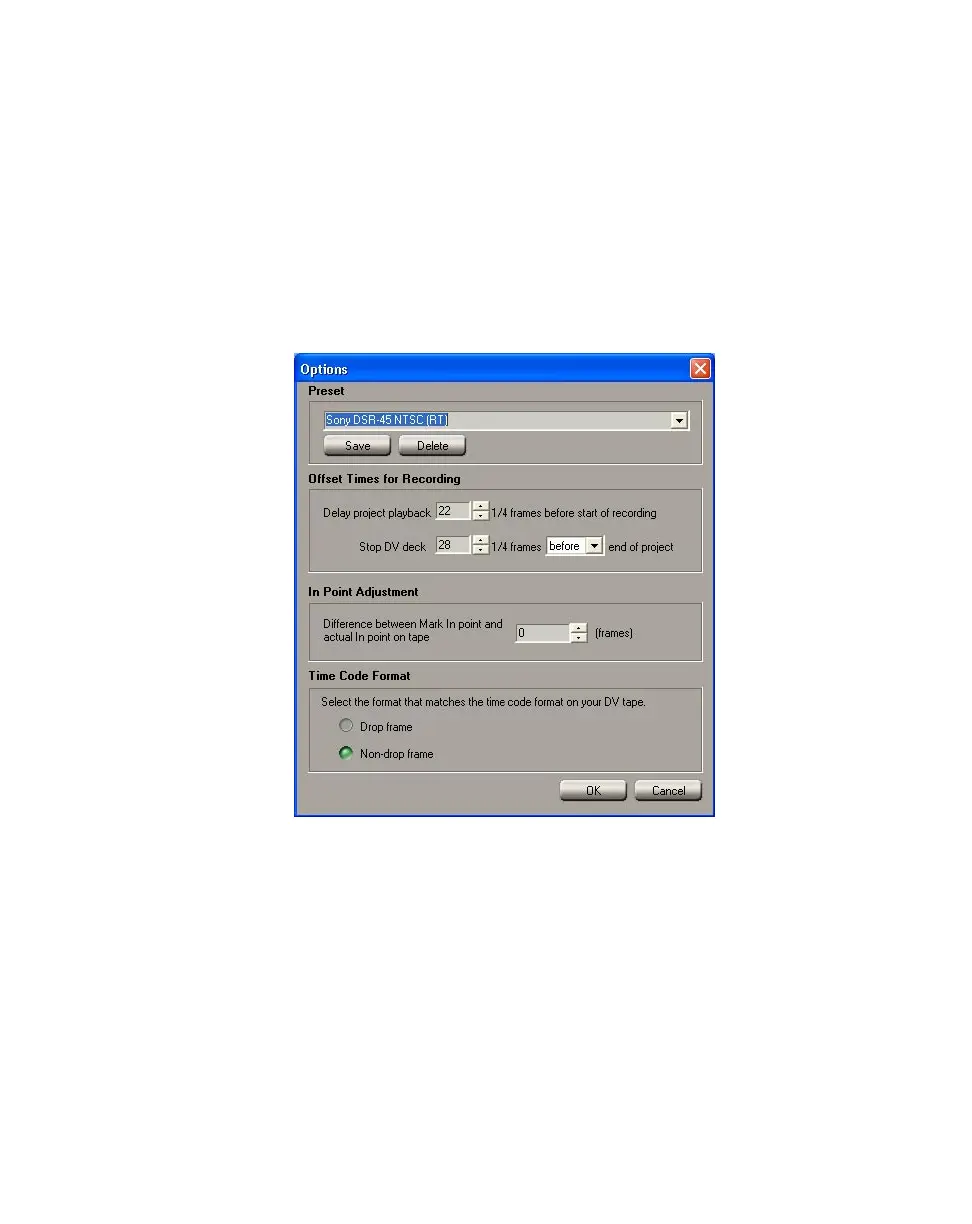
1 Choose File > Export Timeline > Export to Tape, then click the Options
button.
2 From the Preset list, select the model that matches (or most closely
matches) the DV-1394 device you are using. This will immediately apply the
appropriate export options for that device.
Remarks
$ If you’re performing a realtime export to tape, make sure you select an RT
preset, such as
Sony DSR-45 NTSC (RT). If you disabled the realtime
export (that is, you cleared
Enable realtime export to tape in the Matrox
Advanced Settings
dialog box as explained in “Selecting your DV-1394
settings” on page 50), you must select a
Non-RT preset.
$ You can download the latest DV-1394 device presets from the RT.X Support
section of our web site at www.matrox.com/videoweb/support. If a preset
is not available for your DV-1394 device, you will need to do a test export



 To Next Page